Make.com Faceless Videos: JSON2Video and Auto-Posting
Quick answer
Create a free JSON2Video API key and an Airtable table with title, topic, language, voice, status and video URL. In Make.com search for to-do rows, write a script with OpenAI, render a 720 by 1280 vertical video with the JSON2Video toolbox module, wait for it, save the URL to Airtable, download the file and post it with a router to Facebook and YouTube. My test videos rendered in about 60 to 70 seconds.
Prices and plan names change. Confirm them on the vendor page before you buy. Checked November 15, 2026.
This is a June 2025 build that I put together in about an hour. I lowered the video size because the Make.com free plan I was on caps downloaded files at about 5 MB. The Make.com link here is an affiliate link, and JSON2Video credits and prices are theirs, so check them. For the avatar-based version of this idea, see the HeyGen content machine.
Which faceless-video path? Syllaby for the fastest first publish; Make + JSON2Video for spreadsheet-driven batches; HeyGen + ElevenLabs when you want an avatar and voice clone (and to see the API plan wall).
1. Create the accounts and the table
Sign up for JSON2Video and request the free API key; they email it to you. The free start included up to 600 credits in my walkthrough. Then create an Airtable table with title, topic, language, voice, status and video URL. Put each idea under the status to-do.
2. Pull a topic and write the script
In Make.com add Airtable search records with the formula status equals to-do. Add an OpenAI chat completion that writes the script from the topic, the language and the voice. Pass the JSON scene result forward to the next module.
3. Render with the JSON2Video toolbox
Add the JSON2Video toolbox module and connect your key. I set the output to 720 by 1280 instead of the default 1080 by 1920 so the file stayed under the 5 MB download cap on the free plan. I chose the social media reel advanced option, the free Azure voice, a vertical ratio, the free Freepik Classic image model and subtitles, since subtitles help engagement. Voices from ElevenLabs and images from Flux Pro use more credits, so start with the free ones.
A second JSON2Video module waits for the movie to render using the project ID from the previous step. Videos took about a minute. Then an Airtable update stores the video URL on the row.
4. Download and post with a router
An HTTP get-a-file module downloads the video from its URL. A router then branches to the platforms you want. I posted to a Facebook page, passing the file, with the title and topic as the description, and to a YouTube channel, which also needs a category. Adding Instagram or TikTok is another branch from the router. Both posts appeared on my page and channel automatically.
The imagery from the free model was basic, and I suggested a better image model if you want nicer visuals.
Done when
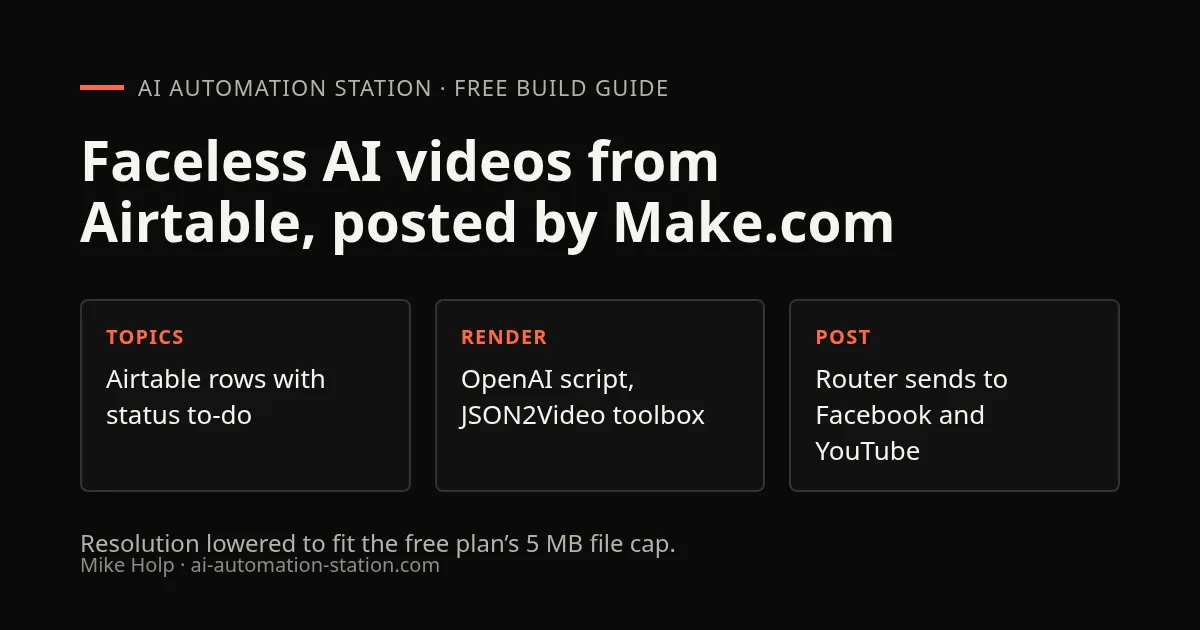
- Airtable rows with status to-do
- OpenAI script, JSON2Video toolbox
- Router sends to Facebook and YouTube
What I didn't cover
- Audience results from the posts. I showed videos going live, not views.
- Platform rules on automated or AI-generated posts, which differ by site.
- JSON2Video costs after the free credits.
Watch the walkthrough

- 0:00 Introduction to Make.com
- 0:37 Create Your AI Faceless Video
- 1:04 Connect Airtable & JSON to Video
- 1:27 Define Data Fields for Video Content
- 1:52 Update Airtable Records with API Keys
- 5:16 JSON2Video Module Setup
- 6:31 Configure Social Media Posting
- 11:05 Posting on Facebook & YouTube
- 12:31 Final Thoughts
From the video
Lines from the video's transcript that this guide does not cover, lightly trimmed. Each time opens the video at that point. Read the full transcript.
- 5:23
I actually had to scale mine down a little bit because there's a limit to the file size that you can get from the HTTP request.
- 6:57
If you use like Flux Pro or ElevenLabs, it's going to cost you more credits. So, I recommend just sticking to the the free ones when you're getting started.
- 13:38
This one's 30 seconds, 35 seconds, 37 seconds. And that's the rendering time as well.
FAQ
Why 720 by 1280?
The Make.com free plan caps downloaded files at about 5 MB, so I lowered the resolution from the 1080 by 1920 default.
How long does a video take?
About 60 to 70 seconds to render in my walkthrough, plus the wait step in the scenario.
Can I post to TikTok or Instagram?
You can add more branches to the router. I only ran Facebook and YouTube in my walkthrough.
Sources
- Video: Generate Unlimited AI Videos With This Make.com Automation (recorded June 2025)
- JSON2Video: json2video.com · Make.com: make.com (affiliate link)
Build the next one with AI Income Lab
Step-by-step courses, reusable templates, and a community that answers when you get stuck.
Members get the Claude Code & Skills and Codex Tutorials & Courses lessons.
- Courses for builds like this one
- Copy-ready templates
- Ask questions while you build
- Weekly coaching on VIP


