YouTube channel growth workflow: research, publish, learn
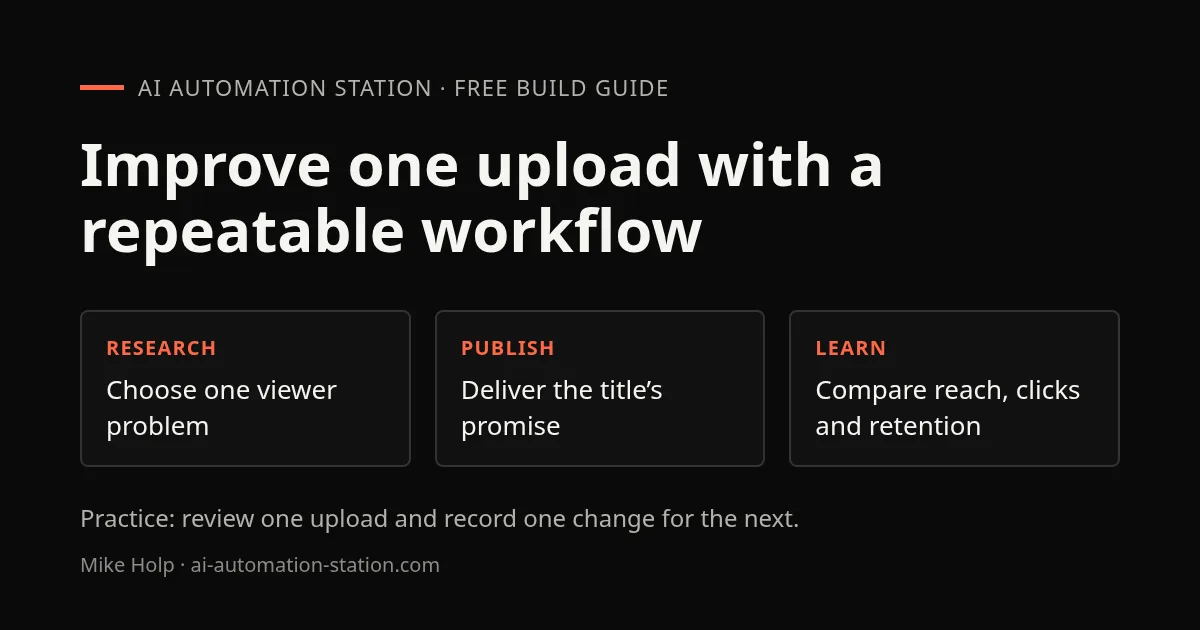
Quick answer: choose an idea for a specific viewer, make the title and thumbnail promise clear, publish a video that keeps that promise, then use several analytics signals to decide what to improve. A single view count or competitor estimate cannot tell you why a video performed as it did.
Research a viewer problem
Write down who the video is for, what they already know, and what they should be able to do or decide afterward. Search suggestions, comments and competitor videos can reveal questions, but treat them as clues rather than proof of demand. Check whether a topic fits the channel and whether you can add a useful demonstration or explanation.
Keep a short idea record: viewer question, evidence that people ask it, your angle, the footage or sources needed, and the likely follow-up. Avoid copying another creator's framing or assets.
Package the idea clearly
Draft the title and thumbnail concept before recording. They should communicate the same central idea without repeating the same words. A viewer should understand the subject and reason to watch at a glance. Do not promise a result that the video cannot show.
Make a simple thumbnail sketch before spending time on polish. Check it at small size, use one visual focus, and verify that any logos or screenshots may be used. Test one change at a time when comparing alternatives; simultaneous changes make the result hard to interpret.
Make and publish the video
Start with the answer or demonstration that supports the title. Remove setup that does not help the viewer understand the task. Add chapters only when they match the actual recording. Check links, captions, end screens, visibility and audience settings in the upload flow before publishing.
Use a description to help viewers take the next useful step. Include accurate context and links to the relevant guide or source. Keep tracking tags consistent so you can distinguish visits from different videos.
Learn from analytics without overreading
Compare a video with similar uploads from your own channel and a similar time window. Look at impressions and click-through together, then inspect where viewers leave. Reach, click behavior and viewing satisfaction describe different parts of the journey. A small audience or short observation period can make the numbers noisy.
- Low impressions: check topic fit, audience match and upload context.
- Impressions but weak clicks: revisit whether the title and image are clear and accurate.
- Clicks but early exits: check whether the opening delivers the promised value.
- Steady viewing but few returning viewers: consider a useful series or next video.
These are diagnostic prompts, not guarantees. Change one element, record what changed and compare with similar videos. Do not use third-party estimates as if they were your channel's private analytics.
Make the next upload better
After each release, write one thing that worked, one point where viewers dropped, and one change for the next video. Keep a queue of ideas tied to questions from the audience. Use automation for draft descriptions, file organization or reporting, but review the result before it is published.
For technical examples, read the YouTube feed guide. For visibility research, see the OpenSEO review and DataForSEO MCP tutorial.
Practice: review one upload without guessing at causation
Use an upload on a channel you manage, so you can inspect its own YouTube Studio analytics. Choose a comparable upload of similar format and length, then compare the same elapsed time after publication. Do not substitute a competitor's public view count for private retention data.
- Write the viewer question and the exact promise made by the title and thumbnail.
- Record the selected date range, impressions, click-through rate, average view duration, and the opening retention shape where data is available.
- Watch the first 30 seconds beside the title. Mark the timestamp where the promised answer or demonstration first appears.
- Choose one next-video experiment: show the result sooner, explain the title more clearly, or remove an unrelated opening.
For a fictional diagnostic example, suppose viewers click but many leave during a long introduction before the promised demonstration. The hypothesis is that the opening delays value. The next-video change is to show the result first. That is a testable explanation, not proof that the title, recommendation system or audience caused the drop.
Finish with a one-page review containing the source screenshots, date range, one hypothesis, one planned change and the date you will review it. If the audience is small or the retention report is not available, record that limit and wait for enough data rather than declaring a winner. YouTube says retention data typically takes one to two days to process; metric availability varies by report and video.
FAQ
Does a higher click-through rate always mean a better video?
No. Read click-through rate beside impressions, traffic sources and viewing behavior. Different audiences and observation windows can produce different rates, and a click does not show whether the video delivered its promise.
Can I diagnose a competitor’s retention from public views?
No. Public view counts do not reveal a channel’s private retention report. Use your own YouTube Studio analytics for a retention review and treat outside estimates as research clues.
Sources
Build the next one with AI Income Lab
Step-by-step courses, reusable templates, and a community that answers when you get stuck.
Members get the Claude Code & Skills and Codex Tutorials & Courses lessons.
- Courses for builds like this one
- Copy-ready templates
- Ask questions while you build
- Weekly coaching on VIP


