Syllaby First Test: A Faceless Video From Idea to YouTube
Quick answer
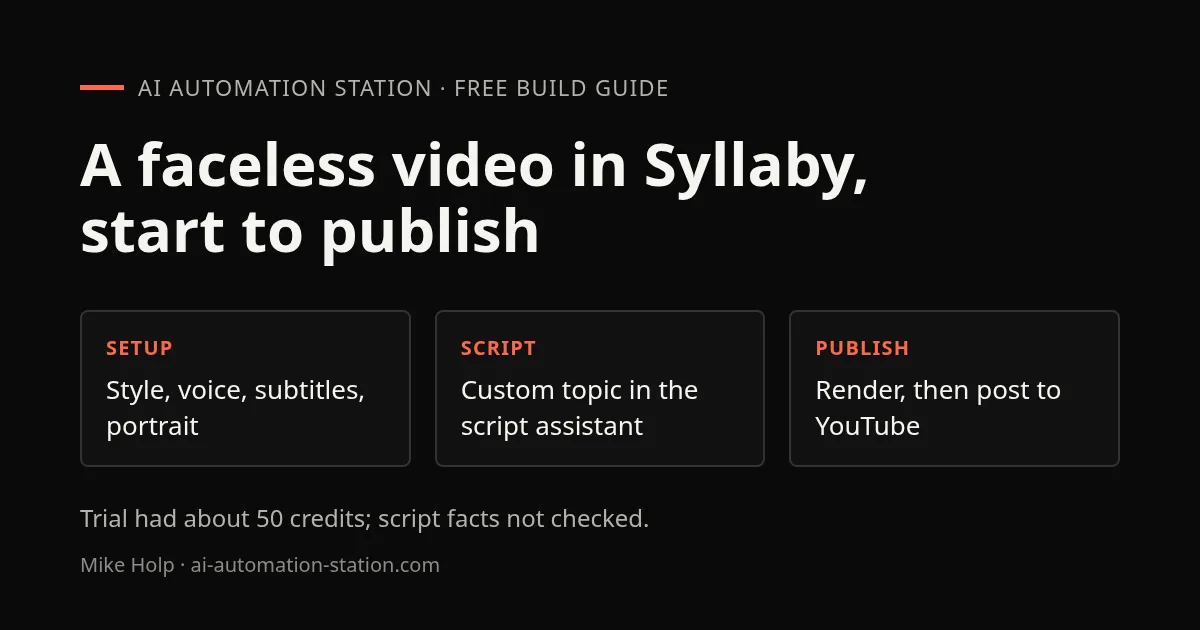
In Syllaby choose Create video, then Faceless video, pick a visual style, subtitles and voice, set portrait and a length under a minute, and write a custom topic for the AI script assistant. I added ambient music and sound effects, rendered the video in about three minutes despite an on-screen application error, then connected YouTube and published straight from Syllaby. The free trial had about 50 credits, roughly three minutes of video. I did not check the AI script’s cost-of-living claims or see how the video performed.
This follows a first live test of Syllaby on a free trial. The same walkthrough is on this channel twice, so both videos link here. The Syllaby link is an affiliate link, so I earn a commission if you take a paid plan. Plans and credits change, so check Syllaby’s page. If you want to schedule many videos at once, see the Syllaby bulk scheduler guide.
Which faceless-video path? Syllaby for the fastest first publish; Make + JSON2Video for spreadsheet-driven batches; HeyGen + ElevenLabs when you want an avatar and voice clone (and to see the API plan wall).
1. Start a faceless video
The dashboard offers ideas, a clone of yourself and AI thumbnails (I use vidIQ for thumbnails, so I skipped that). I chose Create video, then Faceless video. The visual styles included pop art, hyper realism and cinematic realism, each with a preview that updates with your subtitle style. I picked an American male voice after hearing a few, set portrait mode for Shorts and chose a length under a minute because the trial had about 50 credits, enough for around three minutes.
2. Write the script
The AI script assistant offered preset styles. My first attempt missed the point, so I entered a custom topic, low-cost places for digital nomads, and read the result. ChatGPT helped with topic ideas. I added ambient music and sound effects before creating the video.
Check the facts in any AI script. The list of places and prices in mine looked fairly accurate to me, but I did not verify them.
3. Render and publish
Rendering took about three minutes. An application error appeared on screen, but the video rendered anyway. The imagery was photo-realistic. I connected my YouTube account, selected the video and chose Publish now. Syllaby lets you add a call to action with links; I skipped it. I could not find a way to change the thumbnail at that step.
4. Credits, price and scheduling
I was on the free trial and said the paid plan was about $25 a month for 500 credits. I had 35 credits left after one video. A bulk scheduler can create and post videos automatically to YouTube, Facebook, TikTok and Instagram. I had built similar posting automations in Make.com before, and thought Syllaby was easier, but that is my opinion.
Done when
- Style, voice, subtitles, portrait
- Custom topic in the script assistant
- Render, then post to YouTube
What I didn't cover
- Views, watch time or revenue from the published video.
- The accuracy of the script’s cost-of-living claims.
- Whether the on-screen application error repeats.
Watch the walkthrough
- 0:00 Introduction to Syllaby
- 0:29 Exploring Syllaby’s Features
- 1:15 Automating Script and Thumbnail Creation
- 1:53 Creating Faceless Videos
- 2:30 Customizing Video Style, Voice, and Effects
- 3:30 Managing Video Length and Use of Credits
- 4:19 AI Script Assistant: Creating Content with Ease
- 9:29 Posting Directly from Syllaby to YouTube
- 11:00 Automating Video Scheduling via Syllaby
- 12:32 Final Thoughts
From the video
Lines from the video's transcript that this guide does not cover, lightly trimmed. Each time opens the video at that point. Read the full transcript.
FAQ
How many credits did the trial have?
About 50, which was around three minutes of video, as I said then.
Can Syllaby publish to YouTube?
Yes. I connected my channel and published from inside Syllaby.
What did it cost?
About $25 a month for 500 credits at the time. Check the current plan.
Sources
- Video: Syllaby AI Review: Can It Really Build Your Faceless Channel? (recorded June 2025; also uploaded as Making AI Videos Without Showing Your Face)
- Try Syllaby through my affiliate link: Syllaby
- Syllaby: syllaby.io (Checked November 15, 2026)
Build the next one with AI Income Lab
Step-by-step courses, reusable templates, and a community that answers when you get stuck.
Members get the Claude Code & Skills and Codex Tutorials & Courses lessons.
- Courses for builds like this one
- Copy-ready templates
- Ask questions while you build
- Weekly coaching on VIP


