Make.com Content Machine: Airtable, Perplexity and HeyGen
Quick answer
Build one Make.com scenario: search Airtable for one to-do topic, research it with Perplexity’s Sonar model, have a custom ChatGPT assistant write the script, create the HeyGen video, wait for it to render, upload it to a Facebook page from its URL and mark the Airtable row done. In my July 2025 run the HeyGen API refused scripts that ran over about three minutes, so I rendered one video by hand to finish the demo.
This is the longer cousin of the HeyGen to YouTube build: the same avatar and script assistant, but with a topic queue, research step and a Facebook upload instead. This walkthrough is from July 2025 and the HeyGen and Make.com links here are affiliate links. API plans and limits change, so check HeyGen’s pricing before you build around them.
Which faceless-video path? Syllaby for the fastest first publish; Make + JSON2Video for spreadsheet-driven batches; HeyGen + ElevenLabs when you want an avatar and voice clone (and to see the API plan wall).
Prices and plan names change. Confirm them on the vendor page before you buy. Checked November 15, 2026 against the Sources links below where listed.
1. Pull one topic from Airtable
The first module searches an Airtable table. I connected it with OAuth, picked the base and table, and used the formula status equals to-do with a limit of one, so each run makes one video. The table has three fields: topic (single line text), URL and status (to-do or done). The URL field is filled in with the finished video’s link at the end.
2. Research and script
The topic goes to Perplexity. I used the Sonar model because the deep research model took too long for a short video. Its research text is then passed to an OpenAI module that uses a custom assistant, with a message asking for a three-minute Facebook video script on the topic based on the research. The assistant itself is the one from my YouTube automation video, so I did not rebuild it here.
3. Render in HeyGen and wait
The HeyGen module takes the avatar ID, a voice clone and the script. Because the render is not instant, the scenario sleeps before fetching the video and then uses the video ID to get the file URL. My run hit trouble here. HeyGen’s API refused scripts that came out longer than about three minutes, and the resolution was limited unless you pay for a higher API plan. A HeyGen contact told me the Pro API plan, from about $99 a month, was needed, and this walkthrough named a top tier near $330 a month. I did not upgrade.
4. Post to Facebook and close the loop
Once the video exists, a Facebook module uploads it to my page from the video URL. The last module updates the Airtable record with that URL and sets the status to done. To finish the demo, I generated the video manually in HeyGen and ran the upload and update modules with its video ID. The video took a while to process on Facebook, then appeared on the page.
For a gentler way into Make.com, try the first Make automation before chaining five services.
Done when
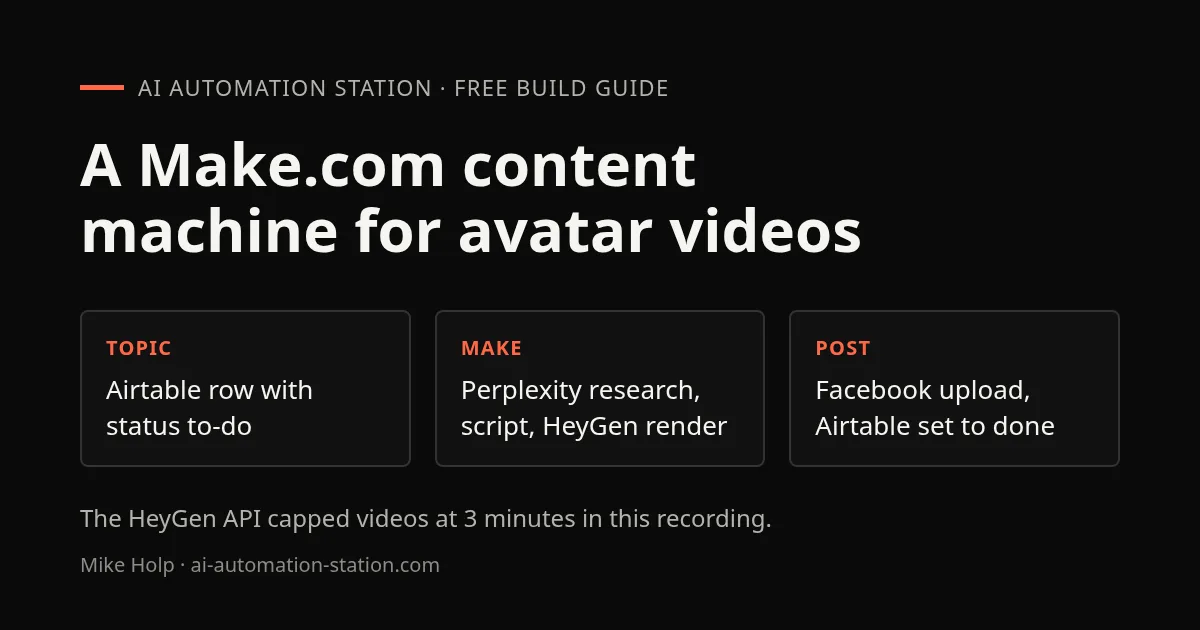
- Airtable row with status to-do
- Perplexity research, script, HeyGen render
- Facebook upload, Airtable set to done
What I didn't cover
- A fully automatic run from topic to Facebook. The HeyGen render was done by hand.
- The cost of Perplexity, OpenAI and HeyGen API calls per video.
- Why the first Facebook upload attempt seemed to stall before the video appeared.
Watch the walkthrough

- 0:00 Introduction to the Workflow
- 0:39 Integrating AirTable for Topics
- 1:45 Using Perplexity AI for Deep Research
- 2:31 Generating Scripts with ChatGPT
- 3:32 Creating AI Avatar Videos with HeyGen
- 4:41 Understanding API Limitations
- 6:22 Automating Video Uploads to Facebook
- 7:27 Updating AirTable Records
- 9:02 Running Automated Processes
- 10:34 Troubleshooting Common Issues
- 13:16 Manual Workarounds for Rendering
- 16:49 Conclusion & Subscription Plans
From the video
Lines from the video's transcript that this guide does not cover, lightly trimmed. Each time opens the video at that point. Read the full transcript.
- 4:04
If you're using the API, which is what make.com requires, you can only create videos up to 3 minutes long for some reason.
- 6:58
I just chose to set two different sleep modules here. So it's going to wait 600 seconds.
- 8:30
I've got about 166,000 followers on this Facebook page. And now I just want to start automating creating videos and posting to Facebook like every day, right?
FAQ
Why did the scenario stop at HeyGen?
HeyGen’s API refused scripts over about three minutes on my plan, and this walkthrough said longer or higher-resolution videos needed a higher API plan.
Can this post somewhere other than Facebook?
Yes. Make.com has upload modules for other platforms, so you can swap the last module. I only ran Facebook in this walkthrough.
What does the Airtable table need?
A topic field, a URL field and a status field with to-do and done options.
Sources
- Video: I Built an AI Content Machine In Make.com (Here’s Exactly How) (recorded July 2025)
- Sign up through my affiliate links: Make.com and HeyGen
- HeyGen pricing: heygen.com/pricing (Checked November 15, 2026)
Build the next one with AI Income Lab
Step-by-step courses, reusable templates, and a community that answers when you get stuck.
Members get the Claude Code & Skills and Codex Tutorials & Courses lessons.
- Courses for builds like this one
- Copy-ready templates
- Ask questions while you build
- Weekly coaching on VIP


