GrokBot Job Application Agent: Resume, Queue and Review
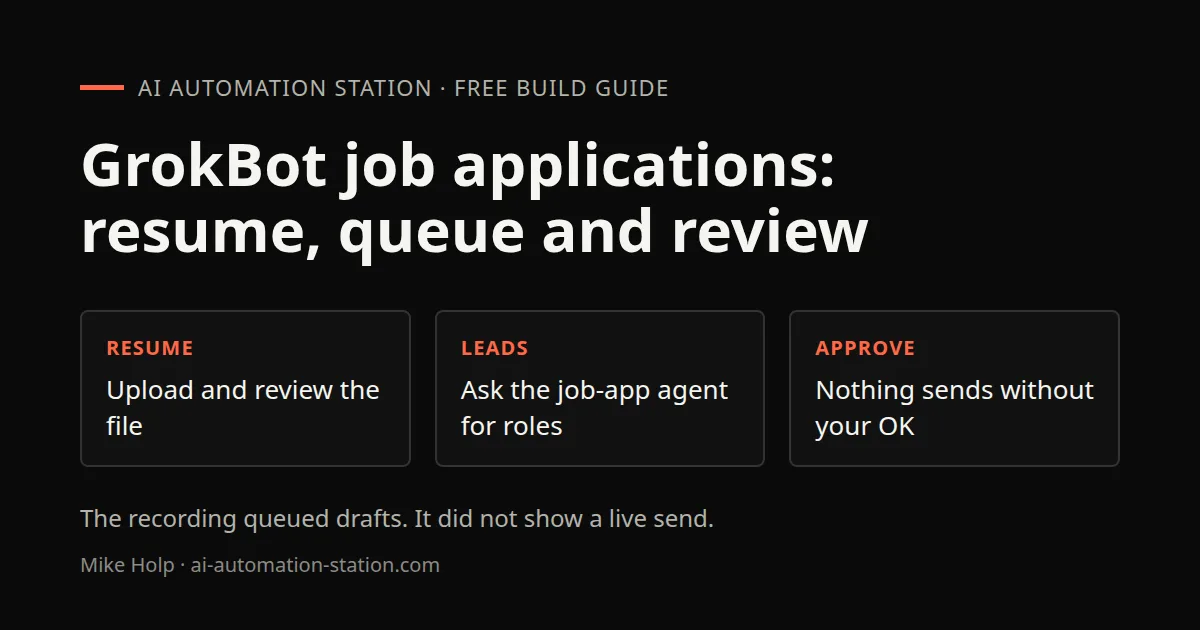
Quick answer: In GrokBot, talk to a Chief of Staff bot. Upload a resume, let a job-app agent pull matching roles, attach the reviewed resume to queued drafts, and keep outbound applications for your approval. This recording queued work for a later send window. It did not show a live send.
This is the recorded job-application workflow from 11 November 2026, not a generic GrokBot tour. For first-bot setup, start with GrokBot for beginners. For a job-hunting comparison that submitted nothing, see GrokBot vs Dots.
What this recording shows
The video uses a Chief of Staff bot as the coordinator for other bots, including a job-app agent. You talk in plain language. The chief delegates. The job-app agent sources leads and prepares application drafts. Treg is named as the lead source. The recording does not show how that Treg lookup was first connected, beyond the public setup line on Treg’s OpenRouter page.
If credit use is already high, read GrokBot credit usage before you add another always-on bot.
1. Upload and review the resume
In the recording the resume is uploaded to the Chief of Staff. The bot asks whether to review and improve it. Choosing that option produces a tighter PDF and Word version, with claims kept faithful to the uploaded file, plus an ATS-style checklist in the chat.
The video does not show the original resume contents, and this page does not reproduce personal files. Approve the bot’s proposed edits yourself. The recording then pins the updated PDF as the job agent’s current resume source and keeps the older file.
2. Ask the job-app agent for leads
Ask the chief what the pulled leads are, whether they are ready to apply, and to add qualifying roles to a send queue. In this recording the queue is set to start on Monday. Ask it to attach the updated resume to those sends if that is what you want.
The video names Treg as the tool that generates the leads. This line is shown on the Treg OpenRouter page at 01:15:
$ set up treg - https://treg.to/llms.txtPaid Treg calls still need a spending check. See Treg inside GrokBot.
3. Narrow remote US roles
In the recording the filter is fully remote US roles with a listed salary above 80,000 a year. Salary unknowns are dropped. That is the filter used on camera, not a rule for every search.
The bot then reports a blocker: the review records are missing contact emails, so the batch is not ready to send until those emails are filled in. Qualifying roles and drafts are dropped in the chat for approval.
4. Keep sends on hold
Two guards from the recording:
- Roles with unconfirmed qualifications or work eligibility stay on hold.
- Application form answers need a final review before they go out.
The send window in this recording is Monday at 9, Bangkok. The bot says it will surface verified matches, and anything that still needs a yes, in the chat. Nothing in the video shows an email actually leaving. Treat the queue as drafts until you approve a send.
If you later route coding work from the same GrokBot box, the Claude Code vs Codex routing page covers installing those tools on the virtual computer. A custom agent dashboard is a separate build: GrokBot virtual office.
Watch the walkthrough

FAQ
Did this recording send job applications on its own?
No. The job-app agent queued drafts for a later send window and kept unconfirmed roles and application-form answers on hold until a person reviewed them. The recording did not show a live send.
Who coordinates the job-app agent?
A Chief of Staff bot. In the recording it read the resume, passed lead work to the job-app agent, and reported status back in the same chat.
What blocked the queued batch?
The bot reported that review records were missing contact emails, so nothing was confirmed ready to apply until those emails were filled in.
Where do the job leads come from?
The video says leads are generated with Treg. It shows the public Treg setup line on the OpenRouter agent-tools page. It does not show the exact Treg lookup that produced the list.
Sources
- Video: Let GrokBot Find And Apply To Jobs For You (11 November 2026)
- xAI, GrokBot product page: https://x.ai/bot
You may also like



Build the next one with AI Income Lab
Step-by-step courses, reusable templates, and a community that answers when you get stuck.
Members get the Claude Code & Skills and Codex Tutorials & Courses lessons.
- Courses for builds like this one
- Copy-ready templates
- Ask questions while you build
- Weekly coaching on VIP


