Dots vs Grok Bot: job-search agent test and pricing
Watch on YouTube ↗ Subscribe on YouTube ↗
Dots vs Grok Bot on one job-search agent: jobs found, resume tailoring, contact emails, Airtable tracking and recorded costs, as shown October 1, 2026.
Video summary
OpenAI Dots vs GrokBot: which AI agent is better for automated job applications? Side-by-side test — ChatGPT Dots setup limits (speed, missing emails) vs Grok Bot desktop orchestrator with Airtable, resume/salary/remote filters, and Lead Magic job search.
Grok Bot tutorial + OpenAI Dots review for AI job search automation — full comparison and pricing below.
The video covers 10 parts: OpenAI Dots vs GrokBot: Automated Job Application Agents, How to Setup and Customize OpenAI Dots in ChatGPT, OpenAI Dots Limitations: Slow Speed & Missing Emails, Getting Started with GrokBot AI Desktop App, Building an AI Agent Orchestrator with GrokBot Prompts, Integrating an Airtable Database into Your GrokBot Workflow, Setting Up the AI Job Search: Resume, Salary, and Remote Filters, Finding High-Paying Remote AI Jobs Using Lead Magic API, Automating Airtable Job Tracking and Salary Sorting, and Pricing Breakdown: Is GrokBot Better Than OpenAI Dots?.
What I tested
The same job in OpenAI Dots (inside ChatGPT) and GrokBot: an agent that finds remote AI automation jobs, tailors my resume to each one, finds the contact email, and drafts the outreach.
| Dots | GrokBot | |
|---|---|---|
| Time to build | About 45 minutes for a basic version | Orchestrator agent live in 15–20 seconds; first results in a couple of minutes |
| Jobs found | 3 | About 45 pulled; 3 strong matches and a few possibles in the test run |
| Resume and cover letter | Wrote a cover letter and appeared to tailor the resume | Asked for my master resume, parsed it, then drafted an outreach email per job |
| Contact emails | Couldn’t verify an email for either role, so nothing could be sent | Found contacts through the Treg plugin (Lead Magic); emails drafted, ready to send |
| Tracking | Job pages linked in the chat | Airtable base with title, company, links, date found, location, remote, full-time and salary |
| Cost | A plan of at least $100 a month | Free to start, Pro $20 a month; I use Pro Plus at $60. The job search used about 10 cents of Treg credits. |
Verdict
GrokBot finished in a couple of minutes what Dots couldn’t finish in 45. Dots felt rushed out, and I don’t think it’s worth $100 a month when GrokBot starts free.
What this video covers
What you build
A job application agent that finds remote AI jobs, tailors a resume and cover letter to each posting and tracks the results in an Airtable base. The walkthrough builds it in Dots first and then in GrokBot.
Tools used
Key steps
- 0:42 - Set up and customize Dots in ChatGPT and read its results.
- 1:41 - Start the GrokBot desktop app and build an orchestrator agent with prompts.
- 3:05 - Connect an Airtable database to the GrokBot workflow.
- 4:00 - Set the resume, salary and remote filters for the job search.
- 4:47 - Find high-paying remote AI jobs with the Lead Magic API.
- 6:53 - Compare plan pricing for both tools.
Not covered
- A controlled benchmark. It is one task run once per tool.
- Whether any application emails were actually sent and answered.
In this video
- 0:00 OpenAI Dots vs GrokBot: Automated Job Application Agents
- 0:42 How to Setup and Customize OpenAI Dots in ChatGPT
- 1:15 OpenAI Dots Limitations: Slow Speed & Missing Emails
- 1:41 Getting Started with GrokBot AI Desktop App
- 2:27 Building an AI Agent Orchestrator with GrokBot Prompts
- 3:05 Integrating an Airtable Database into Your GrokBot Workflow
- 4:00 Setting Up the AI Job Search: Resume, Salary, and Remote Filters
- 4:47 Finding High-Paying Remote AI Jobs Using Lead Magic API
- 5:56 Automating Airtable Job Tracking and Salary Sorting
- 6:53 Pricing Breakdown: Is GrokBot Better Than OpenAI Dots?
Questions and answers
How long did the Dots build take?
About 45 minutes in my walkthrough, and it found three jobs but could not verify application emails.
How long did the GrokBot build take?
About two to three minutes to create the agent in the desktop app, Mike estimates, before he adds Airtable tracking and salary sorting.
What do the plans cost?
GrokBot is free to start, then $20 a month for Pro and $60 a month for Pro Plus, which Mike uses.
Keep learning
Dots vs Grok Bot: questions answered
The same job-search agent is built in OpenAI Dots and in GrokBot (Grok Bot). The answers below use only the comparison table above, the video’s chapter titles and the related launch video.
What is OpenAI Dots?
In this video, OpenAI Dots is the tool Mike uses inside ChatGPT to build the job-search agent; the chapter at 0:42 covers setting it up and customizing it. For the announcement, see the OpenAI Dots launch video, whose description says Dots was announced at Dev Day 2026. Its chapters include “What Are OpenAI Dots?”, “Always-On AI Agents”, “Dots Cloud Computer Explained” and “Connecting 4,000+ Apps”. This page does not restate what those chapters say.
Is Dots or Grok Bot faster for a job search?
In this walkthrough, GrokBot. Dots took about 45 minutes for a basic version. GrokBot’s orchestrator agent was live in 15–20 seconds, with first results in a couple of minutes. The chapter at 1:15, “OpenAI Dots Limitations: Slow Speed & Missing Emails”, covers the Dots side. These are times from one recorded session, not a benchmark.
How many jobs did Dots and Grok Bot find?
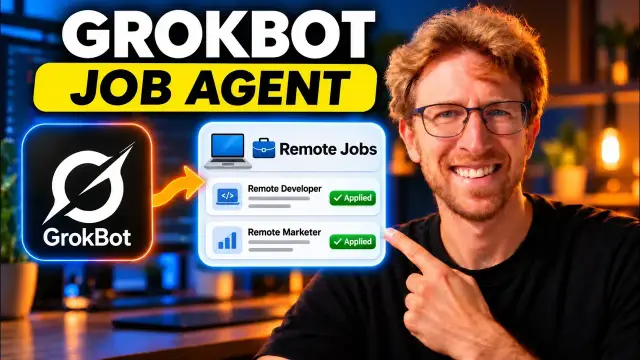
Dots found 3 jobs. GrokBot pulled about 45, with 3 strong matches and a few possibles in the test run. On applications, Dots wrote a cover letter and appeared to tailor the resume. GrokBot asked for Mike’s master resume, parsed it, and drafted an outreach email per job. The job-search setup, including resume, salary and remote filters, starts at 4:00.
Can Dots find contact emails for jobs?
Not in this test. Dots couldn’t verify an email for either role, so nothing could be sent. GrokBot found contacts through the Treg plugin (Lead Magic), and the emails were drafted and ready to send. The chapter at 4:47, “Finding High-Paying Remote AI Jobs Using Lead Magic API”, covers the Lead Magic part of the workflow. This describes one run of one workflow, not everything Dots can do.
Does Grok Bot track jobs in Airtable?
Yes, in my walkthrough. GrokBot produced an Airtable base with title, company, links, date found, location, remote, full-time and salary. The video sets up the integration at 3:05 and covers job tracking and salary sorting at 5:56. Dots linked the job pages in the chat instead.
How much do Dots and Grok Bot cost?
As stated in the video published October 1, 2026: Dots needed a plan of at least $100 a month. GrokBot was free to start, with Pro at $20 a month; Mike uses Pro Plus at $60 a month. The job search used about 10 cents of Treg credits. The pricing chapter, “Pricing Breakdown: Is GrokBot Better Than OpenAI Dots?”, is at 6:53. These prices have not been re-verified, so check each provider’s current plans. The launch video has its own “OpenAI Dots Pricing & Availability” chapter.
Which should I pick: Dots or Grok Bot?
For this job-search workflow, the video’s verdict favors GrokBot: it finished in a couple of minutes what Dots couldn’t finish in 45. Mike felt Dots was rushed out and doesn’t think it is worth $100 a month when GrokBot starts free. That is one test of one workflow, so run your own small version of the task before paying for either.
Related
See more GrokBot recordings: GrokBot with Codex and Claude Code: routing walkthrough and GrokBot as a chief of staff. For how agents differ from fixed automations, read What Is AI Automation? Examples, Tools and a First Build. For the agentic side in depth, read How does agentic AI differ from traditional automation?
Transcript
It seems like everyone is talking about this new DOTS always on AI agent that's now built into ChatGPT. And after some testing over the past day, I was able to compare it versus GrokBot in order to build an automated job application agent which finds the best quality jobs, crafts the resume tailored to each job description, and also finds the emails and sends the emails as well.
I'm going to be putting dots to the test in this video versus GrokBot and we're going to see how long it takes each one to get the job done and which one does a better job. Please go ahead subscribe to the channel if you haven't already and let's get into it. To kick things off, I want to show you how to get started with dots. You can find it in the upper leftand corner under your new chat. And from here, we can start customizing our dots.
Read the rest of the transcript
So, as you can see, I've given mine the name Bob and I gave it this specific avatar. And we can see over here that it was able to find some jobs for me. So if we want to bring up each one of the job application pages, we have the option to do that. You can see here that it wrote the cover letter and then it also I think customized the resume. But the surprising thing is that this took quite a long time to do.
I think it took around 45 minutes to build this really really basic job application outreach agent. You can see that I told it to send the emails for each job application. And it says that it couldn't verify an application email for either RO. So, it wasn't able to get the emails. All it did was find three jobs, which isn't really that great for 45 minutes.
Whereas, if I were to use GrokBot to do something like this, it would probably take about two to three minutes to create the AI agent inside the desktop app, which they provide, and it's available for Linux, which I already have open over here. And my credits just reset about 5 minutes ago. So, now we've got full usage credits inside GrokBot. And you can see each one of these over here is an AI agent that is working on my business behind the scenes 24/7.
I don't really have to do anything. All I need to do is to create the AI agent, which we could easily do. We now have the detailed, super detailed prompt in order to build this inside GrokBot. So all I'm going to do is copy this prompt. We're going to come over here to GrokBot and I'm just going to paste that in. So, it's already getting started. GrokBot is working to build it and right away you can see it's building the job application outreach system.
Orchestrator agent going to integrate this with Airtable as well. And how long did that take? That took like 15 20 seconds. And it says the orchestrator is already live. And now it's going to set up the Airtable application database. And that's where it's going to start adding the jobs as well as customizing the resumes and that sort of stuff. So we can see here that we now have an AI agent that's called the job application outreach orchestrator.
If I want to rename that to something else, I can easily do so. I'm just going to call it job app agent for example. What should I focus on? Either find the roles that fit, draft the outreach follow-ups, track applications, or something else. I'm just going to go ahead and say find the roles that fit. And it's already created the Airtable database, I believe, which is where it's going to be adding all the jobs using most likely TEG, which is a plugin that can find all
this stuff for you that's built directly into GrokBot. It's already installed into my GrokBot over here. You can see it has access to all of the tools. If I had tried to do this inside Dots, it probably would take much, much longer. And as you can see, it doesn't even really work. it's not able to send the emails since it wasn't able to find the emails. Whereas with GrokBot, it should get started and be finished within a couple of minutes.
It's saying, I still need your master resume. So, it's asking for my resume. I'm just going to go ahead and drop that in over here. So, as you can see right away, it says got the resume, parsing it into a master profile, and then it's going to ask for the real gaps before a test search. So, it's going to run a test search, and now it's asking which target royals should I search first? remote first worldwide.
Then Asia, okay, is already set and it's going to ask for the salary. So I'm going to say 100K plus and it's just going to add all of this information directly into its knowledge base. So you can see it's just asking all of the clarifying questions for me directly. I can answer them. It puts them into the database. So it says need sponsorship starting a remote test search now across the royal buckets. And it's going to bring back 10 strong matches with nothing sent.
I will have the option to go ahead and send the emails and it will also be able to get all of the emails for me as well. So you can see right here it's connecting to Tre. It's using something called Lead Magic which I haven't heard of before but I guess it's just one of the APIs that is built into Tre and it's go searching for AI automation automation engineer automation consultant and you can see the results right here as well.
And looks like we've spent a total of around 10 cents so far, maybe slightly more than that to find all of these jobs. I think it's pulled in about 45 here. More jobs over here. And it's just going to return all them and put them into an Airtable so I can easily keep track of everything. It's able to get a lot of things done that would take much longer inside Hermes agent or OpenClaw or even Dots.
I'm currently on the Pro Plus plan, which is $60 per month, and I would say it's totally worth it. So, there we go. We've got some test results, three strong matches, and a few possibles. Nothing sent. And it says that it added it to this Airtable. So, now we've got all of our jobs with the job title, the company, the job URL, the company URL, the date it was found, the location. It says whether it's remote, fully remote. These are pretty pretty much all fully remote.
And we can see whether it's full-time. We also got the salary over here as well. So, you can see this one's 140,000 to $200,000 a year, which is really good. It's got everything over here. And that only took a couple of minutes inside GrokBot, which is just absolutely amazing. And then from here, we should also be able to send emails or automatically apply for the jobs as well. Didn't take very long at all.
And as you can see, we've already got the looks like a cover letter or no, I guess this is the email that it's going to send. So, if I want to send an email to each one of these, I can go ahead and do so. Total no-brainer to use GrokBot for a lot of this stuff because honestly, Dots is not very good. I feel like they were just rushing to get something out in order to compete with Metamuse, and it just feels a little bit rushed.
I honestly don't think it's worth $100 a month minimum in order to get access to dots when you can use something like GrokBot which is free to start and then it's only $20 per month. So you got the $20 per month plan on the pro and then I'm currently on the pro plus plan which is $60 a month.
Totally worth it and that will give you access to plenty of credits especially if you're creating dozens and dozens of AI agents to do all sorts of stuff for your business like I am. And I'm also going to be making another video soon showing you 10 specific use cases that you can use for GrokBot. So stay tuned for that.
With that being said, if you want more information about GrokBot, building AI automations, all that sort of stuff, you can go ahead and join my Skool community to build your first useful AI workflow in 30 days. Prices start at $29 per month and go up to $89 per month for the VIP plan. We're getting new people joining every single day. and I provide a lot of value inside the community. So, would love to see you inside the Skool community.
With that being said, take care, stay safe. Peace from Thailand. Signing off. We'll see you in the next one.