Slow GrokBot Credit Drain: Routines, Rules and Caps
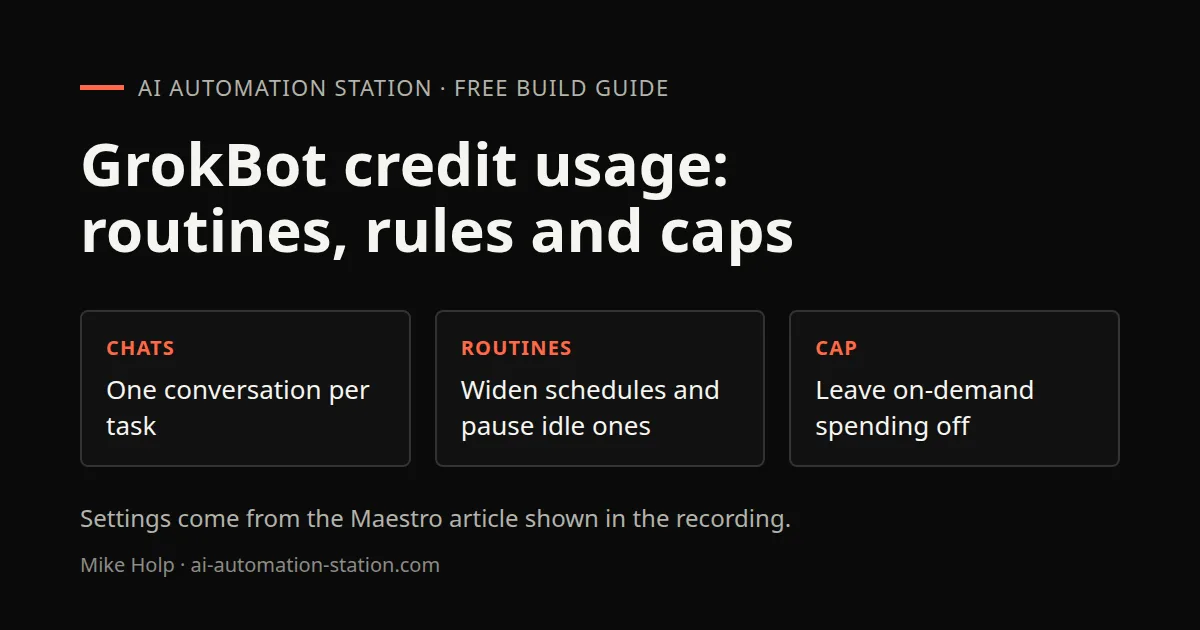
Quick answer: Start a new GrokBot chat for each task, widen routine schedules, pause routines you are not using, move recurring jobs off the bot you chat with all day, and leave on-demand monthly spending off. The steps below are the Maestro article settings shown in the 10 November 2026 recording, not a current billing quote.
If you are still setting up your first bot, use GrokBot for beginners. A job-application bot is a separate workflow: GrokBot job application agent.
Why credits drain
The recording walks an X article by Maestro titled as a set of copy-and-paste settings to reduce a GrokBot token bill. The article says usage is a weekly grant that resets, and that once it is gone the bot stops unless on-demand usage is on. The recording treats on-demand usage as a separate, more expensive API path and recommends leaving it off. Check your live product and billing pages. This page is not a price list.
One conversation per task
Setting 1 in the article: every turn the bot re-reads the whole chat, so a thread that keeps collecting tasks costs more with each message. Hit plus and start fresh for each new task. Old chats cost nothing while they sit there.
If you are mid-task, the article says to grab a handoff note first so the new chat is not starting from zero. The prompt box is only partly visible in the recording, so this page does not reconstruct it.
Routine schedules and pauses
Setting 2: every routine run uses usage. The article warns that an hourly schedule or a short interval can eat a week’s usage in a day. It gives example math for 15-minute, hourly, and three-times-a-day schedules. Check your own routine list against that warning.
Setting 3, event triggers, is skipped in the recording because those triggers were not in heavy use on camera.
Setting 4: pause what you do not use. Routines that do not run cost nothing. Paste this prompt, shown at 05:45, then mark which ones to pause:
Which of your routines produced nothing useful in the last 7 days?
List them with what they did on their last 3 runs.
Pause the ones I mark. Do not delete them.A dedicated routines bot
Setting 5: each routine belongs to one bot. If recurring jobs live on the bot you chat with all day, every schedule run piles into that already long conversation. The article recommends a routines-only bot and keeping the main bot for work you are doing now. The recording asks the Chief of Staff to draft a spec, create that bot, and move routines onto it while keeping them assigned to the original bot as well. Wait for the approval step before that move finishes.
The recording also turns off plugins that are unused or showing errors. This page does not list the connected apps from that dashboard.
Ask-first rules and tight briefs
Custom rules, spoken in the recording: ask first before opening more than five web pages for one task, starting a sub agent, rerunning a step that already failed twice, or starting any job expected to take more than five minutes. If two rules clash, ask first.
Setting 9 hands heavy coding to Cursor cloud agents. The article prompt shown at 09:45:
For coding work, act as the coordinator. Write the task as a short spec, hand the implementation to a Cursor cloud agent, and only review the result. Report back with the diff summary and test result.The recording already routes some coding to Claude Code and Codex on the GrokBot computer. That setup is on Codex vs Claude Code.
Setting 12 is a tight task brief with a stop condition, shown at 11:45:
Task: [one sentence]
Done means: [the exact output I will check]
Use only: [apps, folders or sites allowed]
Stop and ask me if:
- you need anything outside that list
- the same step fails twice
- you are past [N] steps and not close to done
Give me the result first, then a 3-line note on what you skipped.Spending caps and the meter
Setting 10: set a spending cap yourself and leave on-demand monthly usage off. Setting 11: check Settings, Usage and Billing before a big job. The recording shows those screens. This page does not reproduce personal usage meters.
Plans named in the recording are historical for that account. Check the live Grok and Cursor billing pages. For using Grok 4.7 through OpenRouter instead of the GrokBot weekly pool, see Grok 4.7 on OpenRouter. Herdr’s Insights dashboard is a separate token view for Claude Code and Codex: Herdr on Windows.
Watch the walkthrough

FAQ
Why does a long GrokBot chat cost more over time?
The Maestro article shown in the recording says every turn re-reads the whole chat, so one thread that keeps collecting tasks gets more expensive with each message. Start a fresh conversation per task.
Should I delete unused routines?
The article says pause them. Routines that do not run cost nothing, and pausing keeps them in place so you can bring one back with a single message. The shown prompt says not to delete them.
What is on-demand monthly usage?
The article says usage is a weekly grant that resets. Once it is gone the bot stops unless on-demand usage is turned on, which bills API credits separately. The recording recommends leaving that off. Check your live billing page.
Does xAI say token efficiency is changing?
The recording shows an 8 November 2026 post from Elon Musk that Grok Bot fixes for improved token efficiency and smarter behavior are underway. That is a public post, not a shipping date.
Sources
- Video: Why Grok Bot Drains Your Credits So Fast (And How To Fix It) (10 November 2026)
- Maestro article shown in that recording (X), including the copy-and-paste settings shown in the recording
You may also like



Build the next one with AI Income Lab
Step-by-step courses, reusable templates, and a community that answers when you get stuck.
Members get the Claude Code & Skills and Codex Tutorials & Courses lessons.
- Courses for builds like this one
- Copy-ready templates
- Ask questions while you build
- Weekly coaching on VIP


