Treg in GrokBot: Connect Data Tools and Control Costs
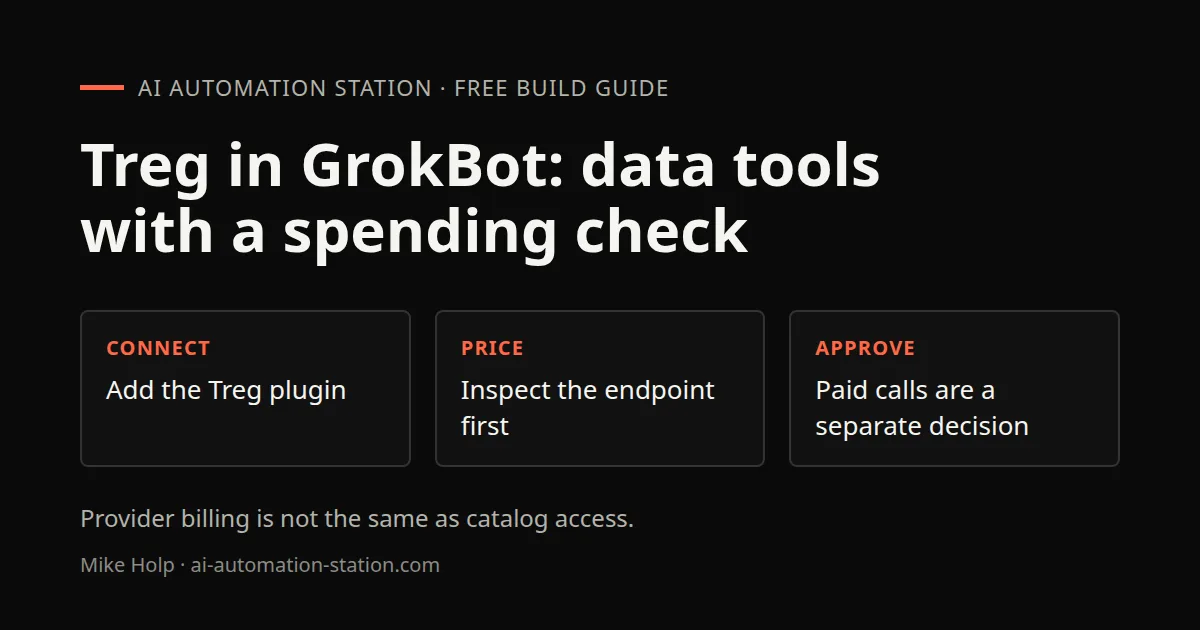
Quick answer: Treg is a catalog of external APIs that an agent reaches through one connection and one token. To use it in GrokBot, open Plugins in the left sidebar, search for "treg," add it, and sign in. Your bots can then search the catalog by task, see the price of each endpoint, and make the call. You pay per call from a prepaid balance, or connect your own API keys for providers you already pay for.
Disclosure: Treg sponsored the video this guide is based on and gave me credits to test with. This guide contains no affiliate links.
1. What Treg is
Treg's own description is "OpenRouter for agent tools." From its website and GitHub README:
- One token gives your agent access to a large catalog of endpoints across many providers: SEO and backlinks, social and trends, people and company enrichment, ads, scraping and more.
- Treg describes pay-per-call access and a prepaid balance. Inspect the current endpoint price and terms before an approved request.
- You can add your own keys and OAuth accounts. Treg describes a bring-your-own-credentials route. Check the selected endpoint and billing policy, since provider charges still apply.
- Treg describes injecting provider credentials server-side. Distinguish those provider secrets from the token used to connect an agent to Treg itself.
- It is open source under the Apache 2.0 license and can be self-hosted.
- Check the current account and endpoint terms. An introductory offer does not establish that every account or keyword route is eligible.
The catalog size is quoted differently on different Treg pages, so check the catalog for the current list.
2. Why use it with GrokBot
Bots are most useful when they can pull real data. Without a tool like Treg, you would sign up for each data provider, manage keys and connect each one.
With Treg, a bot asks for the task, such as "keyword volume for these ten terms," and Treg shows which providers can do it and what each charges. Treg's docs say it compares providers but does not pick for you. The bot or you choose.
The pay-per-call model also suits light use. If you need a premium SEO tool's data a few times a month, paying per call can cost less than a monthly subscription. Check the numbers for your own use.
3. Add the plugin
From the Treg plugin page on grokbot.dev:
- In GrokBot, click Plugins at the bottom of the left sidebar.
- Search for treg and click Add. It is listed under the MCP category.
- Sign in when asked.
- Paste the setup prompt from the plugin page into a chat.
In my video I also added it from the GrokBot marketplace, where it showed as connected with its tools listed. If a setup asks for a token, paste it only into the connector field, not into chat.
4. Set ground rules for your bot
For a controlled workflow, I recommend these rules:
- Search the catalog by the job, not the vendor name
- Never invent an endpoint, parameter or price
- Show providers side by side when several do the same job
- Quote the complete expected price and ask for explicit approval before any paid call or batch in a no-spend workflow
- Never ask you to paste a provider key into chat
These rules separate catalog exploration from authorization to spend. A saved threshold or a previous successful request is not permission for a different paid batch.
5. Connect your own API keys
If you already pay for a provider, connect it in Treg:
- Find the provider in the Treg catalog.
- Click Connect and enter your API key.
I connected my DataForSEO account this way. After that, my bots could pull DataForSEO data through Treg without a separate DataForSEO plugin. Check the current billing policy for that endpoint and route. Using your own provider credentials does not remove the provider’s bill or establish that every integration has the same fees.
6. Make your first call
Each endpoint in the catalog shows its price and a ready-made prompt. Click Try to get the prompt, then paste it into your bot.
In my test, a backlink summary from DataForSEO cost about $0.024 per call plus a fraction of a cent per returned row, and a simple SERP request cost about $0.002. Prices come from the provider and can change, so check the catalog.
Read the prompt before you send it. In one test I forgot to replace the example keyword, and the call ran on "coffee." The Treg dashboard shows each request and response, so mistakes like that are easy to spot.
7. Build an SEO report bot
A practical first project:
- Create a bot for read-only SEO reporting.
- Tell it to use Treg for keyword, SERP and backlink data.
- Ask for a report on your domain: rankings, keywords, competitors, backlinks and mentions in AI answers.
- Ask for next actions.
My report run cost about 13 cents in Treg calls, and the bot produced a report I could preview in the app. It then offered to hand the fixes to a coding agent. Review those fixes before they go live.
8. Use Treg outside GrokBot
Treg is not tied to GrokBot. Its official site and agent instructions describe integrations for other clients. Use the current client-specific setup rather than an old package name or marketplace command.
In the recording, I also supply Codex with Treg’s setup instructions. Treat installation, authentication and a successful data request as separate checks. A connector appearing in a menu does not prove a particular provider route is eligible or funded.
For the direct-provider alternative, see the published DataForSEO MCP guide.
9. Costs and limits
- Balance. Inspect the applicable balance and endpoint price before an approved paid request. A top-up is a separate spending decision.
- Price checks. Keep the rule that the bot quotes prices and asks before batches.
- Your own keys. Confirm provider charges and any applicable Treg fees for the selected route before calling.
- Data quality. Different providers return different numbers for the same keyword. Pick one and stay consistent.
- Requests. If a tool is missing, Treg lets you request it from the catalog.
Watch the walkthrough

FAQ
What is Treg?
A catalog of external APIs for AI agents, reached with one token and paid per call, per Treg's website.
How do I add Treg to GrokBot?
The recording uses the Plugins panel to find and add Treg. Use the current supported connector setup and private sign-in fields, since interface labels can change.
Is Treg free?
Treg is open source. Calls on Treg's keys are paid from a prepaid balance. Check the current account and endpoint terms. An introductory offer does not establish that every account or keyword route is eligible.
Can I use my own SEMrush or DataForSEO account?
The recording demonstrates connecting DataForSEO credentials. Check the current provider connection and billing policy before relying on the same route for another account.
Does my bot see my API keys?
Treg says provider credentials are injected server-side. Protect the separate Treg connection token as well, and inspect the specific integration’s access scope.
Sources
- Treg: https://treg.to/ and https://treg.to/agents (accessed October 30, 2026)
- Treg plugin page: https://grokbot.dev/plugins/treg-to/
- Treg on GitHub: https://github.com/superdesigndev/treg
- Videos: https://www.youtube.com/watch?v=9A2StjrxOms and https://www.youtube.com/watch?v=6jDcOXSOT00
You may also like



Build the next one with AI Income Lab
Step-by-step courses, reusable templates, and a community that answers when you get stuck.
Members get the Claude Code & Skills and Codex Tutorials & Courses lessons.
- Courses for builds like this one
- Copy-ready templates
- Ask questions while you build
- Weekly coaching on VIP


