Hermes Agent CLI Cron Jobs: Install and Schedule
Quick answer
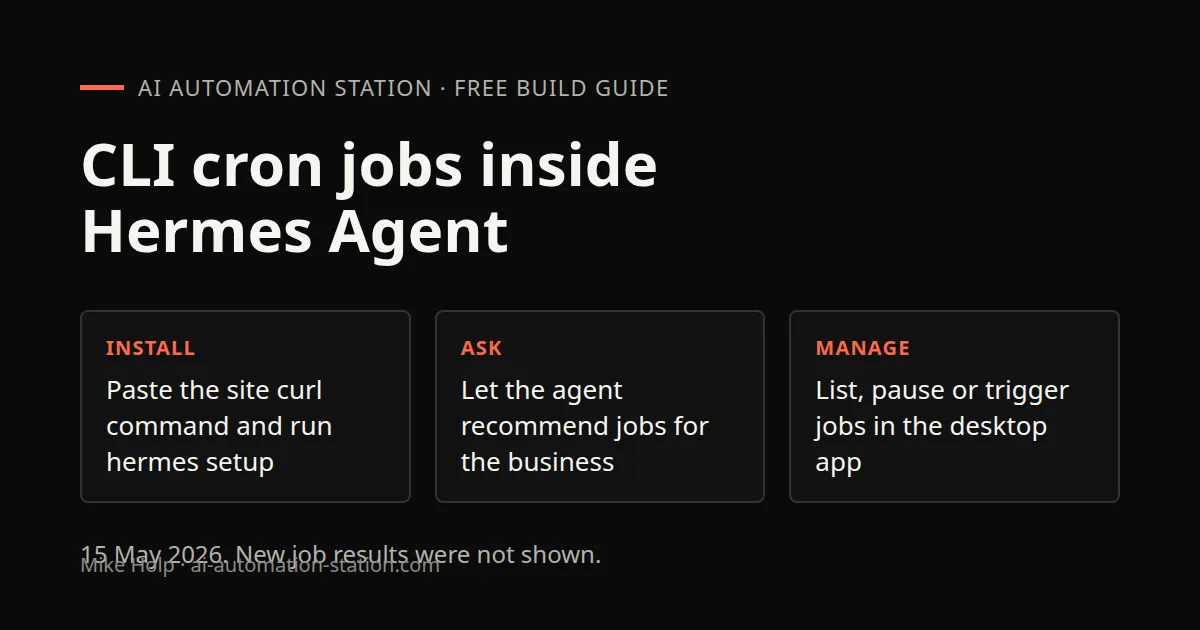
On 15 May 2026 I installed Hermes Agent from its site curl command, ran hermes setup, picked the built-in Nous Portal with DeepSeek V4 Flash, and asked which cron jobs to set up. It recommended a nightly database backup, a morning channel digest, trading-app jobs, a four-hour server health check and an IndexNow ping, then wrote scripts and marked all five as live. I listed existing jobs with hermes cron list, including a daily Skool subscriber sync. This is the CLI and install pass, not the later Vercel cron move.
The June walkthrough that moves jobs onto Vercel is Hermes Agent Cron Jobs. For the desktop app itself, see Install Hermes Agent. School in the captions is Skool. News Portal is the Nous Portal. Description-footer affiliate links, including the Hostinger VPS cart link, are not pasted here.
1. Install and run setup
I copied the one-line curl command from the Hermes website into the terminal. I did not read that full command aloud, so it is not reconstructed here. The installer updated packages, then the wizard started. I ran:
hermes setupI chose the built-in Nous Portal and DeepSeek V4 Flash, skipped Telegram, Discord, Slack, WhatsApp, email and SMS gateways, and selected done. Then I ran Hermes and looked at built-in and optional skills.
2. Ask what to schedule
A desktop example prompt was "Schedule cron job to back up my database every night." Auto mode hit a model error, so I switched to MiniMax. In the terminal I asked which cron jobs it would recommend for the business. On DeepSeek V4 Flash, which I said was free through Hermes, it recommended a nightly backup at 3:00 a.m. Bangkok time, a daily digest at 8:00 a.m. Bangkok with channel stats, trading-app jobs, a server health check every four hours, and an IndexNow SEO ping for Bing. I told it to go ahead. It wrote the scripts and scheduled them via cron with delivery to the chat.
3. List existing jobs and reports
To see jobs already running on the computer:
hermes cron listOne existing job pulled email subscribers from my Skool community every day at 9:00 p.m. and updated the email platform. I said the community had about 2,700 members at the time of this video. Other jobs wrote a YouTube trending-topics report and a channel performance report as Python scripts and markdown. I opened those files. I did not show results from the five new jobs.
4. Pause, trigger and create from the desktop app
The schedules tab can pause or trigger a job without the terminal. I paused jobs I did not want and kept the subscriber sync. After the agent finished, it said all five new cron jobs were live. I refreshed the list and triggered one from the desktop app. New Task lets you type a prompt, pick where it runs (local, Telegram, Discord, Slack or WhatsApp), set a frequency (every 30 minutes, hourly, daily, weekly with a day, or custom) and give it a name. I said you can also run cron on Linux without Hermes.
Done when
- Installed Hermes Agent and finished hermes setup
- Asked the agent which cron jobs to create
- Listed jobs with hermes cron list or the desktop schedules tab
What I didn't cover
- Whether any of the five new jobs ran successfully after they were marked live.
- Where database backups are stored, how they are secured or restored.
- Costs of running model-driven jobs on a schedule.
Watch the walkthrough

- 0:00 -- Introduction to Hermes Agent
- 0:32 -- Running Hermes Setup
- 1:14 -- Auditing Built-In Agent Skills & Tools
- 1:36 -- Asking the Agent for Automation Recommendations
- 2:51 -- Reviewing the Agent's Suggested Cron Jobs
- 3:53 -- Managing Active Jobs (Hermes cron list)
- 4:46 -- Inspecting Generated Python Scripts & Reports
- 6:01 -- Pausing and Triggering Tasks in the Desktop GUI
- 7:39 -- How to Build a Custom Scheduled Task from Scratch
- 8:44 -- Outro
FAQ
What kind of schedules can I set?
The desktop app offered every 30 minutes, hourly, daily at a time, weekly with a day, or a custom schedule.
Which jobs did Hermes recommend?
A nightly backup, a morning stats digest, trading-app jobs, a four-hourly server health check and an IndexNow ping.
How do I install Hermes Agent from the CLI?
I copied the curl installer from the Hermes site, then ran hermes setup. I did not read the full curl command aloud.
Do I have to use the terminal?
No. The desktop app can create, pause and trigger jobs. I also showed the CLI commands hermes setup and hermes cron list.
Is this the Vercel cron guide?
No. This page is the 15 May 2026 install and CLI scheduling pass. Moving jobs to Vercel is a later guide.
Sources
- Video: Hermes Agent: Automate Your Entire Workflow in Minutes! (15 May 2026)
- Nous Research, Hermes Agent: https://hermes-agent.nousresearch.com/
You may also like



Build the next one with AI Income Lab
Step-by-step courses, reusable templates, and a community that answers when you get stuck.
Members get the Claude Code & Skills and Codex Tutorials & Courses lessons.
- Courses for builds like this one
- Copy-ready templates
- Ask questions while you build
- Weekly coaching on VIP


