Write LinkedIn posts with Hermes Agent
Watch on YouTube ↗ Subscribe on YouTube ↗
Written guide: Hermes Agent Cron Job: YouTube Video to LinkedIn Posts
Build a Python script with an AI agent that fetches your latest YouTube video and writes a LinkedIn post and a 1,500-word newsletter from it, then schedule it as a daily Hermes cron job. The first Hermes output is weak, so Mike moves the edits to OpenCode and the OpenAI API. The results still need editing, and posting is done by hand.
Video summary
AI agent workflow that turns uploads into daily LinkedIn posts without rewriting every caption.
The video covers 11 parts: Introduction to Hermes agent automation, Initializing Hermes and inputting channel IDs, Reviewing the initial Python script, Generating an OpenAI API key, Switching from Hermes to OpenCode, Fixing a script token parameter error, Reviewing the reach and engagement copy outputs, Setting the newsletter length requirement, Scheduling the daily automated cron job, Adding daily date stamps to output files, and Conclusion.
What this video covers
What you build
A Python script and a daily Hermes cron job that find the newest video, then write two LinkedIn post versions (one for reach, one for engagement) and a long newsletter into date-stamped files.
Tools used
Key steps
- 0:45 - Give Hermes the channel URL and ID so it can write the script.
- 2:18 - Review the first script, which pulls the latest video without a YouTube API key.
- 3:03 - Try a Google AI Studio key, then switch to an OpenAI API key in the environment file.
- 4:51 - Move the edits to OpenCode after the Hermes drafts read poorly.
- 6:46 - Fix the unsupported max_tokens error by switching to max_completion_tokens.
- 7:22 - Compare version A for reach with version B for engagement.
- 8:37 - Require a newsletter of at least 1,500 words.
- 9:04 - Create the daily YouTube-to-LinkedIn cron job in Hermes.
- 10:07 - Add dates to the output file names so each run keeps its own files.
Not covered
- Automatic posting to LinkedIn. Mike pastes the newsletter in by hand.
- A successful scheduled run. The cron job shows an error because the API limit was exceeded.
- Measured results from the posts, and the cost of each run.
- A fair model comparison. Hermes and OpenCode are run on different prompts and models.
In this video
- 0:00 Introduction to Hermes agent automation
- 0:45 Initializing Hermes and inputting channel IDs
- 2:18 Reviewing the initial Python script
- 3:03 Generating an OpenAI API key
- 4:51 Switching from Hermes to OpenCode
- 6:46 Fixing a script token parameter error
- 7:22 Reviewing the reach and engagement copy outputs
- 8:37 Setting the newsletter length requirement
- 9:04 Scheduling the daily automated cron job
- 10:07 Adding daily date stamps to output files
- 11:00 Conclusion
Questions and answers
Do I need a YouTube API key?
Not in this build. Mike says the script found the latest video without a key from Google Cloud Console.
Why switch from Hermes to OpenCode?
Mike did not like the Hermes drafts and found OpenCode edited the script faster. This is a personal view from one run.
Is the output ready to post?
No. Mike says the newsletter needs editing and formatting before it goes to subscribers.
Keep learning
Transcript
Hey there, welcome to the channel. In this video, we're going to be using the powerful popular Hermes agent to build out a custom script as well as an automated cron job which runs every single day in order to grab my latest YouTube video and then automatically create a LinkedIn post and a newsletter and store it in a directory for me to easily turn around and post on LinkedIn.
So, if you don't know how to set up Hermes agent, all you have to do is come over to the website here and you just have to run this oneline curl command in the terminal and then you can do the Hermes setup and you should be off to the races. I've already created a tutorial showing how to set this up. So, feel free to check that out. First of all, I'm just going to run Hermes inside my directory YouTube to LinkedIn.
Read the rest of the transcript
This is where we're going to be building the script. And I'm just going to give it a prompt down here. So, I've already told it to create a script which automatically finds my latest video on YouTube and generates a complete detailed LinkedIn post and newsletter. I can easily post. So, now it's getting to work. And it's just asking to create the script. I need some details about your YouTube channel. So, I'm going to need to provide the URL as well as the channel ID.
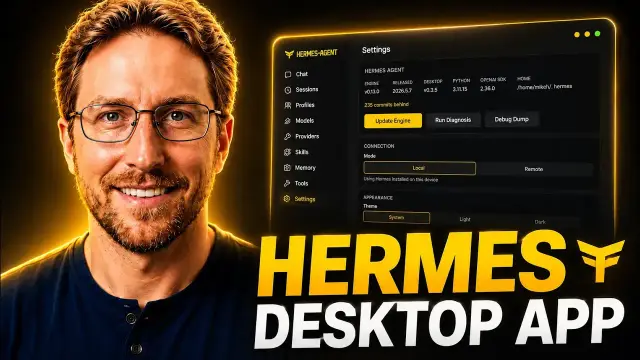
Just going to paste in my URL. And I'm also going to paste in my channel ID, which is over here, right there. And now it should get to work building the script and then later we can add that into a custom cron job which will run every single day. That's very very easy to do over here inside the Hermes agent desktop app.
And ultimately what I want this to do is to save me time so that I can just easily post the newsletter on LinkedIn and send it out to my 1500 subscribers over here so that I don't have to write the articles myself. I can just use Hermes Agent to do all of this for me every time I post a new YouTube video, which lately has been every single day.
So, I've already got lots and lots of content to draw from, and now I just want to repurpose it for LinkedIn. After a few seconds, it is now getting to work creating the generate LinkedIn newsletter. This is a Python file which lives in this directory. And you can see it's gone ahead and written all of the code here. So this is essentially the script that we're going to be running in the cron job every single day.
It's a relatively simple Python script which looks like it's just grabbing the latest video using this get latest video function and then it's generating the LinkedIn post over here. Now I will need to make sure to tell it to use an AI model like Google Gemini in this case to create the post. But let's just see what it can come up with on its own. Then if I do need to give it an API key for Gemini or something, I can easily do that as well.
And it pulled in my latest video, which is awesome. I didn't have to provide any sort of YouTube API key from Google Cloud Console or anything like that. It was just able to pull in the latest video. And it created the newsletter, which is just a very, very basic version to start, and also the LinkedIn post. And now it's saying to use this script, run it anytime to get your latest video. So you can run it from the terminal.
In this case, I want to create my own cron job so that it runs every day. And I also want to tell it over here to use my Gemini API key to generate the posts. It's going to want to come over to Google AI Studio, a studio.google.com, and then down to API keys, and click on create API key. And then you'll just name your API key. In this case, I'm going to call it Hermes. And we'll add it to the build project.
And then I'm just going to go ahead and create that API key and hand it over to Hermes. In this case, we're going to be using Gemini 1.5 Flash. I would actually like to upgrade that to like Gemini 3.1. So, if I want to do that, I could just tell it to update the model or I can just hardcode it in over here. I don't think Gemini 1.5 Flash is going to be sufficient for writing LinkedIn newsletters, but we'll see what it comes up with.
Since I'm having some issues with the uh Gemini API key, I'm just going to come over here to ChatGPT. We're going to switch over to chatgpt for creating the post, which should be just as good, if not better than Gemini. So, I'm just going to create a new key here. We're going to call it Hermes. I'm just going to tell it to use the OpenAI API key and the ENV file instead. So, it will switch over to ChatGPT for creating the newsletters and the LinkedIn posts.
Okay. So now, as you can see, it added the OpenAI API key has been found in the EMV file alongside Gemini. So if I did want to switch back to Gemini at some point, I just need to set up my billing and fund my account with a certain amount and then I can use Gemini for generating the post. But for now, I think I'm just going to use OpenAI, which is just as good, if not better.
We should see under projects output, it will have a complete detailed newsletter. And yeah, this is still not very good, unfortunately. But at least it is generating the post and the newsletter which is definitely a step in the right direction. I've come over to Hermes and I just told it to switch to chatpt 5.4 for generating the post and the newsletter and then I'm also going to feed it in a prompt as well which I've generated over here inside claude.
So we could just go ahead and copy this prompt. Now I'm just going to switch the switch to chatbt 5.4 before and I've also provided it with the detailed prompt over here inside Claude to actually go ahead and write the LinkedIn post. So, it should definitely improve the overall quality of these. And this is what it looks like. So, they've got a version A and then also a version B for deep engagement and this this one's for maximum reach.
Honestly, I don't really like the post that much. Uh it doesn't look that great. So, in this case, I'm just going to cancel that out. And we're switching over to OpenCode which honestly is a lot better than Hermes in a lot of ways. So we'll see what this can come up with. I've just told it to change the version to ChatGPT 5.4 and it's going to edit this Python script over here.
So as you can see that's exactly what it's done very very quickly much faster than in inside Hermes. And it's also added the LinkedIn post requirements over here as well. So, it's got the hook, it's got the body, insight, CTA, as well as hashtags. And the formatting rules, it says no M dashes. So, that's pretty cool that it was able that it actually thought to add that in. It says no buzzwords like synergy, leverage, journey, hustle, gamechanging, crushing it, none of that.
And then also, write at a grade 8 reading level. Smart words beat long words. Optimal length 150 to 300 words. Never exceeds 400 words. So, now it says done. The script now uses 5.4. for model instead of 40 40 mini uses your exact LinkedIn ghostriter uh prompt with a two version output A for reach and B for engagement. And I'm just going to run that script. As you can see, it's fetching the latest video from YouTube.
And it pulled in my latest video and it generated the content with open AI API. But it does say here's an error generating the content. Uh unsupported parameter max tokens is not supported with this model. So, if I want to fix this particular error, I could just copy this. We're going to paste that in, and it should be able to fix whatever is wrong with the Python script. Now, it says it just changed max tokens to max completion tokens. So, that should fix the problem.
We're going to run the Python script again. So, now if we pull up the LinkedIn post, ah, that's definitely better. That definitely looks better than what Hermes was able to come up with. So, we've got the version A optimized for reach. And then again, we've also got the version B optimized for deep engagement. And I can tell right off the bat that this definitely looks better as a LinkedIn post. It says, "I use codec to redesign my site faster than most founders write the homepage copy.
I build tools for content for YouTube creators, so my site cannot just look nice. It has to explain the product fast. Creators bounce the second things feel vague." So, that's the one for deep engagement. We've also got another one for reach. I redesigned my website in minutes, not days. Most founders treat websites like a side quest. You tweet copy. It sounds kind of cheesy, but it is cool what it came up with. And then I also want to do the same for the newsletter.
So I'm going to tell OpenCode to write the LinkedIn newsletter as well using a detailed prompt for engagement and reach. So as you can see here, it's reading the Python script and it's just going to add that in now as well. now generates both the LinkedIn post. two versions uh A for reach and B for engagement and then also the newsletter with a detailed edition with three subject line options preheader hook story context key takeaways why it matters action step blah blah blah blah blah should
have generated the post as well as the newsletter should be longer than this over here I can say the newsletter should be a minimum of 1500 words because this is not long enough for a newsletter on LinkedIn it was able to create this complete detailed LinkedIn newsletter which is obviously over 1500 words from my YouTube video transcript. Pretty cool.
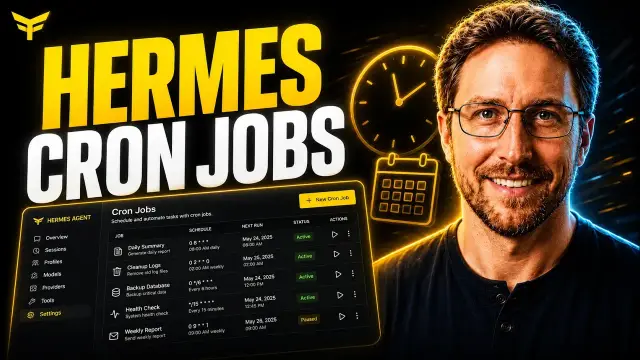
Now that the Python script is working correctly, the last step that I want to add in here is actually adding this to its own cron job which is going to run over here inside Hermes. And sure enough, that's exactly what it's doing now. It's preparing the crown job and it's creating the YouTube to LinkedIn daily crown job. So now if I come back over here, if I refresh this, we should see it appear in the list over here. And sure enough, there it is.
YouTube to LinkedIn daily. And it's active. And we can go ahead and run it right now if we want to. Once this is finished and do a Hermes cron list and that's going to show all of my active cron jobs. This one is actually having a runtime error because I've exceeded my API limit. But you can see here, this is the YouTube dean in daily cron. And it says right here the script that it's running.
So it's just going to get my latest YouTube video, which will be this one once I upload it tomorrow. And then we can create a LinkedIn post and a newsletter from the content that I've already created, which is ultimately going to save me more time. Now the only other thing that I would want to update over here is to use unique file names for the files and doubt output with date before the text.
So I just want to append the date so that it doesn't keep overwriting the files. So I have a continually running log of all of my newsletters and posts inside this directory over here. And that way I'll just be able to build a long list of posts that I can create anytime I want on LinkedIn. So it's just modifying the file now. And it says output files now use the date stamp names like this and this.
So now I'm going to run the script again and it should generate those new files over here. And there we go. So now we have the uh newsletter and the post with the correct date at the end. If we go ahead and open that up for the newsletter it's going to be 1500 words over 1500 words once again. And then what I can do now is I could just copy and paste this newsletter. And I can come over here to my LinkedIn newsletter.
And I'm just going to create a new addition. And we're just going to paste that in over here. Now, obviously, it needs some editing, but overall that looks pretty good. I would need to fix up the formatting a bit as well. It's a good definitely a good start. And then I can also add my YouTube video at the bottom of this newsletter and send it out to my 1500 subscribers easily. Thank you so much for watching this video.
Please go ahead and check out my website if you would like to work together with me. I help people save time and cut costs without hiring a full dev team. The website is now live and you can book a call with me on here. It's completely free. You'll just have to fill out some basic information and then book your call on the calendar. With that being said, thank you so much for watching this video. Please go ahead subscribe to the channel. Take care. Stay safe.
Peace from Thailand. I will see you in the next one. Sign it off.