Hermes Agent Memory: Install Supermemory
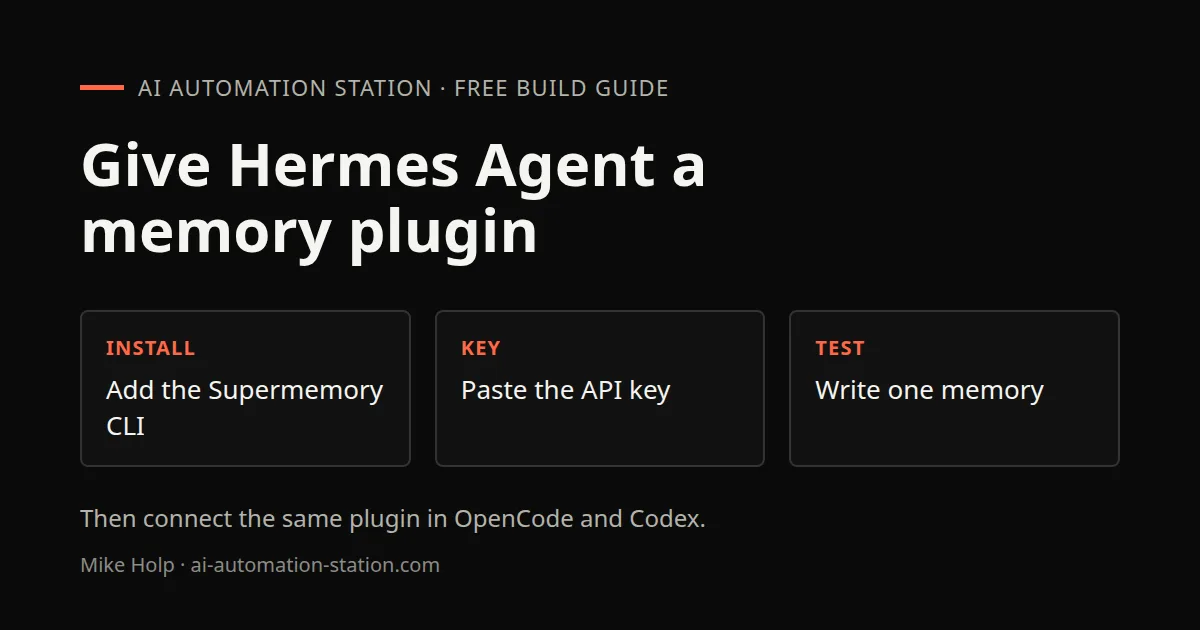
Quick answer: Install the Supermemory plugin in Hermes Agent, paste a dashboard API key, start a new session so the provider is live, then connect the same plugin in OpenCode and Codex. The 31 July 2026 recording showed the dashboard graph after activation. It did not speak a token-saving number.
This is the Hermes memory walkthrough from 31 July 2026, not a first-time Hermes install. For the desktop and terminal apps, start with Hermes Desktop. Supermemory’s product page is supermemory.ai.
What this recording shows
The video calls Supermemory a context cloud for agents: a custom skill or plugin that stores long-term memory so an agent can keep facts across sessions instead of relying only on a built-in memory.md file. The recording presents persistent memory, captured conversations, and a dashboard graph. It does not report a measured accuracy score.
A tweet on camera compared memory usage with Supermemory versus RAG and showed about a 40% reduction. That figure is what the recording cited on 31 July 2026. No token-saving claim was spoken, so this page does not turn that tweet into a token result. For usage meters in coding harnesses, see AI Token Usage Dashboard and RTK Token Savings in Claude Code.
1. Install Supermemory
The recording showed a one-line curl command that starts the Supermemory server and prints that the memory layer is live. That curl line was on screen, not spoken, so it is not copied here. At 01:14 the caption heard "npm install super memory" for a demo install. That spoken line has a space, so it is not a copyable package name. Copy the install command from supermemory.ai, not from this page.
Hermes was then given this setup line:
Hermes memory setup2. Add the API key in Hermes
Create a Supermemory account, click Start building, and open the console. The recording named the key Hermes, set an expiration date, created the key, copied it, and pasted it when Hermes asked. After that, the provider was activated, written into the config file, and the key was saved.
Paid plans in that recording started at $19 per month, with extra apps, plugins, and priority support named on camera. Check the live pricing page before you spend. Plans change.
3. Start a session and open the dashboard
Start a new Hermes session to activate Supermemory. The recording preferred the terminal over the Hermes desktop app because the desktop app was slow. After the new session, the dashboard showed a summary of stored work and a graph of memories.
The same console listed app connections, including GitHub, Slack, and Sentry, plus a Chrome extension. The recording was not sure why the extension would be needed. ChatGPT export files and transcripts were shown as optional uploads. None of those extras were required to finish the Hermes setup on camera.
A local markdown second brain is a different project: Claude Code Second Brain.
4. Connect OpenCode and Codex
The recording then installed the same plugin in other coding harnesses. For Claude Code it said to paste the plugin and install it. That plugin line was not spoken, so it is not copied here. Cursor and Notion were named as other listed apps.
OpenCode pulled the Supermemory AI memory SDK and reported that Supermemory was installed in package.json.
For Codex, the recording installed the Supermemory plugin from the terminal, trusted a hook that was already present, and tried a login the caption heard as "super memory login" at 04:56. That spoken line has a space, so it is not copied as a command. The recording expected to enter the API key again. Login was not completed because that account was out of credits.
Routing models through OpenRouter in Hermes is a separate switch: Grok 4.7 on OpenRouter. If you are connecting other tools through MCP rather than this plugin, start with What is MCP?. A later Hermes build that uses memory plus crawl-and-send work is Hermes Backlink Outreach: Crawl, Pitch and Send.
Watch the walkthrough

FAQ
Does Hermes need the desktop app for Supermemory?
No. The 31 July 2026 recording preferred the terminal because the desktop app was slow. Supermemory was installed and activated from the terminal.
Did the recording measure a token saving?
No token-saving number was spoken. A tweet on camera showed about a 40% reduction in memory usage versus RAG. That was the cited figure on 31 July 2026, not a measured result on this page.
Where does the API key come from?
From the Supermemory dashboard after you create an account and choose Start building. The recording named the key Hermes, copied it, and pasted it when Hermes asked for the provider key.
Did OpenCode and Codex use the same plugin?
Yes. After Hermes, the recording installed the same Supermemory plugin in OpenCode and Codex. OpenCode added it to package.json. Codex already had the hook. Login was attempted while that account was out of credits.
Sources
- Video: Give Your Hermes Agent A Memory Upgrade! (31 July 2026)
- Supermemory: https://www.supermemory.ai
- Nous Research, Hermes Agent: https://hermes-agent.nousresearch.com/
- Nous Research, Hermes Agent on GitHub: https://github.com/NousResearch/hermes-agent
You may also like

Build the next one with AI Income Lab
Step-by-step courses, reusable templates, and a community that answers when you get stuck.
Members get the Claude Code & Skills and Codex Tutorials & Courses lessons.
- Courses for builds like this one
- Copy-ready templates
- Ask questions while you build
- Weekly coaching on VIP


