What is MCP? The Model Context Protocol explained
MCP is the reason Claude Code can query an SEO database, read your files or open a ticket without anyone writing a custom integration for it.
This guide explains what the Model Context Protocol is in plain terms, how the pieces fit, and how to connect your first server and check that it works.
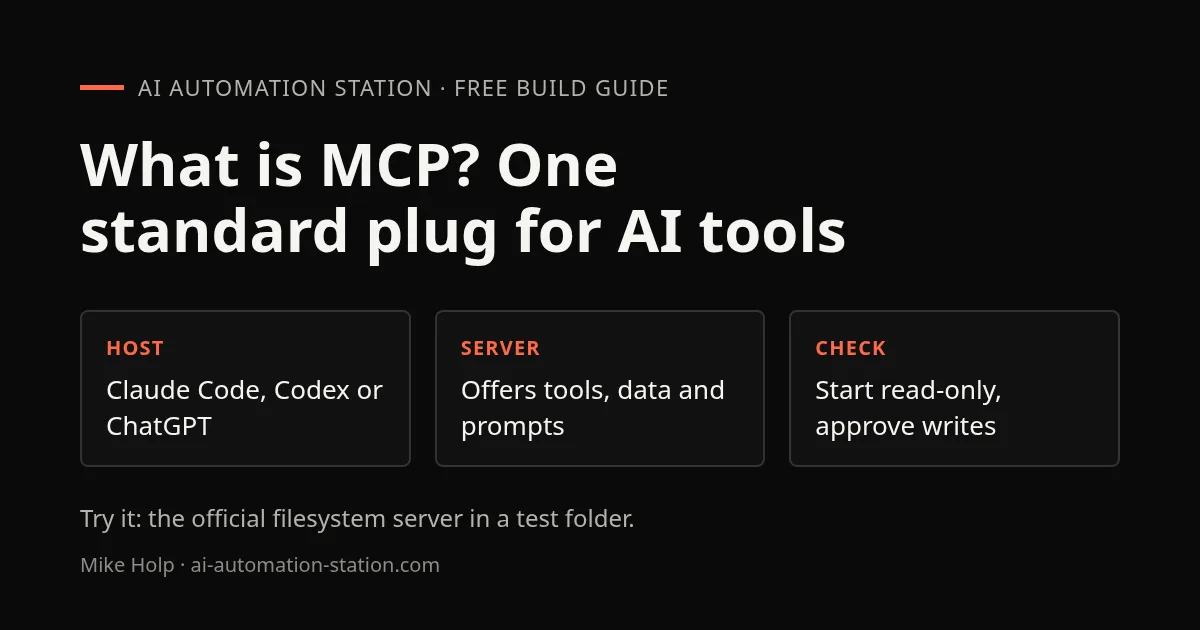
Quick answer: MCP, the Model Context Protocol, is an open standard for connecting AI apps to outside tools and data. An app such as Claude Code or Codex connects to MCP servers, and each server offers tools the model can call. Anthropic open-sourced it in November 2024, and ChatGPT, VS Code and Cursor support it too.
What MCP is
MCP stands for Model Context Protocol. It is an open-source standard for connecting AI applications to outside systems: data sources such as files and databases, tools such as search engines, and workflows such as saved prompts.
The official docs compare it to a USB-C port. Before USB-C, every device needed its own cable. Before MCP, every AI app needed its own custom integration for every service. With MCP, a service builds one server and any app that speaks MCP can use it.
Anthropic open-sourced MCP on November 25, 2024, together with the specification, SDKs and a set of reference servers. Today it is supported well beyond Claude: the MCP docs list ChatGPT, Visual Studio Code and Cursor among its clients, and OpenAI's agent tools support MCP servers too.
How MCP works: hosts, clients and servers
Three pieces talk to each other.
- The host is the AI app you use, such as Claude Code, Claude Desktop or Codex.
- A client is the connection the host opens. The host creates one client for each server it connects to.
- A server is the program that offers tools or data, such as the DataForSEO server or a filesystem server.
When you connect two servers to Claude Code, it runs two clients, one for each. Messages between them use JSON-RPC 2.0, so every server describes its tools the same way and the host can list and call them.
Local and remote servers
MCP has two standard transports.
- Stdio runs the server as a local program on your machine. The host starts it and talks to it over standard input and output. This is what most "run this npx command" setup instructions create.
- Streamable HTTP talks to a server hosted somewhere else, over HTTP. Remote servers usually ask you to sign in, and MCP recommends OAuth for that.
A quick way to tell them apart: if the setup gives you a URL, the server is remote. If it gives you a command to run, it is local.
What a server can offer
Servers expose three kinds of things.
- Tools are actions the model can call, such as running a query, reading a file or creating a ticket.
- Resources are data the app can read for context, such as a file's contents or a database schema.
- Prompts are reusable templates the server provides.
Tools are the part you notice. When Claude says it is calling a tool from a server, that is MCP at work.
MCP vs a regular API
MCP does not replace APIs. Most MCP servers are a thin layer over a service's existing API.
The difference is who has to write the glue. With a plain API, you write code that calls each endpoint. With an MCP server, the server lists its tools with names and descriptions, and the AI app decides which one to call from your plain-language request.
That is why one DataForSEO server can serve Claude Code, Claude Desktop and any other MCP client without separate integrations for each.
Add your first MCP server in Claude Code
The safest first test is the official filesystem server. It needs no account or API key, and you can limit it to one folder.
1. Make a test folder
mkdir -p ~/mcp-test
echo "MCP test file" > ~/mcp-test/notes.txt
2. Add the server
Everything after -- is the command that starts the server. The last argument is the only folder it may touch.
claude mcp add --transport stdio files -- npx -y @modelcontextprotocol/server-filesystem ~/mcp-testClaude Code prints an Added line when the configuration is saved.
3. Check that it connects
claude mcp listLook for ✔ Connected next to files. Inside Claude Code, type /mcp to see the server and its tools.
4. Ask for something only the server can answer
Ask Claude Code: "Use the files server to list ~/mcp-test and read notes.txt." It should call the server's list and read tools and quote the file's one line back to you.
When I started version 2.3.0 of this server on November 11, 2026, it listed 16 tools. Ten of them only read, such as list_directory and read_text_file. The rest can change files, including write_file, edit_file and move_file. That is why the test uses a throwaway folder.
5. Remove it when you are done
claude mcp remove filesRemote servers work the same way with a URL instead of a command. Claude Code's docs use Notion as the example:
claude mcp add --transport http notion https://mcp.notion.com/mcpMCP servers I have used on the channel
These are servers I connected on camera. Each has a written guide or a watch page with the setup.
- DataForSEO in Claude Code. Keyword, SERP and backlink data from plain-language prompts. DataForSEO sponsored that video. DataForSEO MCP guide
- vidIQ in Claude Desktop. I used it to check a video idea, audit a YouTube channel and break down a competitor. Watch the vidIQ MCP test
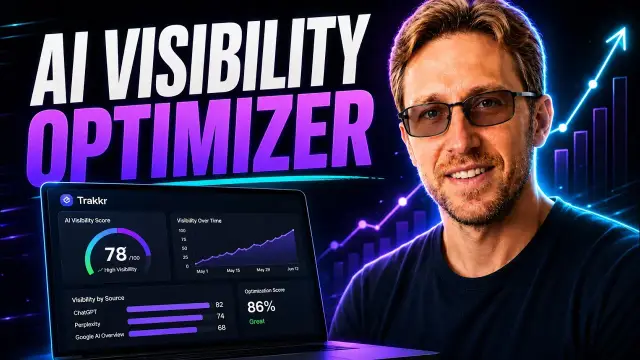
- Trakkr in Codex. AI search visibility data, used to find citation gaps and plan articles. Trakkr and Codex guide
- CrowdReply in Codex. Citation records pulled into a saved report before any page changes. CrowdReply MCP guide
The habit I recommend after those tests: pull the data into a report first, read it, then let the agent change anything.
Is MCP safe?
MCP is a protocol, so safety depends on the servers you connect and what you let them do. Claude Code's docs warn that you should trust each server before connecting it, and that servers which fetch outside content can expose you to prompt injection.
- Install servers from the vendor or a source you trust. A local server runs as a program on your machine.
- Start read-only. Connect the smallest set of tools and folders that does the job.
- Keep approvals on for write actions. Let the agent read freely, and review anything that changes files, sends messages or spends money.
- Keep API keys out of prompts. Pass them as environment variables when you add the server.
- Watch usage on paid APIs. An agent can call a paid tool many times in one task.
What this guide does not cover
This guide is for people using MCP servers. It does not cover writing your own server, the full specification, or OAuth setup for remote servers. The official docs cover all three.
Sources
- MCP docs: What is the Model Context Protocol?
- MCP docs: Architecture overview
- Anthropic: Introducing the Model Context Protocol (November 25, 2024)
- Claude Code docs: Connect Claude Code to tools via MCP
- npm: @modelcontextprotocol/server-filesystem
- MCP docs: Security best practices
Frequently asked questions
What does MCP stand for?
MCP stands for Model Context Protocol. It is an open standard for connecting AI applications to external tools, data sources and workflows.
Who created MCP?
Anthropic created MCP and open-sourced it on November 25, 2024, with the specification, SDKs and a set of reference servers. It is now an open project used by many AI apps.
Is MCP free to use?
The protocol and its SDKs are open source and free. The services behind a server can still charge, for example an SEO data API that bills per request.
Does ChatGPT support MCP?
Yes. The MCP docs list ChatGPT among its supported clients, and OpenAI also supports MCP servers in its agent tools and in Codex.
What is the difference between an MCP server and an API?
Most MCP servers sit on top of an existing API. The API is what the service offers. The MCP server describes those actions as tools that any MCP-compatible AI app can discover and call.
Do I need to code to use MCP?
No. Using a server usually means one command or a URL in your AI app. Building your own server does need code.
You may also like


Build the next one with AI Income Lab
Step-by-step courses, reusable templates, and a community that answers when you get stuck.
Members get the Claude Code & Skills and Codex Tutorials & Courses lessons.
- Courses for builds like this one
- Copy-ready templates
- Ask questions while you build
- Weekly coaching on VIP


