Herdr on Windows: Installation, Themes, Mods and Usage
Watch on YouTube ↗ Subscribe on YouTube ↗
Explore Herdr on Windows: PowerShell installation, themes, a credit-usage mod and Insights. The recording also tours an Update Forge app build.
Video summary
The Herdr desktop app is an AI coding agent that performs better than expected on Windows. Learn how to install and use and customize this powerful AI coding agent for your projects.
The video covers 10 parts: Herdr on Windows Overview, Installing Herdr via PowerShell, Customizing Themes & Multi-Tab Setup, Custom Credit Usage Mod Demo, Browsing Herdr Gallery & Plugins, Installing Insights Mod via Prompt, Token Usage & Analytics Dashboard, Managing & Uninstalling Custom Themes, Building Open-Source Update Forge App, and Automated App Updates & Outro.
What this video covers
What you build
The recording demonstrates a Windows workspace for coding agents, theme changes and custom mods, then turns to an Update Forge application. Use the desktop companion for workspace setup and check each mod against your installed version. This walkthrough is not a controlled comparison of agent performance or credit savings.
Tools used
Key steps
- 0:36 Review the PowerShell installation and Windows setup.
- 1:44 Inspect the custom credit-usage mod, then browse themes and plugins.
- 3:17 Follow the Insights mod demonstration and inspect the usage dashboard.
- 7:33 Tour the Update Forge project and its update workflow.
Not covered
- Independent testing of every mod or Windows installation.
- A controlled benchmark of credit savings or a verified production update rollout.
In this video
- 0:00 Herdr on Windows Overview
- 0:36 Installing Herdr via PowerShell
- 0:53 Customizing Themes & Multi-Tab Setup
- 1:44 Custom Credit Usage Mod Demo
- 2:18 Browsing Herdr Gallery & Plugins
- 3:17 Installing Insights Mod via Prompt
- 5:33 Token Usage & Analytics Dashboard
- 6:43 Managing & Uninstalling Custom Themes
- 7:33 Building Open-Source Update Forge App
- 9:11 Automated App Updates & Outro
Questions and answers
How is Herdr installed on Windows?
Copy the one-line PowerShell command from the download page and run it to install or upgrade. Mike notes the command did not run at that moment because Herdr was already installed.
Can you add your own mods to Herdr?
Yes. Mike builds a mod that shows Claude Code and Codex credit usage for the five-hour window and the weekly limit by describing what he wants and letting the agent edit the config file.
How do you install a theme from the Herdr gallery?
Copy the install instructions shown next to the theme on the gallery page and paste them into Herdr, which then installs it.
Keep learning
Transcript
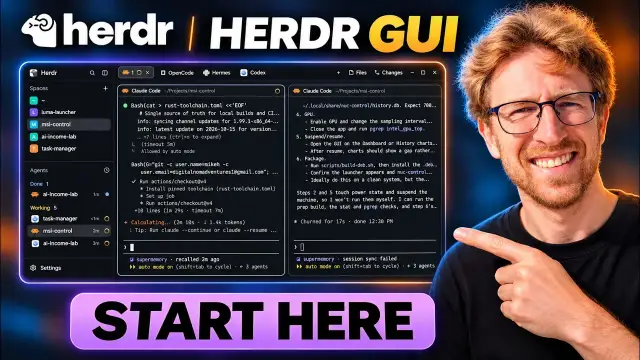
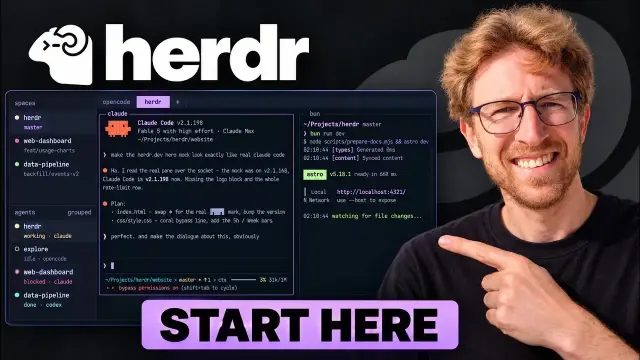
Herdr is now my favorite AI coding agent and in this video I'm going to show you exactly why. So I've got the official website pulled up here. This is available for Windows, Linux, and Mac. One of the really nice things about Herdr is that it is fully customizable and you can also create your own mods or plugins which integrate directly into Herdr. If you're on Windows, you'll know that using the PowerShell absolutely sucks.
It's very limited in terms of what you can do and it's just not very efficient. To download Herdr, we'll just click on download here and we can simply copy this oneline PowerShell command and we can just install it or upgrade it in this case immediately. Unfortunately, it's not working at the moment, but it's already installed on my computer. And this is what it looks like. So, right off the bat, you can go ahead and start customizing your themes in the settings.
Read the rest of the transcript
I've actually started adding some additions to some of these themes because I'm creating my own custom mods. But one of the really nice things about Herdr is that it just allows you to open up all of your AI coding agents from one single platform and you can open up any of your projects as well. So, for example, I'm working on a project right now, which is an auto updater for Windows, which will go through and scan all of the software installed on your computer and then
automatically update any that need updating. So, this is running in its own separate tab. I've also got another project here, another project, another project, another project. They're all running in their own separate tabs. And another really nice thing about Herdr is that you can create your own custom mods. So I decided to create a mod which will show my credit usage for both claude code and Codex so I can easily get access to that at any time.
So I can see exactly how much credit usage I have left for the 5-hour window as well as the weekly limit. And it was really pretty easy to create this. Didn't take very long at all. Basically just tell her what you want to create and have it modify the config file. If we come over here under gallery on the Herdr website, there's themes that you can install. If you want to install a new theme, you have the ability to do so.
And it gives you instructions right here as well. You just copy this and paste it directly into Herdr and then it will install this custom theme for you. And they also have a mod section over here as well where you can browse all of the available plugins. And I've even added my own mod directly to the official website. This is the mod for agent usage. You're going to want to upload it to GitHub just as I've done over here.
You want to make sure to add a preview image and the description. It's all in the docs and you can also just ask Claude Code or whatever to read the docs for you and then create the GitHub for your mod and just go ahead and upload it to GitHub. That's pretty much all there is to it. Then if I want to add another mod, I also have the ability to do that as well. So in this case, I'm just going to open up another Claude window.
So now we've got two Claud running side by side and I can just install one of these other ones. So if I wanted to install this insights mod right here, I could also go ahead and do that. I'm just going to copy this agent prompt and we're going to come over here and just paste that into Herdr. So, that's just going to go ahead and install that mod or plugin right away.
So, it's going to read the agents.md file, fetch the mods files from GitHub into a fresh folder, and it's just going to pull down all of the files. Now, you can also go ahead and check out the GitHub for any of these mods as well. This one currently has around 44 stars. I'm just going to go to Herdr mods and then here it is. So if I want to read any more details about this particular mod, I can now go ahead and do so.
And it even gives you instructions on the GitHub to install it as well. And I also created another mod which will switch the focus between the windows inside her as you can see it's doing here without going ahead and clicking on it each time. It will automatically switch the focus. So, I can also just ask Herdr, can you give me more details about the autofocus for Herdr mod?
And it will just go ahead and pull that up right away as we're installing another mod over here in this claw window. So, this one should almost be done. And then it will give me instructions on how to actually go ahead and start that. I think it's going to create another theme over here as well with that particular mod. This one also looks quite nice as well. It's called walkth through that turns off diffs. So this one's for diffs in GitHub.
I believe this one is also called session bar. It's very similar to what I have in her which basically will just show you the amount of credit usage that you have in claude and Codex at any given time. If I wanted to install that, I could just copy this prompt. Can also view the GitHub for this particular one as well. And all of the details to install it are over here as well.
could also come back to Herdr and it looks like it did finish installing this particular mod. So, I'm just going to ask how do I use this mod and it will go ahead and tell me right away. So, it actually added another theme over here which is insights and you could just switch the theme and now it has an insights button up here which is the mod that we just installed.
So now we can see exactly how many tokens we've used for I I believe this is Claude. So we've got the full breakdown and we can switch the provider as well. So this basically in addition to the mod or plugin that I've already created for Herdr, but it provides a lot more details and we can see the credit breakdown on a dayby-day basis. We can also switch this over to week.
We can set it to all providers and we can see the breakdown by model usage as well. So, Sonnet 5.5, I've spent about 80 million tokens in the past week and GPT 6.1 Soul about 74 million tokens. So, this is another mod that you can install quickly and easily in Herdr just with one simple prompt. It is pretty cool that you can go ahead and customize this as much as you want to. And you can also change the themes as well.
So if I want to switch the theme, I can easily do so over here. And I can use control shift L to go through all of the different themes as well. This particular one for Windows 98, I actually already uninstalled, but it's still here. Uninstall the Herdr 98 theme. I don't want it anymore. I just really don't need it, so I'm just going to uninstall it. And you can also check updates from over here as well.
I've just recently gotten a new version, which I can simply restart to upgrade. You can also view all of the changes to your files and all of the files in the current directory as well from right here. You can also view the changes. So, this particular project that I'm working on right now, it shows all of the changes to the different files, which I can easily just go through right away.
And if I want to launch this latest app that I'm working on over here, I can just tell her to launch it. This is actually a really cool one that I'm building that's going to be fully open source. Once again, available on GitHub. It's currently called Update Forge until I can come up with a better name. And what it's going to do is just allow you to run through all of the software on your machine and find any and all updates and just automatically upgrade them.
There are other ways to do this using something like Windgit, but I just want a guey graphical user interface that allows me to do all of this stuff from a simple interface. Unfortunately, it's actually launching the sandbox, which is available on Windows 11 Pro. This basically like a safe environment to test apps. That's not exactly what I want it to do. So, I'm just going to go ahead and close this out. Please launch the app on my system. Don't use the sandbox. There we go.
So now it should just launch it on my Windows 11 system without using the sandbox. So as you can see, it's very very easy to use Herdr and it's just a lot you can get a lot more done versus using the PowerShell which is honestly not very good. It's very very limited in terms of what you can do with it. So, I really prefer Herdr for Linux and Windows. And it looks like it just went ahead and deleted that theme, the Windows 98 theme.
As you can see, it's now gone since it's just taking up space and I'm not even using it. So, might as well get rid of it. And now we've got the app open over here. This is what it looks like. So, it basically just does a full scan on my system and finds all of my installed applications as well as the apps that need updates. You can see three applications currently need an update and sure enough it is going ahead and updating these applications using windgit.
So it's now working. I went ahead and tested it inside the sandbox. So everything should work correctly. It already upgraded my protonVPN and it's also going to update my task manager I believe as well. I believe this was built usingNNET and I didn't have to write a single line of code. It's just something that I wanted. So I decided to build it. Long story short and all of this was done using Herdr and also Claude. Go ahead and try out Herdr.
It is very very powerful and there's a lot you can do with it. I'm going to leave a link in the description below where you can get started. It's completely free and if you want any more information just go ahead drop a comment down below. If you're looking to start building apps or scaling up your business with AI automations, you can go ahead and check out my landing page. All of the details are over here.
And you can also join my Skool community starting at $29 a month for the standard plan going up to $89 a month for the VIP plan, which includes a lot of value inside. You can also check out all of my YouTube videos. These update on an hourly basis. Check out some of the products I've built as well as my open- source projects on GitHub. They're all available here.
And if you would like to sponsor a video on my channel, you can also schedule a call directly through my website. Thank you so much for watching this video. Please go ahead subscribe to the channel if you haven't already, and I will see you in the next one. Take care. Stay safe. Peace from Thailand. Signing off.