Skool Welcome Emails With Zapier, Make.com and EmailOctopus
Quick answer
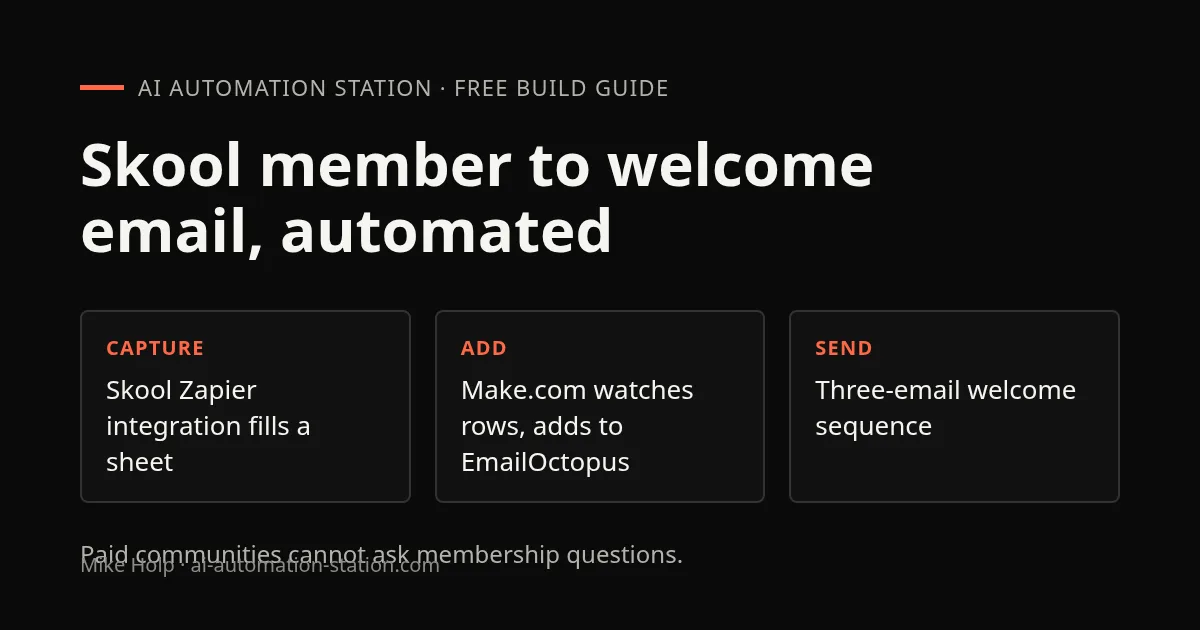
Skool had no public API in July 2025, so use its Zapier integration to append each new member, with their answers and email, to a Google Sheet. In Make.com watch that sheet for new rows and add each person to EmailOctopus with first name and email, which starts a welcome sequence: an intro email, a 12-hour wait, a second email, a two-day wait and a last email. The catch: once my community became paid, I could no longer ask membership questions, so I could not collect emails from new members that way.
This is a July 2025 build for my own Skool community. It collects personal data, so only email people who joined and agreed to be contacted, and keep the sheet private. The Skool and Make.com links on this page are affiliate links. For plan details, see the Skool Hobby plan review.
Which Skool guide? Hobby vs Pro for plan choice; community setup for the first build; first weeks for early growth; membership tiers for free/premium/VIP; classroom upsell for course gates; welcome emails for Zapier/Make + EmailOctopus.
1. Capture members in a sheet
On a free community you can turn on membership questions under plugins and ask for an email. Skool’s built-in Zapier integration then adds each approved member to a Google Sheet: first name, last name, the answers to your questions and the email. In Zapier you connect the Skool account and choose the sheet.
I looked at Apify actors that scrape Skool member data, then skipped them because they may break Skool’s terms of service. Use only the integration Skool provides.
2. Watch the sheet in Make.com
The Make.com scenario watches the sheet for new rows and adds each person to an EmailOctopus list with their email and first name. An optional WhatsApp Business Cloud module can message them as well, but I did not use it because I do not collect phone numbers. Setting it up goes through Meta for Developers.
3. The welcome sequence
In EmailOctopus the automation sends an introductory email, waits 12 hours, sends another, waits two days and sends the last. I like EmailOctopus: this walkthrough said it has a free plan for small lists and is cheaper than Mailchimp as lists grow, but check its current pricing.
4. After the community went paid
When I made the community paid, membership questions stopped working, so I switched the Zap to the new paid member trigger. It writes first name, last name and email into a new sheet, and Make.com watches that sheet instead. People can also be invited to Skool through a webhook or a CSV import, in the same way.
Done when
- Skool Zapier integration fills a sheet
- Make.com watches rows, adds to EmailOctopus
- Three-email welcome sequence
What I didn't cover
- Skool’s current API and Zapier options, which may have changed since July 2025.
- Open or click rates of the sequence.
- Consent wording, which you need to add for your own audience and country.
Watch the walkthrough

- 0:00 Introduction & Overview
- 0:49 Setting up Zapier Integration
- 2:19 Exploring Make.com & Apify Options
- 3:20 Capturing Member Data Automatically
- 4:33 WhatsApp Messaging Integration
- 5:29 Connecting through Meta Developers
- 7:17 Using Webhooks for Member Invites
- 8:07 Engaging Community through CSV Imports
- 9:40 Leveraging Zapier for Paid Member Management
- 11:10 Creating a Robust Onboarding Workflow
- 13:54 Growing Your School Community
From the video
Lines from the video's transcript that this guide does not cover, lightly trimmed. Each time opens the video at that point. Read the full transcript.
- 2:38
I wouldn't recommend it because it may be breaking their terms of service and you need to be a little bit little bit careful with that.
- 10:12
If I want to add the trigger here, I can actually add a trigger for a new paid member, which I didn't realize was possible until now.
- 13:57
Even though they don't have a public API available yet, they do have an integration with Zapier, which works great. And so now that's just going to start running.
FAQ
Does Skool have a public API?
Not at the time of this walkthrough, so I used its Zapier integration.
Why can’t I collect emails on a paid community?
In that walkthrough, membership questions were not available once my community was paid.
Why not scrape members with Apify?
It may break Skool’s terms of service, so I skipped it.
Sources
- Video: This Make.com Skool Workflow Saves Me Hours Every Week! (recorded July 2025)
- Start a community through my affiliate link: Skool · Make.com
- Skool plans: skool.com/pricing (Checked November 15, 2026)
Build the next one with AI Income Lab
Step-by-step courses, reusable templates, and a community that answers when you get stuck.
Members get the Claude Code & Skills and Codex Tutorials & Courses lessons.
- Courses for builds like this one
- Copy-ready templates
- Ask questions while you build
- Weekly coaching on VIP


