Make.com YouTube Idea-to-Video Pipeline: Apify to Upload
Quick answer
Scrape the latest videos from a few creators in your niche with an Apify YouTube channel scraper, save titles, links, durations and views to Airtable sorted by views, and send the top titles to an OpenAI assistant that returns ten ideas in JSON. GPT-4.1 then writes a scene-by-scene script with voice-over and an image prompt per scene, JSON2Video renders a vertical video, and the file uploads to YouTube with the AI-generated label switched on. In my 30-minute build the final run failed because my free JSON2Video quota was used up, so I hardcoded an older render to show the download.
This guide merges three June and July 2025 videos about repurposing topic research into video. It borrows ideas from other creators’ popular titles, not their content, so generate your own scripts and respect platform rules on automated and AI content. A template I offered is not needed to follow along. Make.com links are affiliate links. For a similar render without the research part, see the Make.com faceless video build.
1. Scrape and store popular videos (July 2025)
A set-variable step holds the channel URLs, here three creators in my niche. Apify’s fast YouTube channel scraper runs with the API token, and a get-dataset-items step limited to 100 returns date, title, duration, views and channel name. I aggregated them into an array, iterated and created Airtable records with creator, title, link, duration and views, then sorted by views.
2. Ideas and scripts
Titles and view counts are aggregated into one text block and sent to a custom YouTube idea assistant in the OpenAI platform, asking for ten original ideas with summaries as JSON. A parse step saves them to a second Airtable table. For the niche I tried, travel and Thailand, it produced ideas such as hidden islands and first-year expat driving. GPT-4.1 then writes a script in scenes, each with voice-over text and an image prompt.
3. Render and upload
JSON2Video renders a vertical video from the scenes, a wait step covers rendering, the URL is stored in Airtable, an HTTP step downloads the file and the YouTube module uploads it with the AI-generated label turned on. My final run failed because my free JSON2Video quota was exhausted. I suggested HeyGen if you prefer an avatar instead of stock imagery. A faceless-video step in the earlier version was unlinked because it was not working.
4. A transcript knowledge base (June 2025)
A smaller scenario reads YouTube links from Google Sheets, extracts each transcript with Dumpling AI with timestamps off, creates a Google Drive file per video, downloads it and uploads it to an OpenAI vector store attached to a custom assistant. The aim was an ElevenLabs voice clone answering WhatsApp from that knowledge base, which needs a paid plan and about 30 minutes of audio. The clone and WhatsApp parts were not built here; see the WhatsApp voice clone guide for them.
Done when
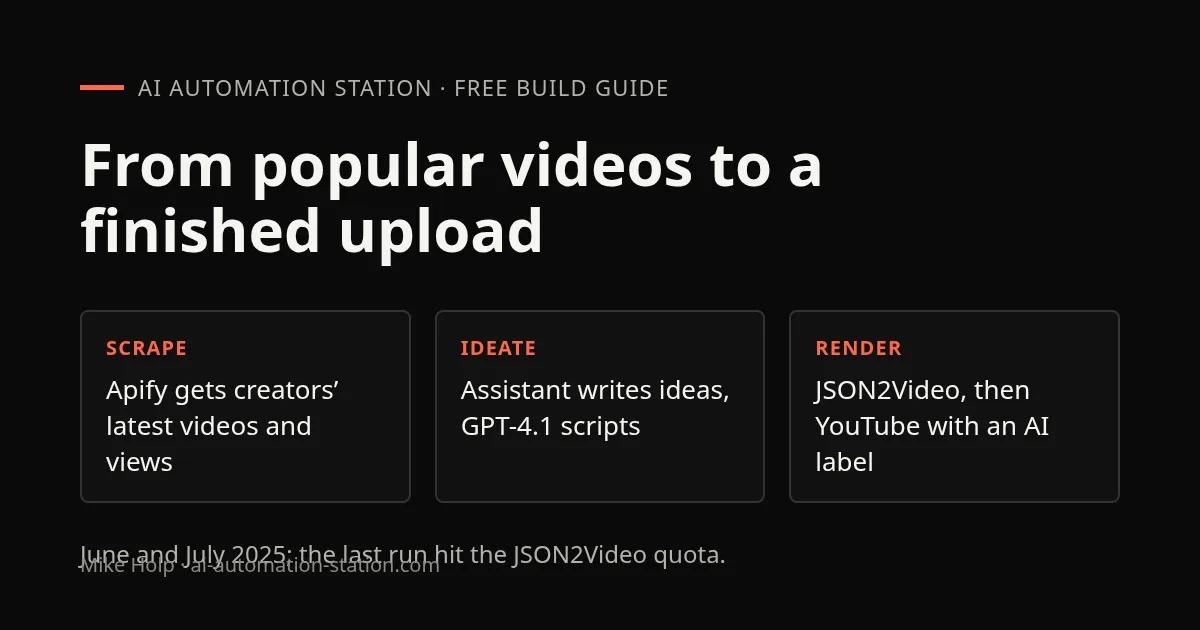
- Apify gets creators’ latest videos and views
- Assistant writes ideas, GPT-4.1 scripts
- JSON2Video, then YouTube with an AI label
What I didn't cover
- A finished upload from the full pipeline. The last run hit a quota limit.
- Whether idea lists from competitors’ titles lead to better videos.
- YouTube’s policies on automated and AI-generated uploads.
Watch the walkthrough
- 0:00 Introduction
- 1:07 Creating Free Account on Make.com
- 1:47 Utilizing Apify
- 7:30 Leveraging AirTable
- 11:09 Messaging ChatGPT Assistant
- 12:29 Parsing JSON for Video Ideas
- 15:42 Creating Viral Script Ideas in AirTable
- 18:41 Generating Video Content with JSON2Video
- 31:33 Conclusion
From the video
Lines from the video's transcript that this guide does not cover, lightly trimmed. Each time opens the video at that point. Read the full transcript.
- 2:40
I will caution you a little bit for use from using scraping tools on YouTube because sometimes it goes against their terms of service and you will need to be a little bit careful.
- 9:29
Since I set 10 in the JSON, it's actually getting 10 videos for each particular person, which is perfect.
- 30:35
I would recommend turning captions on. And then here you're actually going to want to set so it would be like you know 720 by 1280 instead because it's going to be a vertical video.
FAQ
Why did the last run fail?
The free JSON2Video quota was used up, so I used an older render to show the download.
Does it copy other creators’ videos?
No. It uses their titles and view counts as idea input, and the script and video are generated fresh.
Is the voice clone built?
Not in these videos. Only the transcript knowledge base was.
Sources
- Videos: This AI System Generates YouTube Shorts on Complete Autopilot!, I Built an AI That Finds Viral YouTube Topics (Here’s What It Found) and Build Your Own YouTube Transcript Automation Today
- Make.com through my affiliate link: Make.com · JSON2Video: json2video.com
Build the next one with AI Income Lab
Step-by-step courses, reusable templates, and a community that answers when you get stuck.
Members get the Claude Code & Skills and Codex Tutorials & Courses lessons.
- Courses for builds like this one
- Copy-ready templates
- Ask questions while you build
- Weekly coaching on VIP


