WhatsApp AI Voice Clone in Make.com: Texts and Voice Memos
Quick answer
In Make.com add a WhatsApp Business Cloud watch-events trigger and a router with filters for text and audio messages. Create an OpenAI assistant with a short role prompt and a vector store of your YouTube transcripts, built by a second scenario that reads links from Google Sheets, fetches transcripts with Dumpling AI, saves them to Google Drive and uploads them. Make an instant ElevenLabs clone, generate speech with the multilingual model and send it as a WhatsApp audio message. In my test the router filters went missing and had to be re-added, and the number was hardcoded.
This is a 40-minute June 2025 course, summarised. It clones a voice, so only clone your own, and tell people they are talking to an assistant. Replies to customers should be checked before you go live. The Make.com link is an affiliate link. For the Messenger version, see the Messenger bot guide.
1. Trigger and router
Add WhatsApp Business Cloud and choose watch events. It needs the permanent token and business account ID from Meta for Developers, and then generates a webhook that listens for new messages. A router follows, with one filter for text messages and one for audio messages.
2. The assistant and its knowledge base
On the OpenAI platform I created an assistant with a short role prompt and attached a vector store as its knowledge base. A second scenario fills it: it reads YouTube links from Google Sheets, pulls transcripts with Dumpling AI, saves them to Google Drive and uploads the files to the vector store, so answers draw on my own videos.
3. Reply in a cloned voice
In ElevenLabs I created an instant voice clone and used it in a speech synthesis module with the multilingual model. Make.com then uploads the audio to WhatsApp Business Cloud and sends it as an audio message. For incoming voice memos, an extra step downloads the audio and translates it with Whisper so the assistant can read it. Generating a long answer can take a few minutes. An instant clone sounds like me, and a paid professional clone would be closer.
4. Meta developer setup and testing
Create a Meta developer app, add WhatsApp, copy the access token and the WhatsApp business account ID into Make.com, and subscribe the webhook to messages. You need a test number and, for real use, a verified business. In testing, I sent real messages from my phone and the reply came back as a voice memo about moving to Thailand. Midway through debugging the router’s filter conditions disappeared and I had to add them again.
Done when
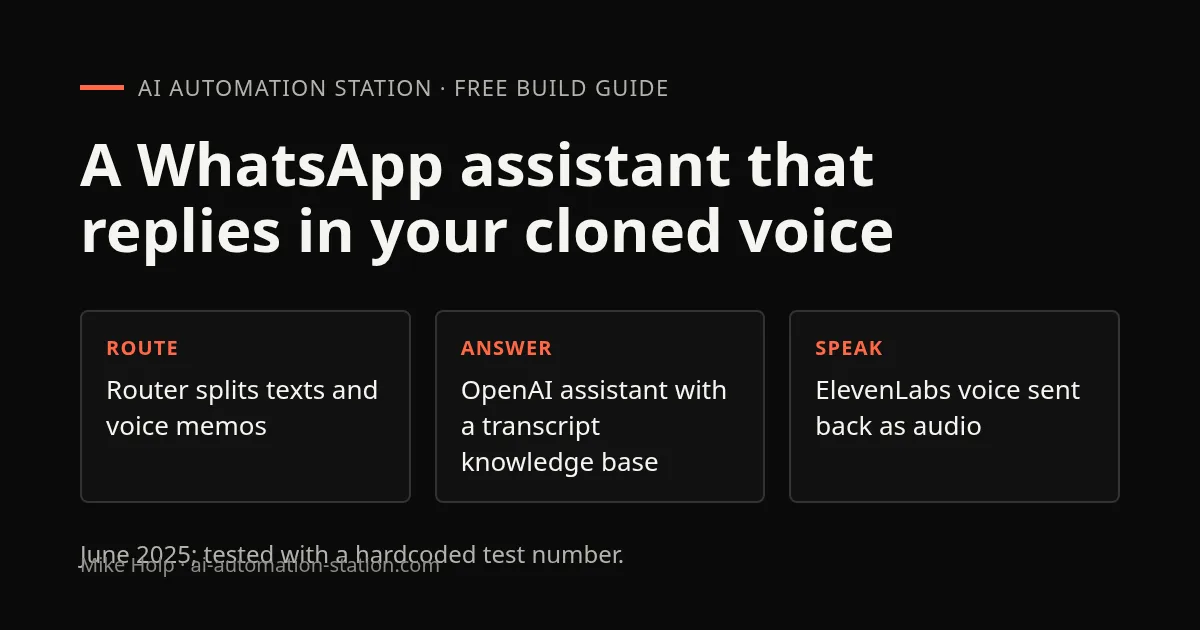
- Router splits texts and voice memos
- OpenAI assistant with a transcript knowledge base
- ElevenLabs voice sent back as audio
What I didn't cover
- Production use. I tested with a hardcoded test number and no verified business.
- Quality of answers on topics outside the transcripts.
- Cost of ElevenLabs and OpenAI per message.
Watch the walkthrough
- 0:00 Introduction
- 1:39 Utilizing AI Voice Cloning
- 3:43 Creating Filters for SMS and Audio
- 6:12 Developing a Custom AI Assistant
- 9:02 Transcripts to Knowledge Base: An Overview
- 11:17 Extracting YouTube Transcripts & Creating Files
- 18:08 Creating Your AI Voice Clone in 11 Labs
- 22:23 Sending Messages with AI Cloning
- 28:22 Meta Developers Setup for WhatsApp
- 39:17 Debugging & Enhancements
From the video
Lines from the video's transcript that this guide does not cover, lightly trimmed. Each time opens the video at that point. Read the full transcript.
- 8:08
The uploads failed for some reason. I'm not exactly sure why, but I've already got about 10 or 12 files in here that it's using for its knowledge base based on the videos that I've already created and the transcripts.
- 17:12
I'm personally on the starter plan right now, and it allows me to create up to 10 different voices.
- 21:01
If I click on record audio, I can start recording, give it 30 seconds of audio, and then it will create the voice. So that's what I've already done.
FAQ
Which modules handle voice memos?
A download step plus Whisper translation turns the memo into text before the assistant answers.
What is the knowledge base?
A vector store filled with transcripts of my YouTube videos by a second scenario.
Does it work for everyone?
Not yet. It was tested with one hardcoded test number.
Sources
- Video: Build Your WhatsApp AI Voice Agent in 40 Minutes (recorded June 2025)
- Make.com through my affiliate link: Make.com
- Make.com: make.com (Checked November 15, 2026)
Build the next one with AI Income Lab
Step-by-step courses, reusable templates, and a community that answers when you get stuck.
Members get the Claude Code & Skills and Codex Tutorials & Courses lessons.
- Courses for builds like this one
- Copy-ready templates
- Ask questions while you build
- Weekly coaching on VIP


