Build apps with AI coding agents: a safe first workflow
Quick answer: give a coding agent one testable feature at a time. First inspect the project and write down the expected behavior. Let the agent propose a small change, review the files it touched, run the project's checks and compare the result with the requirement before adding another feature.
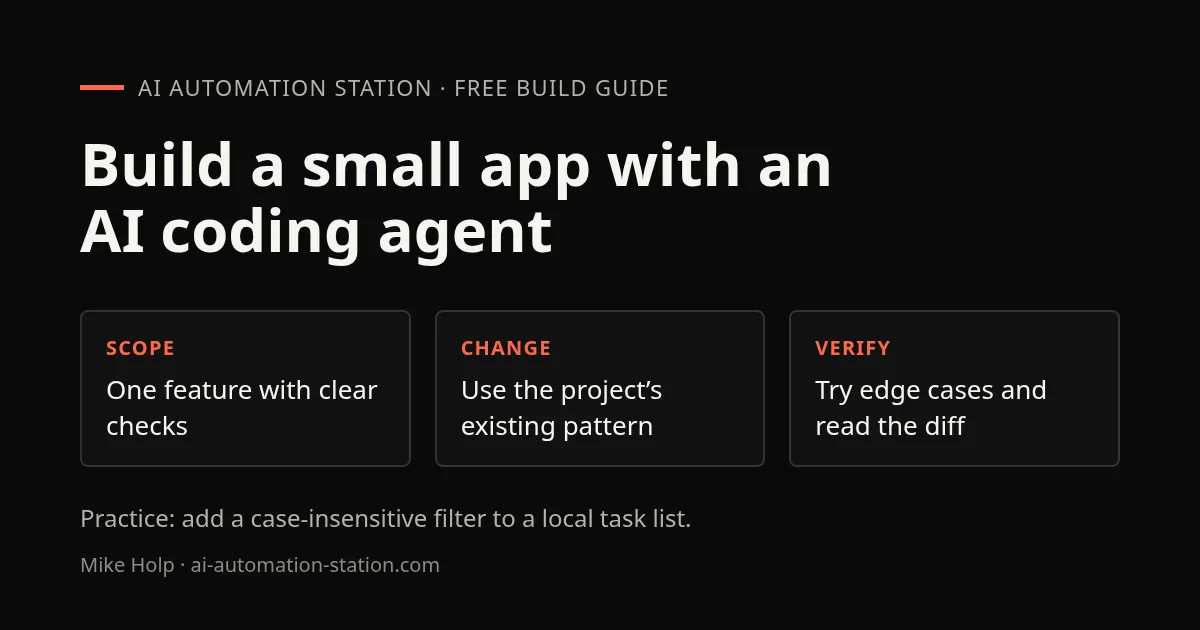
Choose a small app and define done
Pick a project you own, can restore and can run locally. Avoid starting with payments, production data, account permissions or other high-impact features. Write a short brief with the user, input, expected output, failure behavior and acceptance check.
For example, a first task might be “add a filter to this list; it should match names without regard to letter case, show an empty-state message and leave saved data unchanged.” This is easier to inspect than “make the app better.”
Inspect before editing
Ask the agent to describe the relevant files, existing behavior and available checks. Confirm its summary against the project. Provide only the context it needs and do not paste secrets, customer data or private keys into prompts.
Use a clean version-control checkpoint before the change. Tell the agent which files are in scope and ask it to report any assumptions. A coding agent can misunderstand a project even when its plan sounds confident.
Build one reviewable slice
Ask for the smallest change that meets the brief. Prefer existing project patterns over new frameworks. Have the agent explain the changed files and any dependencies before accepting them. If it starts rewriting unrelated parts, stop and return to the narrow requirement.
Do not give an agent broad access to production credentials or irreversible actions for a local prototype. Keep external actions, purchases, deployments and messages behind your own explicit review.
Run checks and inspect the diff
- Run the project’s existing check or test command.
- Try the feature with a normal input, an empty input and a boundary case.
- Read the diff, including configuration and lockfile changes.
- Check that the result matches the brief and did not alter unrelated behavior.
- Save or commit the change only after you understand it.
A passing check is evidence, not proof that every use case is correct. If the project has no automated check, use a short manual checklist and consider adding a focused test for the new behavior.
Deploy only after a local review
Before publishing, inspect environment variables, secrets, access rules, data retention, cost controls and rollback steps. Test the deployed version with a non-sensitive example. Keep a record of what changed and how to reverse it.
For tool-specific first steps, see the Claude Code beginner guide, Codex workflow tutorial and OpenCode vs Claude Code comparison. If you prefer a hosted builder, compare Lovable, Base44 and Replit before choosing.
A real project to inspect: this site's YouTube feed case study records the goal, public source, screenshot and observed checks from November 5, 2026. The feed keeps a saved snapshot available when a live request fails; the case study also identifies checks that remain unverified. It describes the shipped project, not proof that an agent built every part of it.
For the tool's documented workflow, see the Codex CLI guide.
If your feature records visitor events, use the React consent-tracking guide to put an explicit choice in front of optional analytics. For a concrete prototype to inspect, the REA video-editor case study shows why a generated interface still needs a real editing action checked.
Practice: add one filter to a local task list
Use a disposable local app or a small project you own. Start with three records: Draft a brief, Review the homepage, and Record a demo. Checkpoint the working version in Git before you ask the coding agent to edit it.
Add a text filter to the existing task list using this project's patterns.
Match task names without regard to letter case.
An empty query shows every task; no match shows “No tasks found”.
Filtering must not change, delete, or save task records.
Keep the change local. Add no dependency, account, API, or deployment.
Inspect the relevant files first, then show the diff and checks.| Query | Expected visible records |
|---|---|
| empty | All three tasks |
| BRIEF | Draft a brief |
| review | Review the homepage |
| zzzz | No tasks found |
Run the existing project checks, then try all four queries manually. Clear the filter and confirm all three original records return. Reload the app and confirm the saved records remain unchanged. Inspect the diff for unrelated formatting, package changes, network calls or altered save behavior.
The finished artifact is one reviewable filter change plus your four checked outcomes. This is an exercise to run yourself, not a claim that an agent has built or tested your app. If the project does not run before the change, fix that baseline before attributing failures to the new filter.
FAQ
What is a good first app feature for a coding agent?
Choose a small local feature with visible acceptance checks, such as filtering a task list. Avoid production data, payment handling, and account permissions while learning the review process.
Does a passing test mean I can deploy immediately?
A passing test supports the behavior it checks. Read the diff, try the feature in the running app, and inspect configuration and data effects before deciding to deploy.
Build the next one with AI Income Lab
Step-by-step courses, reusable templates, and a community that answers when you get stuck.
Members get the Claude Code & Skills and Codex Tutorials & Courses lessons.
- Courses for builds like this one
- Copy-ready templates
- Ask questions while you build
- Weekly coaching on VIP


