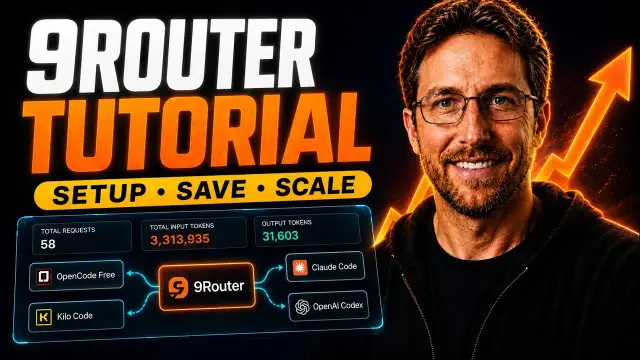
Video: 9Router providers, fallbacks and coding tools
Watch on YouTube ↗ Subscribe on YouTube ↗
Written guide: 9Router: npm install, port 20128, skip-update
Install commands, port 20128 and skip-update are in the 9Router setup guide. This page is the recorded walkthrough.
Install 9Router, explore provider connections and fallback options, and see coding-tool connection warnings and configuration examples.
Video summary
9Router setup deep dive: providers, three-tier fallbacks (premium → cheap → free), connection limits, and coding-tool quirks. How to use 9Router with Claude Code, Codex, Kilo Code, OpenCode, OpenRouter, plus 9Remote and token-saving tools (RTK, Caveman, Ponytail).
9Router tutorial for anyone hitting Claude Code / AI credit walls — install via npm and wire providers below.
The video covers 10 parts: Introduction to 9Router: A Smart Gateway for AI Tools, How to Install 9Router via npm Command Line, Understanding 9Router's Three-Tier Fallback System (Premium, Cheap, Free Models), Connecting Providers: Claude Code & Codex Risk Notices Explained, Using KiloCode with 9Router for Free Models, Integrating OpenCode and Accessing Free Chinese Models, Connecting OpenRouter API to Access More Free Models, Setting Up 9Remote: Code Remotely From Anywhere, Saving Tokens with Built-in Compression Tools (RTK, Caveman, Ponytail), and Final Thoughts & Joining the AI Automation Station Skool Community.
What this video covers
What you build
A local 9Router dashboard with provider connections, Kilo Code and OpenCode pointed at it, an OpenRouter key for more free models and the 9Remote add-on for coding from another device.
Tools used
Key steps
- 0:44 - Install 9Router with the npm command and start it with 9router on localhost.
- 1:08 - See how the fallback works: paid subscriptions first, then cheap models such as GLM, MiniMax and Kimi, then free models.
- 2:10 - Read the risk notice on the Claude Code and Codex connections before deciding whether to connect them.
- 3:00 - Connect Kilo Code, select a 9Router model and run the connection test.
- 3:25 - Connect OpenCode and pick a free model such as DeepSeek V4 Flash through 9Router.
- 6:50 - Add an OpenRouter API key to reach more free models.
- 7:15 - Install 9Remote to reach a terminal from another place.
- 8:00 - Review the built-in token-saving tools: RTK, Caveman and Ponytail.
Not covered
- Why OpenCode returned no output during the demo. The cause was not found.
- A full setup of the token-saving tools, which is promised for a later video.
- Independent measurement of the 20 to 65 percent token savings the project claims.
- A walkthrough of 9Remote beyond installing it.
In this video
- 0:00 Introduction to 9Router: A Smart Gateway for AI Tools
- 0:44 How to Install 9Router via npm Command Line
- 1:08 Understanding 9Router's Three-Tier Fallback System (Premium, Cheap, Free Models)
- 2:10 Connecting Providers: Claude Code & Codex Risk Notices Explained
- 3:00 Using KiloCode with 9Router for Free Models
- 3:25 Integrating OpenCode and Accessing Free Chinese Models
- 6:50 Connecting OpenRouter API to Access More Free Models
- 7:15 Setting Up 9Remote: Code Remotely From Anywhere
- 8:00 Saving Tokens with Built-in Compression Tools (RTK, Caveman, Ponytail)
- 9:07 Final Thoughts & Joining the AI Automation Station Skool Community
Questions and answers
What does 9Router do?
It sits between your coding tools and many AI providers. When a paid plan runs out it drops to a cheaper model tier, then to a free one, so you can keep working.
Is it safe to connect Claude Code or Codex?
9Router shows a risk notice on both. They use a subscription session that is not officially licensed for proxy use, and the account may be restricted or banned. The video connects Claude Code but uses these tools in their own command line instead.
Did the OpenCode connection work?
OpenCode connected and the 9Router models appeared in its model list, but no output came back during the demo and the cause was not identified.
Keep learning
Transcript
In this video, I'm going to be taking you through step by step and showing you how to get started setting up 9Router, which provides 60 plus AI providers in one single platform. And we can also read a little bit more about it over here. Nine Routouter is a smart gateway between your tools. So that could be Cursor, Claude Code, Codex, Klein, Copilot, and 60 plus other providers. And it includes a smart three tier fallback that maximizes your subscriptions and keeps your coding when limits hit.
And it also has built-in RTK and Caveman in order to save 20 to 65% on tokens. So, I've got the website pulled up here. It's pretty much just a simple matter of running this npm install command. So, I'm going to open up a terminal and we're just going to run that just to make sure that we've got the latest version. You could take a look through the GitHub and just learn a little bit more about 9Router.
Read the rest of the transcript
As you can see here, they've got all of these different models providers built directly into it, which you can easily connect inside your 9Router. When you run out of credits on one of the paid tiers, like let's say Claude Code or Codex, then it will drop you down to the tier number two, which is the cheap tier. And that includes models like GLM, Miniax, Kimi, a lot of the Chinese models.
And then when you run out of credits on those cheap models, it will drop you down to the free tier, which are other Chinese models like Quinn, Kira. So, we've got the free plans, the all the subscriptions, and then the ones with the API keys. So, I'm just going to come over to my terminal, and I'm going to run 9Router. I want to make sure that it doesn't die. So, I'm going to type in 9Router.
And that's essentially just going to launch it on my local machine on localhost. So, I'm going to go ahead and do that. Okay. So now we are logged into 9Router and it's just setting up the tunnel right now. I can also enable tail scale if I really wanted to and we can come on down to our provider. So as you can see I've already got claude code connected but there is a risk notice right here that says this provider uses a subscription session not officially licensed
for the proxy router use and your account may be restricted or banned. So you want to make sure to use this at your own risk. I've already gone ahead and connected it up here, but I really haven't been using it all that much for this specific reason. But luckily, we have a bunch of other providers, including Codex by OpenAI. This one also has the same risk notice because it is an OOTH provider. So again, I'm probably just going to go ahead and disable that one.
I typically just use those inside their command line interface. But if you do want to use a lot of the free or cheap models, those are all included directly from within 9Router. So for example, we've got Kilo over here. This is the website for KiloCode and it's very easy to get started. You can just install it in the command line. And I already have it installed over here, but I can just go ahead and run that again.
So it looks like it's just upgrading to the latest version right now, 7.5.16. So, we'll wait for this to install the latest version. But in the meantime, we can continue going through uh 9Router over here. And you can see I've also got OpenCode integrated in which is another one of my favorite coding tools. They have a lot of free models and then they also have cheap models built directly into it. A lot of the Chinese models. They also have Meta Muse built in.
Uh Nvidia Neotron, MIMO, Deepseek. Deepseek is built in here as well. If you want to use your own API key, you can connect up DeepSeek. Uh, that's another option as well. You can also take a look at your usage. I haven't really been using this all that much recently, but if I did want to go ahead and connect this up to something like OpenCode or KiloCode, I have the option to do that. So now it looks like over here we do have KiloCode running.
And if I want to run kilo, I could just type kilo So here's KiloCode. We could just do a back slashmodels. Very very similar to OpenCode and we can select one of the free models. If you want to find the free models, just search for free. And we've got all of these different free models over here. Uh I could just select this one. I could do a test and it's going to get started right away using KiloCode.
But if we want to actually go ahead and integrate this in with 9Router, we would need to use their particular model version. And we should be able to select 9Router over here. Want to make sure this is set it up set up correctly. So we can test the connection. And it should be set up correctly. And it's thinking. So we can see it is now thinking. Keep in mind a lot of these models are very overloaded. So you may not get a response right away.
You have to wait a little while, but you can see here the test is now received. And now we just want to make sure to actually go ahead and connect it up to 9Router. Basically, I would think we just need to come down to the command line tool and then we can kick click on KiloCode. You can see it's not currently connected. So, we need to select our model.
So I could even just tell it over here connect this model to 9Router and it should be able to just go ahead and do that for me. I can try the same thing inside OpenCode as well. So if we search for OpenCode under command line, it looks like it is connected and we've already gone ahead and selected all of our models over here. So if I do a back slashmodels, if I search for 9Router, these are now coming through.
So if I wanted to use DeepSseek V4 flash free inside 9Router, I could just go ahead and do that. And then we can come over here to usage. And you can see right away that it is now connected to OpenCode free. We'll see if it's actually able to go ahead and run this. I've been having some issues with OpenCode recently where it's just very very slow and it's not able to complete things. But we can see it is connected to OpenCode free.
So, it's successfully connected to the 9Router model and we should see some sort of output over here as well. And now we can see it's no longer using OpenCode free, but we also didn't get any sort of output over here as well for some reason. So, I'm not exactly sure what the issue is right now with OpenCode. We can also connect up open router.
So, if I did want to connect up my open router in order to get access to a lot more models, I could just come over here to open router and then I would just need to generate that API key. I'm going to grab the API key. We're going to enter it in over here. I'm just going to call it 9Router for example. Go ahead and save that. And then ultimately then I would have access to a lot more free models.
There's some other things you could do like you can connect it up remotely so you can access your terminal desktop files from anywhere and for that you would need a separate app called nine remote. This allows you to code from bed fix bugs at the cafe deploy from anywhere. In order to install this you would just install 9Router remote.
So I can open up another tab and we could just go ahead and install that quickly and easily so that I would ultimately be able to run code from anywhere and I just need to pass in an an access key over here. And ultimately this is just going to save you in terms of productivity so that when you run out of credits on one model it'll automatically drop down to the next tier and then the next tier after that.
And another really cool thing that I mentioned earlier about 9Router is the token saver. So it has a lot of these token compression tools built directly into it, including RTK, which I've already made a tutorial about on the channel. This is their GitHub. They currently have 79,000 stars. Just do an RTK gain and you can see exactly how many tokens I'm saving up to 70 million so far just by using RTK. They have another one called Headroom, which is currently not installed.
I don't really mess around with that one too much. And then also something called Caveman and Ponytail, which also has its own GitHub. This one currently has 132,000 stars on GitHub, and it just allows you to compress your tokens. And then they also have Caveman currently 104,000 stars. This is also for compressing tokens and it's built directly into 9Router. So I will be making another video uh showing how to get all this set up properly once it's working and everything is working correctly.
So stay tuned for that. You can get started completely for free. All you need to do is just go ahead and install it inside your command line and then you can get started and it includes all these different features. With that being said, thank you so much for watching this video tutorial. Please go ahead and subscribe to the channel and then also check out my Skool community. We're getting new people joining every single day. It's now $29 per month.
And you can take a look around the classroom once you join. I've got all of my courses, tutorials, and lessons and templates over here. You can also schedule a AI strategy call with me. And go ahead and introduce yourself inside the community tab. Take care. Stay safe. Peace from Thailand. signing off. We'll see you in the next