OpenAI Dots first try: dev day recap and cloud computer
Watch on YouTube ↗ Subscribe on YouTube ↗
A recap of OpenAI's September 29, 2026 dev day announcements and a first try of Dots, an always-on agent inside ChatGPT with its own cloud computer. Mike customizes a dot, gets task suggestions drawn from past chats and email, and prepares a podcast application, though a site is blocked in the cloud browser. Prices, benchmarks and model claims are from OpenAI's recap. Mike plans more videos before judging it.
Video summary
ChatGPT Dots tutorial overview — what OpenAI launched and how it compares to other AI agent platforms.
The video covers 10 parts: OpenAI Dots Explained, What Are OpenAI Dots?, GPT-6 Astra Powers Dots, Always-On AI Agents, Dots Cloud Computer Explained, Connecting 4,000+ Apps, AI Agent Automation Demo, Dots Permissions & Safety, OpenAI Dots Pricing & Availability, and Are OpenAI Dots Worth Using?.
What this video covers
What you build
A Dots agent named by Mike, connected to ChatGPT history and plugins, used to prepare a podcast guest application and explore the cloud computer's terminal and file explorer.
Tools used
Key steps
- Read OpenAI's recap: Dots, GPT-6.1 Sol, an Ultra fast mode and Codex in the cloud.
- Set up a dot from ChatGPT, name it and choose an avatar.
- Accept a suggested task to prepare a podcast guest application with bio, pitch and talking points.
- Open the cloud computer to use the terminal, file explorer and browser, where the application site is blocked.
- Ask the dot to gather knowledge from past ChatGPT projects.
Not covered
- Dots' permissions and safety controls, which the video does not detail.
- Connecting a large number of apps, or a full automation run.
- Independent checks of the cost and benchmark claims in OpenAI's recap.
- Whether the dot handles private email and chat history safely, which matters before connecting it.
In this video
- 0:00 OpenAI Dots Explained
- 0:45 What Are OpenAI Dots?
- 1:32 GPT-6 Astra Powers Dots
- 2:18 Always-On AI Agents
- 3:06 Dots Cloud Computer Explained
- 4:02 Connecting 4,000+ Apps
- 5:07 AI Agent Automation Demo
- 6:15 Dots Permissions & Safety
- 7:23 OpenAI Dots Pricing & Availability
- 8:18 Are OpenAI Dots Worth Using?
Questions and answers
What are Dots?
An always-on AI agent in ChatGPT that can run on a local or cloud computer, take tasks and send updates, per the announcement.
What does Ultra fast mode cost?
A new $500 a month plan, Mike says, and a $200 plan returned with about half the usage. These are quoted from the recap.
Did the podcast application get submitted?
No. It was prepared for review, and the form site did not load fully in the cloud browser.
Keep learning
Transcript
And if I want to just, you know, go ahead and open up my website, I can open that up directly from the cloud computer over here, terminal, I can list my files. I can, you know, go into one of the directories. Very, very similar to what I would do on Linux. It's got the tab features built in, which is kind of cool.
Even got like a little file explorer over here as well, uh, similar to Windows, where I can go ahead and, you know, just go through my files and stuff. That's very cool and definitely something that you don't get inside GrokBot. This is an exciting one. We're going to be going through the new announcements coming from OpenAI after their recent dev day which took place yesterday, September 29th, as I'm recording this now.
Read the rest of the transcript
I've got the full recap pulled up here on OpenAI's website and we can get just go through this in a little bit more detail to see some of the things that were announced. So the first announcement is this new DOTS always on AI agent ecosystem. Basically you can integrate it directly into your ChatGPT and get started building your AI agents right away. So I'm just going to go ahead and click on continue.
And you can see I can make my dot more helpful by connecting up some of my plugins. And now it's setting up the dot. This is just going to take a few moments. In the meantime, we can keep going through some of the other announcements. They also announced GPT 6.1 Soul, their most capable model in many ways at a fraction of the cost of Astra. So you can see it delivers near Astra intelligence to everyone at a fifth of its standard input and output token prices.
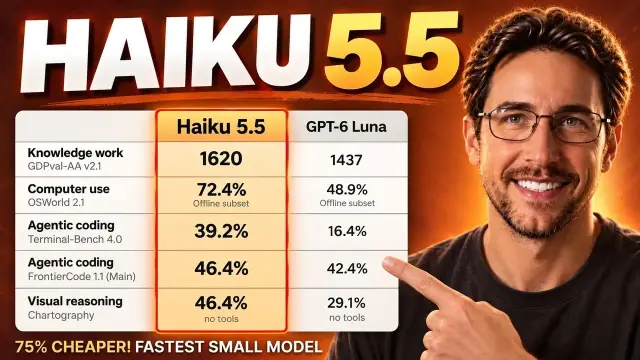
You can see here we've now got GPT6 Astra, which is still their most intelligent model for the best results. And then we also have this new GPT 6.1 Soul. And we've also got the GPT6 Luna. On professional work, we can see the GPT 6.1 Soul is scoring only 35 cents cost per task, almost beating GPT6 Astra on extra high mode, and it's significantly cheaper. That's definitely good news. Automation Bench, same deal over here.
It's scoring quite high, and it's the most cost-ffective model uh on Automation Bench. And in terms of computer use, it's scoring almost as high as GPT6 Astra on max mode at roughly nine times less the cost. So that's very very impressive. I look forward to putting it to the test. I've already got it selected over here inside Codex running in the command line. We also have ultra fast mode. Ultraast offers up to eight times faster token generation.
GPT6 Astro is available today in the API and in GPT6 work and codecs on the pro 500 and enterprise plan. So in order to get access to Ultraast, you will need to upgrade to their new $500 per month plan. This is in addition to the $200 per month plan, which they've now brought back, but they've basically half the amount of usage that you can use in the $200. Now, you have to upgrade to the $500 per month plan, which seems a bit excessive to me.
I'm still on the $100 per month plan, and I don't see myself upgrading to $500 a month anytime soon because that's basically the cost of my rent on a monthly basis over here in Thailand. They've also got Codex in the cloud now. So, similar to Cursor where you've got your cloud agents, you can now run a lot of your tests inside the cloud. So, it's not necessarily going to be bogging down your processor or your GPU.
It says now developers can run codecs wherever they need it on a computer, remotely from a phone or in the cloud from any device. So, this is kind of following in the footsteps of Grobot, which allows you to run a lot of the AI agents for coding tasks inside Cursor Cloud Agents. It looks like they are now heading in that direction with chatbt as well. So, I'm going to head back over to I'm going to head back over to my dots here.
We can either run this on a local computer or a cloud computer. But we can see here it says, "Hey, I'm your dot. Message or call me anytime. I keep things moving even when we're not talking and check in with updates or questions." And now that we're inside our dot, we can click on the profile picture. And from here, we have the option to customize the dot, give it a different name, give it a different avatar if we want to.
In this case, I'm going to call mine Bob. And then we can switch the avatar quickly and easily. You will notice that this looks very very similar to GrokBot. Anyways, like you know, I can click here, I can choose the avatar, I can generate a new avatar. Uh I can tell it exactly what to do. I can reset it. We have the option to do all of those inside GrokBot over here as well. We also have the option to call it as well.
So, if we want to call, I have the option to call my dot, which is interesting. So, I guess I'd be would be able to use it from the phone. We can also connect up Slack over here if we want to pull in all of our Slack data, which personally I don't use Slack, so I wouldn't I wouldn't be using that. We can give it a name, which I've done. It says, "A few things I can take off your plate. Draft the Tube Analytics paragraph.
Select this one. Prepare your AI space podcast application." I've also got a call which I've scheduled with blow t. So it's recommending to uh just fix up that call and it says you want help with any of these. So let's just say number two for example and it's going to prepare an application for a podcast that I'm supposed to be on. I haven't actually scheduled the call yet. So I may be able to use dots to do a lot of that stuff as well.
So it's saying it's going to prepare the AI space podcast application with my bio episode pitch and talking points ready for review. So that's going to save me a lot of time doing this stuff manually. And you can see I can also pull up my cloud computer over here as well. Just, you know, go ahead and open up my website or one of my websites anyway. I can open that up directly from the cloud computer over here.
And I can even like launch a virtual terminal from over here as well. So I could just do something in the terminal. I can list my files. I can, you know, go into one of the directories. very very similar to what I would do on Linux. It's got the tab features built in which is kind of cool. Uh I could do a pyd pwd to show my current directory. So that's pretty neat. And I've even got like a little file explorer over here as well.
Uh similar to Windows where I can go ahead and you know just go through my files and stuff. That's very cool and definitely something that you don't get inside GrokBot. So now it's checking the application in my cloud browser. So, it's actually just going to go ahead and open up the application form for this podcast that I'm supposed to be on. But unfortunately, it doesn't look like the website is loading 100%. It says it's blocked by Chromium.
But it is still pretty cool how it's able to do some of this stuff. And if I want to just go ahead and continue on to the next task, it's recommending two timesensitive things that have also surfaced. DataForSEO agreement. Uh, give me more details. I could just go ahead and do that and it will start pulling in all of the data from all of my past conversations on ChatGPT.
This is one of the really really nice things about dots is that it has access to every conversation that I've ever had with chatgpt. So I don't have to retrain it on my knowledge base like I would have to inside metamuse or even GrokBot where I have to, you know, just completely retrain it on a lot of this stuff. It's already got all the context since I've been using ChatGPT for many years now.
And now it's saying the AI space podcast replied yesterday saying that your practical experience with AI agents in N sounds like a fit. So that's definitely new good news. And then we can just go ahead and open up the guest application form. And this email actually came from my GrokBot because I have a podcast outreach thing over here, which is just constantly reaching out to podcast hosts on my behalf.
And we can see it just went ahead and, you know, created my entire bio, the proposed episode that I would like to talk about, episode pitch, three talking points for me as well. So, I can actually use GrokBot plus the new DOTs to combine forces and, you know, move my business forward even faster without spending an additional, you know, $40 a month or whatever over here inside GrokBot in order to get even more things done because currently I've hit a 100% of my usage limit on
the $60 per month plan of GrokBot. And yeah, we could just go ahead and start customizing this dot as much as we want to and adding additional plugins. And it should be able to suggest plugins that I can build into the dot in order to make things even easier. And in this case, it's recommending me to connect my Google calendar, which I haven't done yet in ChatGpt. And we can also see the tasks that it's doing over here as well.
So it just created a task and we can see that it's thinking. We can expand that out and see exactly what it's doing over here. And now this is looking more similar to Codex where you can expand out the different tools and see exactly what it's working on step by step. I can also tell it to pull all of the knowledge from my projects into my dots since I've went ahead and started creating uh knowledge bases based on all of my previous chats inside ChatGPT.
So, it says it's going to gather the project knowledge and organize it so I can use it in the conversations. I definitely look forward to putting dots through the paces over the coming weeks and months. And I will definitely be making more videos on the channel showing how to use this in many different ways. And with that being said, take care, stay safe. Peace from Thailand. Signing off. We'll see you in the next one.