Nano Banana: Free Images and a Make.com Error
Quick answer
Open Google AI Studio, choose Nano Banana (Gemini 2.5 Flash Image) and prompt it. It keeps a character consistent across images, edits intelligently and merges images. Images like an elephant playing basketball generated in under ten seconds. The Gemini app gave larger files with a Gemini logo. In Make.com I set up a Gemini module with an API key, but it failed with an exceeded quota error because billing was not linked on the Google Cloud project.
Prices and plan names change. Confirm them on the vendor page before you buy. Checked November 15, 2026.
This is an August 2025 beginner tour of Google’s image model, just after launch, and Google’s tools and limits change quickly. The Gemini referral link on this site is an affiliate link. For building a small app in AI Studio, see the Google AI Studio chat app guide.
1. Open Nano Banana in AI Studio
Go to aistudio.google.com. Under Chat, choose the Nano Banana model, which is Gemini 2.5 Flash Image. The Build area has a Gemini 2.5 Flash Image starter with examples such as cats, and an SDK you can use with an API key.
2. What it can do
Google lists three strengths: keeping a subject’s appearance consistent across images and scenes, intelligent editing (I joked that it could replace Photoshop work), and composing or merging images by replacing objects or combining parts of several. I tried prompt variations to compare results, and each image took under ten seconds.
3. Try it from Make.com
I created an API key in AI Studio and added a Google Gemini module in Make.com to generate images on a schedule and maybe post them. The run failed with an exceeded quota error. The API route needs billing linked to the Google Cloud project, which I had not done, so the automation never worked in my walkthrough.
4. Compare with the Gemini app
The same kind of image in the Gemini app was a larger file with a Gemini logo. Google’s paid Gemini plan also gave access to Veo video generation, which I mentioned but did not use. I had not yet worked out a video workflow with this model.
Done when
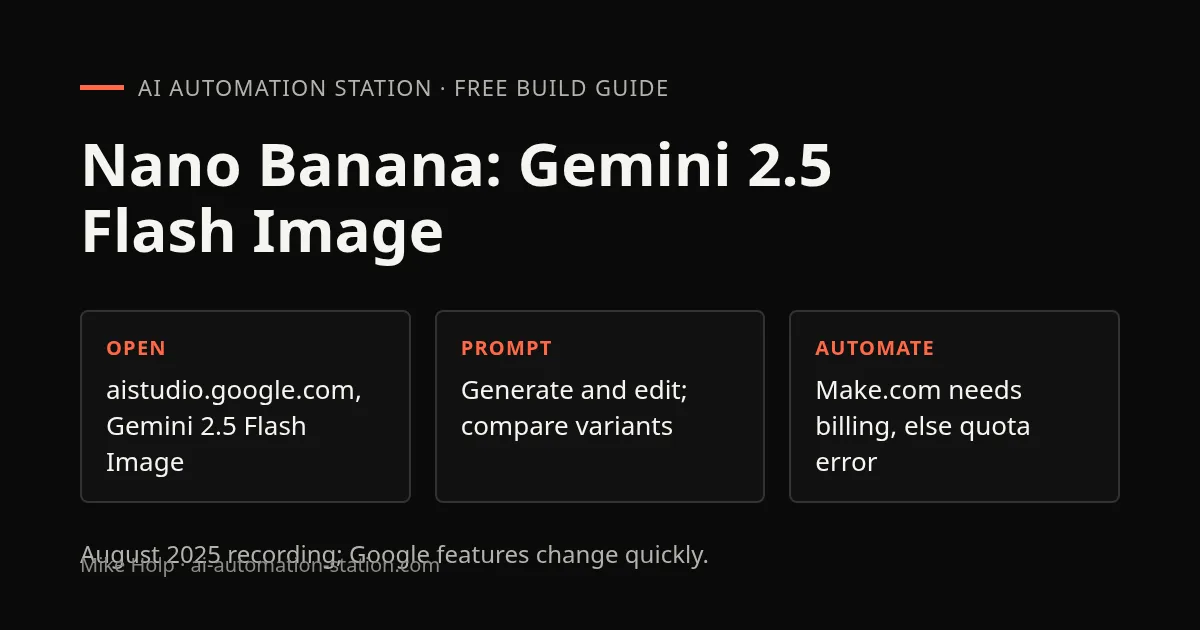
- aistudio.google.com, Gemini 2.5 Flash Image
- Generate and edit; compare variants
- Make.com needs billing, else quota error
What I didn't cover
- A working Make.com image automation. It stopped at the quota error.
- Google’s current free limits for Nano Banana.
- Image licensing and usage rules for commercial use.
Watch the walkthrough

- 0:00 Introduction to Nano Banana
- 1:12 Getting Started with Gemini 2.5 Flash
- 1:25 Key Capabilities of Nano Banana
- 2:12 Post to Social Media & Automate with Make.com
- 2:37 Fun Image Examples and Editing Tips
- 3:13 Initiating Nano Banana for Creative Prompts
- 4:09 Experimenting with Prompt Variations
- 5:33 Integrating with make.com and API Setup
- 7:03 Using Make.com for Automated Image Tasks
- 9:08 Billing and Usage with Google Cloud
- 10:15 Generating High-Quality Images in Google Gemini
- 11:42 Exploring Advanced Image Editing Techniques
- 13:10 Premium Features and Trials in Google Gemini
- 14:32 Applications Beyond Image Generation
FAQ
What is Nano Banana?
Google’s Gemini 2.5 Flash Image model, built into Google AI Studio and the Gemini app.
Why did Make.com fail?
It returned an exceeded quota error because billing was not linked on the Google Cloud project.
How fast was it?
Images generated in under ten seconds in AI Studio.
Sources
- Video: Nano Banana: The Easiest Way to Create Free Images with Google Gemini (recorded August 2025)
- Google AI Studio: aistudio.google.com · Google Gemini referral: Gemini
Build the next one with AI Income Lab
Step-by-step courses, reusable templates, and a community that answers when you get stuck.
Members get the Claude Code & Skills and Codex Tutorials & Courses lessons.
- Courses for builds like this one
- Copy-ready templates
- Ask questions while you build
- Weekly coaching on VIP


