Kilo Code Skills: Build an AI Visibility Optimizer
Quick answer
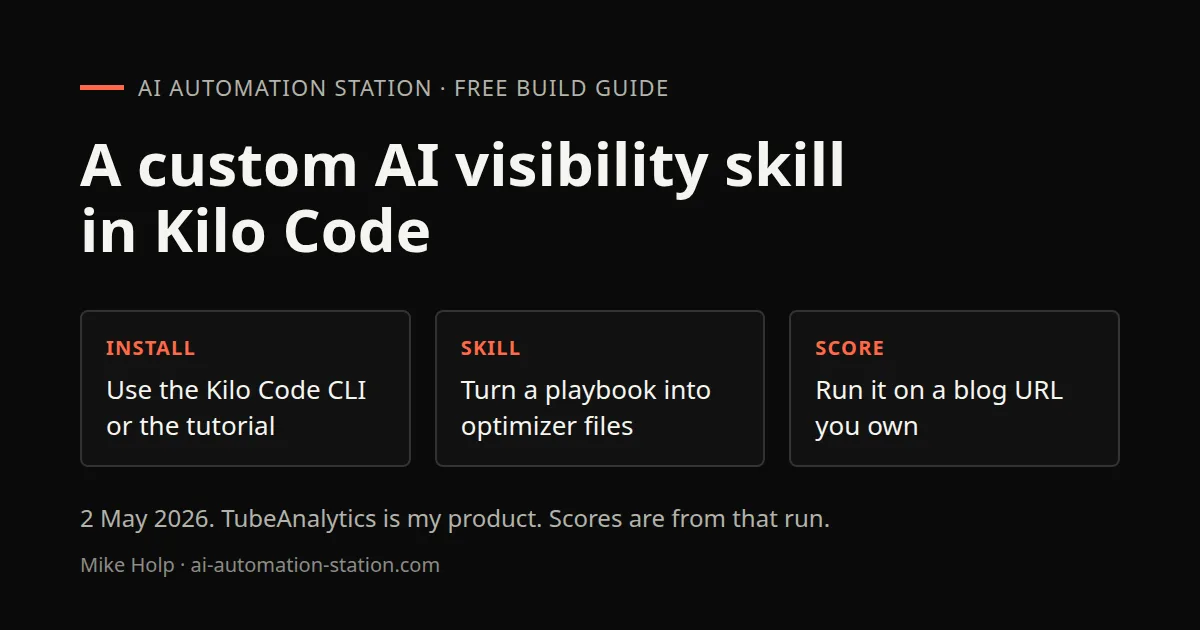
On 2 May 2026 I used Kilo Code to turn Anna York's AI visibility playbook into a custom skill, then ran it on a TubeAnalytics blog post. The skill scored 23 criteria. One live article failed a 100-word direct-answer rule because the first paragraph was 61 words. A second post scored 91 out of 100, then 98 out of 100 after the agent applied its plan. Those scores are that day's self-ratings, not a live ranking. The skill is mine. The description lists a Gumroad page. I do not reconstruct the Kilo install command, which I did not read aloud.
This guide uses Kilo Code skills to turn an AI visibility playbook into a reusable optimizer. TubeAnalytics is my own product. This page is the optimizer skill build, not Kilo Code setup. For install, free models, and a first task, use the Kilo Code tutorial. The playbook URL was on screen and not spoken, so it is not pasted here. Description-footer affiliate links are not pasted here.
1. Open Kilo Code
Kilo Code's site described an open-source agent for VS Code, JetBrains, the CLI, and cloud, with 500 plus models at provider rates. I clicked start coding for free. The CLI used a one-line npm install that I did not read aloud. I already had it installed. Follow the tutorial if you need the current command.
2. Feed it a visibility playbook
I pointed Kilo at a LinkedIn article, How to become AI visible, later named as Anna York's playbook covering ChatGPT, Claude, Perplexity, and Gemini. I asked it to pull the criteria and create a skill for optimizing blog articles. The agent fetched the page. From that article I repeated 23 AI visibility criteria, that missing any of four critical elements dropped citation probability to about 5 percent, and that high-priority items sat around 8 to 12 percent.
3. Review the generated Kilo Code skill
It named the skill AI visibility optimizer and wrote an optimizer script, types, a core optimizer with automated fixes, index.ts, and skill docs. Automated fixes named on camera were a direct-answer rewrite, user intent, content freshness, and scannability. Output included a visibility score, citation probability, auto-optimize HTML, prioritized actions, recommendations, and a 30-60-90 day roadmap. I later said I was considering putting the skill on Gumroad.
4. Score a TubeAnalytics post for AI visibility
A suggested prompt was "optimize for AI visibility" plus a URL I did not read aloud. On one TubeAnalytics article it wanted a direct answer in the first 100 words with no links in the quick answer, then failed that check because the first paragraph was 61 words. FAQ, expert-author, last-reviewed (29 April), original data, citations, schema, and a 150 to 160 character meta description were discussed. I said I had about 350 articles. In VS Code a second post scored 91 out of 100 on 21 of 23 elements, with 80 to 90 percent citation probability. After it added research, a downloadable PDF, and question-style H2s, it reported 98 out of 100.
Done when
- Installed or opened Kilo Code
- Generated an optimizer skill from a written playbook
- Ran it on a post you own and reviewed the score and plan
What I didn't cover
- The Kilo CLI install command. I did not read it aloud.
- The playbook URL. It was on screen and not spoken.
- Proof that a 98 out of 100 score changed AI citations. I only showed the skill's own rating.
Watch the walkthrough

- 0:00 Introduction to Kilo Code and AI visibility
- 0:32 Installing Kilo Code via the command line
- 0:54 Creating a custom "AI Visibility Optimizer" skill
- 1:59 Explaining the 23 critical AI visibility criteria
- 3:20 Reviewing the automatically generated optimization scripts
- 4:15 Understanding critical fixes like the "Direct Answer" rule
- 5:14 Running the AI optimizer on a live blog article
- 6:16 Analyzing the 91/100 initial visibility score
- 8:45 Viewing the real-time automated optimization process
- 9:50 Final results: Achieving a 98% AI visibility score
From the video
Lines from the video's transcript that this guide does not cover, lightly trimmed. Each time opens the video at that point. Read the full transcript.
- 6:36
Scrolling down we can see the comprehensive coverage is only partial. So the fact section is missing but covers logical follow-up.
- 7:59
It should only be 150 to 160 characters. I currently have about 350 articles on my blog.
- 9:35
That's also important, high priority. And then we've got some of the H2 headings need to be questions.
FAQ
Is this the Kilo Code install guide?
No. Install, models, and a first task are in the Kilo Code tutorial. This page is the optimizer skill.
Whose site did you score?
TubeAnalytics, which I own. One post failed a 100-word rule. Another went from 91 to 98 out of 100 on 2 May 2026.
Can I download the skill from this page?
No. I generated it in Kilo Code. The video description lists a Gumroad page for the skill.
Are the 5 percent and 8 to 12 percent figures yours?
No. I repeated them from the Anna York playbook the agent fetched.
What is a Kilo Code skill in this build?
A folder the agent wrote with an optimizer script, types, index.ts, and skill docs. A suggested prompt was optimize for AI visibility plus a URL.
Sources
- Video: I Built an AI Visibility Optimizer (2 May 2026)
- Kilo Code: https://kilo.ai
- Skill listing from the description: Gumroad AI visibility optimizer skill
You may also like

Build the next one with AI Income Lab
Step-by-step courses, reusable templates, and a community that answers when you get stuck.
Members get the Claude Code & Skills and Codex Tutorials & Courses lessons.
- Courses for builds like this one
- Copy-ready templates
- Ask questions while you build
- Weekly coaching on VIP


