Cline AI: Install the CLI and Free Coding Agent
Quick answer
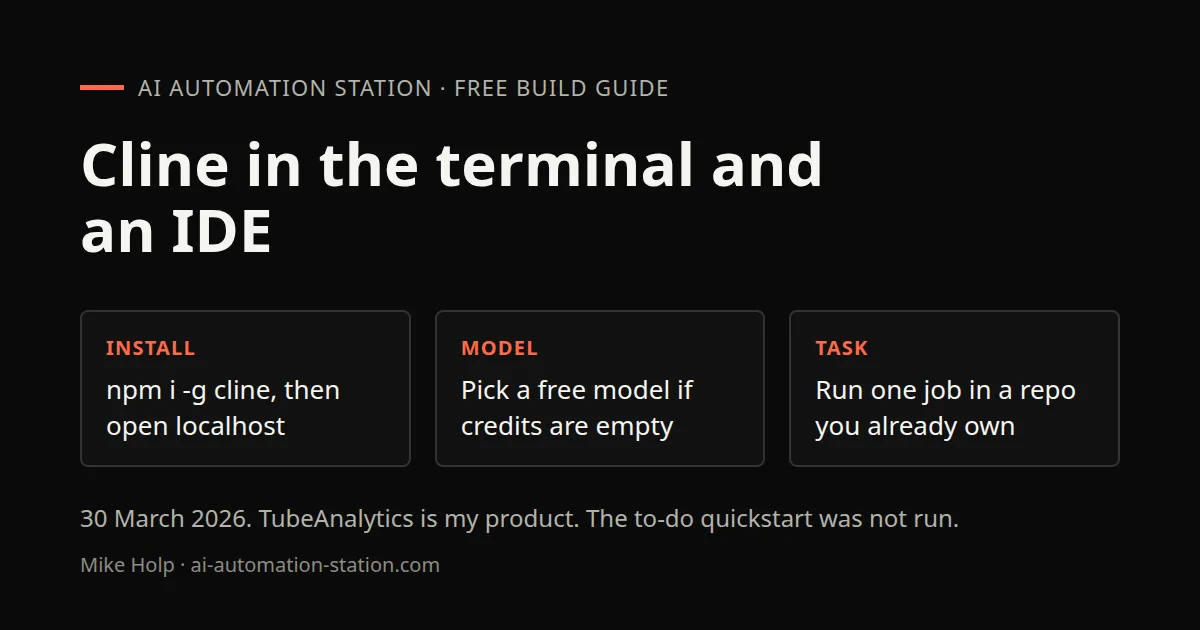
On 30 March 2026 I installed Cline, a free coding agent, with npm i -g cline, opened it on localhost, and also installed the IDE extension in Google Antigravity next to Claude Code and Codex. Billing showed negative credits, so I used a free Xiaomi model that spent none. I asked it to optimize TubeAnalytics blog articles for GEO. It edited index copy, category stats, metadata, and author dates, then pushed to GitHub. The docs to-do app prompt was copied and not run. I warned the tasks were fairly CPU intensive. TubeAnalytics is my own product. This is Cline setup, not a from-scratch web app.
Cline AI is a free coding agent with a CLI and IDE extensions. TubeAnalytics is my own product. Captions that say Client or Client Bot mean Cline. The product page from the description is cline.bot. Other free-agent setups on this site include Free Claude Code and Kilo Code.
1. Install the Cline CLI
Cline's site offered free models without adding credits. Install targets named were VS Code, Google Antigravity, Cursor, Windsurf, or the CLI. I already had it installed. The command I spoke was:
npm i -g clineRunning it from the command line opened localhost.
2. Add the Cline extension and pick a free model
In Google Antigravity, which already had Claude Code and ChatGPT Codex, I opened Extensions, searched Cline, installed that extension, and ran it in the IDE. It asked what to help with on a YouTube analytics platform. I said Continue. Paid options named were Claude Sonnet, GPT-5.3 Codex, and Gemini. Billing showed negative credits. The free Xiaomi model used none.
3. Run GEO on the existing blog
The prompt I used was:
optimize all blog articles for GEO and ask any questions.It spawned a parallel task. I later said Review any changes. It edited a blog route so GEO-visible content was not just schema. Schema had been fixed the night before with Codex. Result: stronger index copy, dynamic article category stats, refreshed metadata, and clearer author and date on cards, pushed to GitHub. I told it to go ahead on guides, compare, and blog. That pass was still running at the end. I warned the work was fairly CPU intensive.
4. Skip the docs to-do app in an existing repo
Cline docs had a quick start to-do app in a single HTML file. I copied that prompt and did not read it aloud. I said to create a new folder and not run it inside the existing project. I did not execute that prompt in the video.
Done when
- Installed Cline with npm i -g cline or the IDE extension
- Picked a free model if the credit balance was empty
- Ran one task in a repo you already own and reviewed the diff
What I didn't cover
- The docs to-do app. I copied the prompt and did not run it.
- Paid Cline models. Billing showed negative credits.
- A from-scratch web app. The title oversells. I GEO-optimized an existing blog.
Watch the walkthrough

- 0:00 Introduction to Cline: The Free AI Coding Agent
- 0:43 How to Install Cline via Terminal (NPM)
- 1:08 Running Cline on Localhost
- 1:29 Case Study: SEO & GEO for Tube Analytics
- 2:08 Installing Cline in your IDE (VS Code & Google Anti-gravity)
- 3:06 Choosing Models: Claude vs. Zomi (Zero-Credit Model)
- 4:04 Automating Blog Schema & Metadata
- 5:37 Quick Start Guide: Building your First To-Do App
- 6:47 Performance Monitoring & CPU Considerations
- 7:11 Results: Pushing GEO Changes to GitHub
From the video
Lines from the video's transcript that this guide does not cover, lightly trimmed. Each time opens the video at that point. Read the full transcript.
- 3:25
The nice thing about this model that I'm using by Xiaomi, which is a Chinese company, is that it's not using any credits whatsoever.
- 5:57
If I wanted to do this, all I have to do is copy and paste this prompt and then I would actually create a new folder cuz I don't want to run this in my existing project.
FAQ
What is the install command?
I said npm i -g cline. Captions that say client mean Cline.
Which model was free?
A Xiaomi model that used zero credits while billing showed a negative balance.
Did you build the to-do app?
No. I copied the docs prompt, said to use a new folder, and did not run it.
Whose repo did you edit?
TubeAnalytics, which I own. GEO copy was pushed to GitHub.
Does Cline work in VS Code?
Cline's site listed VS Code, Google Antigravity, Cursor, Windsurf, and the CLI. I installed the extension in Google Antigravity.
Sources
- Video: How to Build Web Apps for Free Using This AI Agent (30 March 2026)
- Cline from the description: cline.bot
You may also like


Build the next one with AI Income Lab
Step-by-step courses, reusable templates, and a community that answers when you get stuck.
Members get the Claude Code & Skills and Codex Tutorials & Courses lessons.
- Courses for builds like this one
- Copy-ready templates
- Ask questions while you build
- Weekly coaching on VIP


