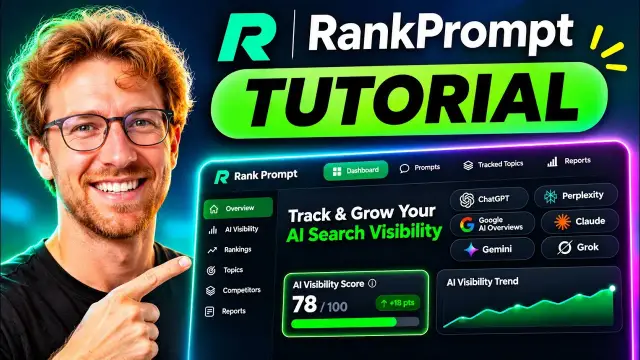
Trakkr AI rank check: ninth of 209 and llms.txt fixes
Watch on YouTube ↗ Subscribe on YouTube ↗
Written guide: Trakkr and Codex: AI Visibility, Crawlers and Visits
A walkthrough of how Mike tracks and improves his analytics site's visibility in AI answers with Trakkr: a rank of ninth out of 209 competitors, crawler visits from ChatGPT and Claude, and a Codex run that pulls fixes through the Trakkr MCP. Mike notes AI search still sends few visitors compared with Google. The link is an affiliate link, and the Trakkr plan is $100 a month after a trial.
Video summary
The AI search ranking blueprint that actually works — how TubeAnalytics wins AI citations.
The video covers 10 parts: Intro and the ChatGPT ranking result, Open the Trakkr dashboard and rankings, Check which AI crawlers visit the site, Review citation readiness on blog pages, Pull Trakkr actions into Codex with MCP, Compare AI visibility against competitors, AI search traffic versus Google traffic, Test a tracked prompt in ChatGPT, Implement fixes and pull ideas in Codex, and Trakkr pricing and plan features.
What this video covers
What you build
A Trakkr MCP connection to Codex that lists crawler and citation actions, followed by fixes to llms.txt, sitemap and robots files.
Tools used
Key steps
- Test a ChatGPT prompt for the best apps for tracking YouTube competitors and see Mike's site listed first.
- Read the dashboard: rank nine of 209 competitors, visibility and win rate.
- Check AI crawler visits by bot, including about 4,300 from Claude and 7,400 from ChatGPT on one day.
- Review per-page citation readiness and the article structure that helps citations.
- Use the Trakkr MCP in Codex to list actions ranked by crawlability and citation impact, and start the fixes.
- Compare AI referrals with Google: 21 ChatGPT visitors and 18 Claude visitors in a week against 39,000 Google visitors over three months.
- Review Trakkr's growth plan at $100 a month with eight models and MCP access.
Not covered
- Proof that the blog work caused the ranking, or that AI mentions bring paying users. The video shows few AI visitors.
- The comparison with YouTube.com, which is about citations in AI answers and not search ranking.
- Trial terms. Mike mentions both a two-day and a 14-day trial.
- Fixing the file issues Codex starts on, since the video ends as it begins.
In this video
- 0:00 Intro and the ChatGPT ranking result
- 1:22 Open the Trakkr dashboard and rankings
- 3:01 Check which AI crawlers visit the site
- 4:00 Review citation readiness on blog pages
- 6:21 Pull Trakkr actions into Codex with MCP
- 7:40 Compare AI visibility against competitors
- 9:20 AI search traffic versus Google traffic
- 10:22 Test a tracked prompt in ChatGPT
- 12:01 Implement fixes and pull ideas in Codex
- 13:40 Trakkr pricing and plan features
Questions and answers
How much AI traffic does the site get?
Little. Mike says ChatGPT sent about 21 visitors in a week and about 700 over three months, against 39,000 from Google.
How much does Trakkr cost?
$100 a month for the growth plan after a free trial, per the video.
Keep learning
Transcript
Hey there, welcome to the channel. In this video, I'm going to be taking you through and showing you step by step how I'm currently outranking all of my competitors in the YouTube analytic space, including YouTube.com. In this tutorial, we're going to be using Tracker, Tracker.ai. I'm going to leave a link in the description below where you can get started completely for free.
And what this tool allows you to do is to see which AI crawlers are visiting your site, your overall AI visibility versus your competitors, and also prompts in order to rank in the AI answer engine. So, it's one of the best tools that I found out there. You can get started completely for free. They offer a twoe free trial and then it starts at $100 per month. Enjoy the video. Please subscribe to the channel if you haven't already and let's get into it.
Read the rest of the transcript
If I just go ahead and ask ChatGPT, what are the best apps for competitor tracking on YouTube? Boom, there's tube analytics at the very very top. Beating out view stats, which is Mr. Beast YouTube analytics platform. Ultimately, I would like to get tube analytics acquired by Mr. Beast. And we can see that even on the view stats citation over here, it's got a link to my blog article.
And you can see, just like I showed at the beginning, that Tube Analytics is outranking every single one of the competitors, including YouTube.com. And in this case, we're going to be using a tool called Tracker, which I've already made tutorials about quite extensively on the channel. You feel free to check those out. All you need to do is click the link in the description below, and you'll be presented with the homepage.
From there, you can simply enter in your domain, and you have to go through the sign up process. Of course, I already have an account. So, as soon as I click on access, it will pull up my dashboard here. And right away, big picture overview. You can see the overall visibility, total number of mentions in the past 7 days, my ranking as well versus all my competitors. So, I'm currently ranking number nine out of 209 relevant competitors.
And we can see all of those rankings over here. Obviously, Vid IQ and TubeBuddy are number one and two. Then, we've also got SocialBlade in here. And I'm right here at position number nine, which is only going to continue going up over time, especially since all of my articles are optimized for AI search, which I also show you how to do in this tutorial. I've also created my own platform as well, which is called Vizycan. This is my latest startup.
There's a link to it in the description below as well, where you can basically just enter in your domain right here, and it will run the full analysis. You just click on run scan. Completely free. It takes about 60 seconds to scan the whole site and that's going to show where you're ranking in ChatGPT, Claude, Perplexity, and Gemini. And then all of the things that you would need to fix up on your website. Generally speaking, I would recommend just going with tracker.
Um, from here, we can basically we can just go down to traffic and then crawlers and you can see the total number of AI crawlers visiting your site. So, I've done a lot of work over like 5 to 6 months on Tube Analytics to actually get it to the position where it's at now where it's getting crawled by all the major crawlers. So, we can see at, you know, right away which crawlers are visiting the site.
It's majority ChatGpt, but we've also got Claude crawling the site. So, on August 5th, we had about 4,300 visits from Claude and 7,400 visits from ChatGpt. This is really pretty easy to set up. They give you step-by-step instructions inside tracker and then you can track all of this stuff over here and you can see how many crawlers are visiting for training data as well as indexing and then also conversations.
Another nice thing about tracker is that you can basically just rightclick and you can submit it to AI search at any time as well. That's also pretty easy to set up. It's just using index now which is Bing's basically search engine submission index tool and you can use that to submit all these to AI search and if I want to click on any of these we can get an overview of the the things that are right and maybe the things that need some help on each
of the pages. So this one for example it's being crawled like 288 times per day and you can also see the citation readiness as well. This is super important to actually make sure that all of your articles are ready for citations. And there's skills that you can use inside Codex and claude code to do a lot of this stuff. Those are just available on skills.sh, which I've already made tutorials about on the channel as well. Feel free to check those out.
But basically, you can just go ahead and expand each one of these. And obviously like I've got nearly perfect scores on all this stuff including the schema crawlability uh entity coverage, answer blocks, everything. So these are like the key parts of every blog article if you want to start showing up in the AI answer engines. So, for example, I could just come over to my blog for Tube Analytics where I've got roughly 549 articles.
You can see here, and these are all super super super well optimized for the AI answer engines. And it's taken me many, many months to get this level. But basically, you can just click on one of these blog articles, and this is what it comes down to. Uh, they have to look very, very similar to this with the proper formatting. I've got the key takeaways in here. I've obviously got the author bio at the top including the tables. Uh these are JSON LD tables.
So these need to be embedded into the article. Then I even have a scroller over here. You can see on the sidebar, this is basically basically just to decrease the bounce rate on the page. That's kind of what I was going after for this sidebar. And we've got a lot of links in here. It's got all of the uh internal linking set up properly. everything including the next reads, all this, the sources and references, editorial review.
It's even got my affiliate program on here so they can click to go to my affiliate program, including the fact as well. This is also really, really important section to have in all of your blog articles. And if you guys need help with any of this stuff, I'm a wealth of knowledge. So, you can join my Skool community or you can also schedule a consultation call with me. This one, for example, it says the next step would be to fix some of this stuff.
So, basically, all I would need to do is I could just copy and paste this into Codex. So, I've already got Codex running over here, and I could just, you know, copy this this entire thing, or I could use the MCP, which is available completely for free, including in the free trial for Tracker. And basically what this allows you to do is to connect to tracker from your AI coding harnesses like codecs or Claude Code and then you can pull in all of this data from
over here inside the dashboard. So if I wanted to get all the latest actions and since the MCP is already built in, it's just going to go ahead and grab uh all of these actions the next steps over here. And then I could just go through and knock them off one at a time using the MCP over here. So you can see it's already query tracker for the latest AI crawler findings and the action items.
And it's going to rank them by crawlability, citation impact, and implementation urgency. In this case, I'm using GPT 5.6 sole, which is the best model. I could do back SL status. I've got about 80% of my credits left, so I'm just using soul in this case. and it's going to go through and start getting all of those actions that I need to take off in order to get my pages so that they're even more ready for AI citations. Right?
And speaking of AI citations, we could come over here to visibility and you can see just like I showed at the beginning that Tube Analytics is outranking every single one of the competitors, including YouTube.com, believe it or not. So, that currently has a domain rating of 99. I've got a domain rating of roughly 54 currently and it's continuing to increase. Um, so this just going to continue improving. But as you can see already, I'm already outranking all of my competitors in AI search.
And one of the biggest reasons for that is because of my blog articles, the comparison guides. I've also got obviously the pricing page where they can choose the price. It starts at $19 per month. By the way, there's a link in the description below. This is the most powerful YouTube analytics platform available to my knowledge and sentiment. I'm also like right at the very top. This is actually my newsletter. So, it shows where backlinks are coming from as well.
This one says it's citing me and that's specifically because I wrote an article on my newsletter with a backlink to Tube Analytics. So, that's a good way to get a DR94 backlink. I've got a competitor like a visibility score of around 33 compared to Vid IQ which got like an 87. So definitely lots of work to do to catch up to Vid IQ and TubeBuddy.
But keep in mind they've been around for like at least 10 years and I've only been doing this for around 6 months and I'm already outranking my competitors, almost all of them in terms of AI search. Interesting thing is the AI search is not really making up very much of my traffic. So you can see right here, Google is still bringing me the vast majority of my organic traffic. And for the week, ChatGpt only brought me about 21 visitors and Claude brought me like 18 visitors.
So it's still a very very very small percentage of the overall bulk of the traffic. But if we zoom out to like 3 months, CGPT brought about 700 visitors. Google brought 39,000 visitors. Right? So, still a small percentage, but I think there's no reason that AI search isn't going to slow down. And it's best to get started with this stuff the earlier, the sooner the sooner possible. Then then you can outrank all of your competitors.
And we can also see my win rate over here as well. I'm currently ranking number nine and I'm getting like 60% of the overall searches. So, just to show you that this is actually working correctly, I can come over here to prompts and we can just go ahead and open one of these up. This one, for example, uh it looks like I'm currently not ranking for that one. So, I may need to write another article that would surface my website instead of my competitors.
But, we can see the top answers over here. And it just gives you a really, really nice, clean breakdown. And you can see my visibility is a bit higher for this particular prompt. So if I take this and I just come over here to ChatGPT, what are the best apps for competitor tracking on YouTube, it's already searching my website. I just saw it pop up there and boom, there's Tube Analytics at the very very top. Beating out view stats, which is Mr. Beast YouTube Analytics platform.
Ultimately, I would like to get Tube Analytics acquired by Mr. Beast. And we can see that even on the view stats uh citation over here, it's got a link to my blog article. Um so basically eventually I'm just going to start getting a ton of backlinks to my site just from people searching on AI search and Google. And over time I'll just start getting more and more backlinks. And that's going to help my domain authority.
It's going to take it from like 54 up to hopefully 80 at some point or even more. And this is just simply how you do it. You use a tool like Tracker. Uh you use Codex. They've got Google Search Console skills. You can pull in all of your Google Search Console data, which is over here. And you can just go ahead and start fixing up all of that stuff directly from within the AI coding tools.
So, I just recently asked it to get all of the actions from Tracker that I might need to fix up. I've already got a score of 95 out of 100. Uh, but there are a few more things that I would want to fix. So, I'm just going to say, you know, go ahead and implement the fixes and then we'll get started right away. It's recommending to fix up the LMS.ext file, which is probably the single most important file for ranking in the AI search engines.
Uh, also the sitemap might have some issues and robots.ext and looks like uh it's blocking some of the pages which I would need to fix. So, I've just told it to go ahead and implement the fixes and it'll get started right away in the background. I don't really have to do anything. It'll just do everything for me inside Codex. And yeah, there's still more things that you can do over here inside tracker as well.
Uh, it's got a bunch of ideas for different things that you might want to add to your site. So, it's recommending some different prompts over here. And if I wanted to pull in those ideas, I could do the exact same thing over here inside Codex. I'm just going to say pull in all the ideas from tracker MCP. Uh, we're already doing really, really well over here as it is, but there are some citation gaps that I might want to close in order to bump this score
up to like a perfect 100 out of 100. And we can do all of that from within Tracker and then just use Codex to actually pull in all the data and then create the implementation plan. This is already going ahead and fixing up these priority actions that I found from Trackr. And again, this one is completely free to get started with. They offer a 14-day free trial. And then it's $100 per month after that. Uh we can come over here to the pricing page.
And you can see for the growth plan for brands, it's $100 a month. And that includes uh tracking one brand daily, 50 brand prompts per brand. All eight models are included. So, ChatGPT, Claude, Gemini, Perplexity, Google AI overviews, DeepSeek, and many more. And you also get 25 articles per month, three seats included, citation and perception, site optimization, and most importantly, you also get the MCP access, which will allow you to pull in all of the data directly into your AI coding harnesses.
So, yeah, like I say, this is one of the best tools that I found so far for actually ranking the AI answer engines. And if you have any questions for me, go ahead and drop them down below. You can also schedule a one-on-one free consultation call with me on my website. There's a link in the description below. And you can see exactly how much time and money you could save by working with someone like me to implement a lot of this stuff for you.
U so I highly recommend booking a consultation call. And then also go ahead and join my Skool community. It's now $29 per month. We've got almost 3,000 members over here. I provide a ton of value inside the community and prices go up to $89 per month for the VIP plan. You could take a look around the classroom for all of the courses, tutorials, and trainings as well as my AI coaching program. And then also introduce yourself inside the community tab.
We're getting new people joining every single day. Would love to see you inside the Skool community. And with that being said, I think I'm going to wait for these things to finish over here and uh we're off to the races. Thank you so much for watching this video. Please go ahead subscribe to the channel if you haven't already. And with that being said, take care, stay safe. Peace from Thailand. Signing off. I'll see you in the next one.