GrokBot as a Chief of Staff: Daily Briefings and Approvals
Quick answer
I treated GrokBot as a chief of staff: at the end of the day I asked what ran, what is waiting and what is tomorrow, then pushed each item to a specialist bot instead of doing it myself. In two long conversations it summarised jobs and outreach, queued page speed tests, drafted backlink emails, diagnosed indexing problems, set weekly Monday routines for indexing and Stripe checks, and held drafts until I approved them. The rule that made it safe was simple: reading and drafting are automatic, sending emails and merging code need my explicit yes.
These are two October 2026 sessions where I ran my businesses by chatting with GrokBot. They are my own sites, bots and data, so your roster of bots and connected tools will differ. Neither video is sponsored. For the first setup, see GrokBot for beginners, and for the data tools it calls, Treg inside GrokBot.
1. Start with an end-of-day rundown
I opened by asking for everything done today. GrokBot listed jobs that ran, one scheduled reminder that did not fire and was paused, what was still waiting on me and what was drafted. Then I asked what was left to wrap up the day. A rundown like this works because each bot reports back to the main one, so one question replaces checking five dashboards.
2. Delegate each task to a specialist bot
For each item I said what I wanted and let GrokBot route it: page speed tests for both sites, a backlink outreach send log, drafts for new prospects, and a read on pages flagged in an indexing tool. When no suitable bot existed, such as for Stripe lookups, it said so and offered to create one. I answered yes only when I wanted a lasting bot, not a one-off pull.
3. Approve before anything leaves the building
The rule I kept was that drafting is free, while sending outreach emails and merging pull requests needs my explicit go-ahead each time. When the Gmail connector lost its send action, GrokBot told me it could not promise the sends went through instead of guessing. I also left on-demand credits for a cloud coding agent switched off and waited for the monthly reset, so the blocked fixes simply stayed queued.
4. Use it to find, then fix, SEO problems
In the longer session GrokBot compared clicks against impressions to show that titles and snippets were not earning clicks, then separated that from a different problem: pages Google had not indexed. For dead pages in one language it proposed 301 redirects to their English counterparts, which I approved. It also reminded me that title tests lift clicks on pages Google already shows, while indexing needs crawl and canonical fixes. I would check those claims in Search Console myself before relying on them.
5. Turn repeat checks into weekly routines
Near the end I asked for a weekly indexing check using Search Console and an indexing tool. GrokBot assigned it to the SEO auditor bot for one site and mirrored it for the other. I also added a Monday Stripe customer check, a monthly backlink report and keyword polls through Treg. Each routine posts numbers and week-over-week changes, not actions, so I stay the one deciding what happens next.
6. Keep outreach honest
Backlink and investor outreach is where an assistant can embarrass you. I kept every first email as a draft I reviewed, tracked opens with the pixel I had set up and noticed in the logs that zero opens had come back, rather than assuming success. If you email people in other countries, check consent and unsubscribe rules for each region before you automate sends.
Done when
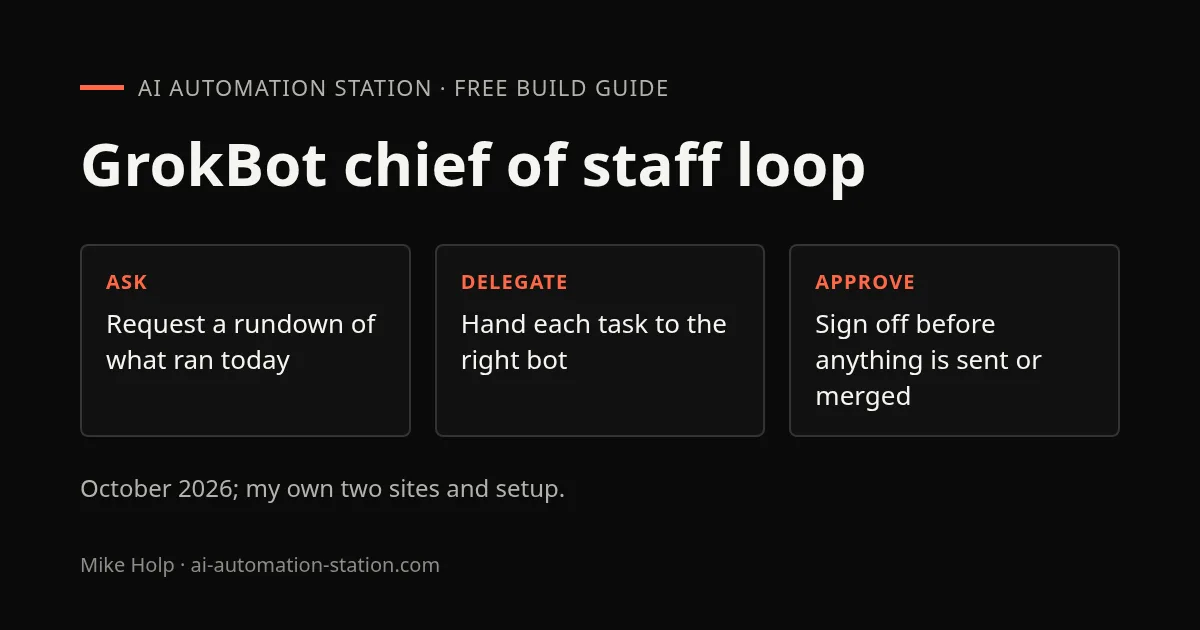
- Request a rundown of what ran today
- Hand each task to the right bot
- Sign off before anything is sent or merged
What I didn't cover
- Whether the weekly routines kept working past the first runs.
- The accuracy of every SEO diagnosis GrokBot gave. I verified the redirects, not each ranking claim.
- Open tracking shows few opens even when emails land, so it is a weak signal.
- Your bots, plugins and credits will differ from mine.
Watch the walkthrough
- 0:00 GrokBot Task Rundown
- 1:38 Speaker Pitch Emails
- 2:25 Page Speed Tests
- 3:02 AI Backlink Outreach
- 4:01 VisiScan SEO Audit
- 5:41 Backlink Email Drafts
- 7:15 Queuing AI Tasks
- 8:11 Fixing SEO Indexing
- 9:32 Cursor AI Credits
- 11:41 Email Open Rates
From the video
Lines from the video's transcript that this guide does not cover, lightly trimmed. Each time opens the video at that point. Read the full transcript.
- 0:30
The checkout batch is mid-flight. It's verifying today's production log before picking the 30.
- 3:11
Today's backlink send was six tube analytics first contact notes in French and German out at 5:05 a.m. ICT that hit today's cap.
- 8:32
The live check on /blog/ai-business-tools shows it's returning 200, but still has a no index tag, which is the main decision point.
FAQ
Can GrokBot send emails and merge code by itself?
It can draft and prepare them, but I set a rule that sends and merges need my explicit yes each time.
What is a chief of staff setup?
One main assistant that collects reports from specialist bots, so I ask one question to see everything that ran and what is waiting.
Were these videos sponsored?
No. They show my own sites and bots, and the tools I mention are ones I already use.
Do I need Treg to copy this?
No. It supplied keyword and backlink data in my setup, but the approval and routine habits work without it.
Sources
- Video: GrokBot Is The Ultimate AI Chief Of Staff (October 2026)
- Video: Why GrokBot Is The Best Personal AI Assistant (October 2026)
- GrokBot: x.ai/bot · Try Treg through my affiliate link: Treg · Google Search Console: Index coverage report help
Build the next one with AI Income Lab
Step-by-step courses, reusable templates, and a community that answers when you get stuck.
Members get the Claude Code & Skills and Codex Tutorials & Courses lessons.
- Courses for builds like this one
- Copy-ready templates
- Ask questions while you build
- Weekly coaching on VIP


