Claude Code Video Editor Skill: Build and Run
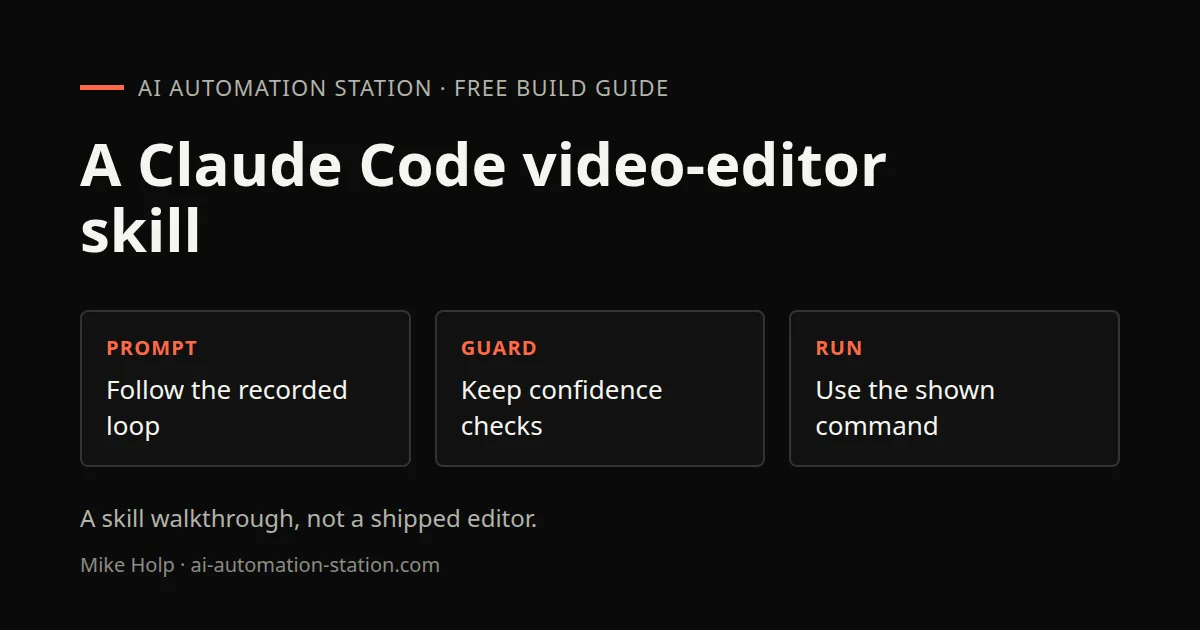
Quick answer: In the 15 July 2026 recording, a custom long-form video-editor skill for Claude Code, Codex and OpenCode transcribes clips with Whisper, picks a hook and segments, then exports a 1080p 30 fps MP4 plus a chapters file. Optimize it with a detailed prompt, approve the guardrail phases, and run the spoken command on the files in the working directory.
This is the custom Claude Code, Codex and OpenCode skill from that recording, not a browser rebuild of an existing editor. The other video-editor build on this site is REA Coding-Agent Case: A Video-Editor Prototype. If you still need a first Claude Code install, start with Claude Code tutorial for beginners: install and use it.
What this recording shows
The host walks a YouTube video editor skill he built for whichever coding harness he is in that day. The 15 July 2026 walkthrough uses Claude Code to improve the skill, then says the same files should run from Codex and OpenCode through one shared source. A prior run, the day before that recording, took about 45 minutes to create a 13-minute video. He said that job would normally have taken at least an hour. This page does not time the edit of the walkthrough itself.
He usually edits in Kdenlive on Linux and wants the skill to cover work that editor does not do easily, including audio normalize. The skill is aimed at simple screen-share videos with a talking head in the bottom right, not a full studio timeline.
1. How the skill works
The recording lists this pipeline for long-form files already sitting in a home-directory folder (three clips were on screen):
- Import the video files and merge them after each one is transcribed.
- Transcribe with Whisper, including timestamps of what was said.
- Do editorial selection: pick the best segments and identify a hook that should open the video.
- Clean filler words, tighten dead pauses, and normalize clip audio across the whole piece.
- Export a new clip as 1080p, 30 frames per second, MP4.
- Write a separate YouTube chapters file so that step is not a later ChatGPT or Gemini pass.
Quality controls named on camera include blur padding for mismatched aspect ratios and hard cuts with clean audio fades. Captions and effects were an output option in the later prompt answers, with a flag to turn captions on or off. The recording does not show the exact FFmpeg flags.
2. Write the optimization prompt
Claude Desktop asks clarifying questions, then writes a detailed prompt that gets pasted into Claude Code. The answers in this recording were:
- Built on Claude Code, the agent
skill.mdfile. - Optimized for long-form videos (a separate shorts skill exists, and this walkthrough does not cover it).
- Output is the full finished edit plus captions and effects.
The prompt on screen had phases: an improvement plan, which files change, and a small-switch-first edit order. Phase two encoded hook rules into the skill. As read in the recording, the hook sits in the first 3 to 15 seconds, opens on the single most compelling moment, states payoff or stakes, sets an open loop, and must match a real peak later. It is a cold open, not a “hey guys, welcome back,” and it must not over-promise.
Claude Code then wrote a gap report scored against that phase-two spec. Retention and pacing were only partial. Engagement CTA placement was missing. Natural feel was missing. The top improvement named on camera was richer editorial guidance for hooks. No file changed until the host typed approved.
After approval, the recording shows longer skill.md and editorial.md files, a mid-video rehook, an explicit payoff that resolves the opening promise, and on-screen work in the last 20 seconds. The long-form Python editor was updated so cuts land on the last words, leave a small breath, skip silence a viewer would not expect, and avoid cutting mid-sentence. The Python file shown in the recording was 804 lines long. The host said he was not reading that Python as an author, and this page does not reconstruct it.
3. Guardrails and confidence checks
Phase three in the recording is guardrails and failure handling. After it finished, the skill reported a timestamp guard and low-confidence handling for filler removal. Filler scored below the confidence cutoff is skipped, because low confidence was treated as a real word Whisper misheard, so it is left in. Missing-transcript handling was also named.
The confidence score shown after that work was 88 out of 100. Later phases were approved to raise it. The score shown after the changelog rewrite was 94 out of 100. Those two figures are what appeared on 15 July 2026. They are not a live score for a file you download today.
The changelog file named on camera was the editor-skill changelog, covering a full rewrite, hook selection, scorecard structure, engagement CTA and natural feel. The host also accepted a short project memory that the skill now defaults to sentence-safe editing.
4. Run the skill
The last setup step in the recording is to register the updated skill in Codex and OpenCode as well, so all three harnesses run the identical skill from one source. The agent reported that the symlinks were added and that nothing further was required for the next Claude Code session. In Codex, the host found it by typing YouTube and opening the YouTube video editor skill.
The spoken command from the 15:52 chapter, used on the video files in that directory, was:
edit the long-form video from the video files in this directoryThe walkthrough says Claude Code edited that same video, then points to a Gumroad listing for the YouTube video editor skill for Claude Code and Codex. Grab it from the listing in Sources if you want the packaged skill the recording advertised. Review the output yourself. The recording does not show a side-by-side against a manual Kdenlive cut of the same files.
For channel packaging around the export, see YouTube channel growth workflow: research, publish, learn and ChatGPT Thumbnail CTR Pipeline. A later Claude Code project on this site is Claude Code Second Brain. Prompting for small Fable builds is a separate page: Claude Fable 5 Games: Prompts and Plugins.
Watch the walkthrough

FAQ
Is this the same video editor as the REA prototype?
No. This page is the custom Claude Code, Codex and OpenCode skill from the 15 July 2026 recording. The REA guide is a different browser-editor prototype.
What command ran the skill in the recording?
The spoken command in the 15:52 chapter was: edit the long-form video from the video files in this directory.
What confidence scores did the recording show?
The skill reported 88 out of 100 after the guardrail work, then 94 out of 100 after later phases. Those scores are what appeared on 15 July 2026, not a live rating of the download.
How long did a prior edit take?
The recording opened with a run from the day before that took about 45 minutes to create a 13-minute video. The host said that work would normally have taken at least an hour. This page does not time the edit of the walkthrough itself.
Sources
- Video: How I Built An AI Video Editor Inside Claude Code (15 July 2026)
- YouTube video editor skill listing: https://beremote.gumroad.com/l/youtube-video-editor-skill-claude-code
- Anthropic, Claude Code product page: https://claude.com/product/claude-code
You may also like


Build the next one with AI Income Lab
Step-by-step courses, reusable templates, and a community that answers when you get stuck.
Members get the Claude Code & Skills and Codex Tutorials & Courses lessons.
- Courses for builds like this one
- Copy-ready templates
- Ask questions while you build
- Weekly coaching on VIP


