Cortex second brain build in Claude Code: radar and vidIQ
Watch on YouTube ↗ Subscribe on YouTube ↗
Written guide: Claude Code Second Brain: Cortex Project Tour
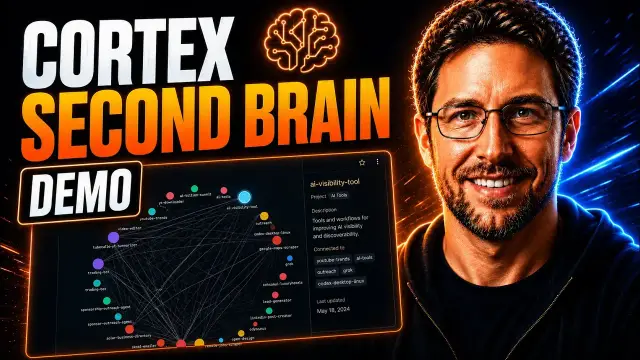
A build-in-public look at Cortex, Mike's business second brain made in Claude Code and Codex. It tracks 26 project notes and the channel transcripts, has a capture inbox, a theme graph and a planned radar for what to build and film next. The vidIQ MCP is connected and a LeadScope CRM integration is prompted. Mike says he is not yet sure the tool helps earn more.
Video summary
Build a business knowledge base with Claude Code — RAG-trained second brain for your stack and projects.
What this video covers
What you build
A local dashboard with project spaces, transcripts, an inbox, a theme graph and a radar recommendation page, with Claude Haiku summarizing items in a queue.
Tools used
Key steps
- 0:40 - Look at project spaces and the transcripts script for one channel.
- 1:20 - Open a project markdown file that lists the stack, state and file structure.
- 2:00 - See the radar idea for suggesting what to build and film next.
- 2:40 - Test the new theme graph and the capture inbox.
- 3:20 - Check the vidIQ MCP in Claude Code and its credit balance.
- 4:00 - Prompt for a LeadScope CRM integration to show outreach and open rates.
- 4:40 - Move the build to Codex because Claude rate limits are used up.
- 5:20 - Run the Claude Haiku summary queue, which has 218 summaries and nothing pending.
Not covered
- Whether the radar gives useful recommendations, since it is only started.
- The second YouTube channel's 1,200 video transcripts, which are still to be collected.
- How the retrieval system works or how business data is protected.
- Any measured business benefit. Mike says it is not obvious that it will make more money.
Questions and answers
What is Cortex for?
A single place that tracks Mike's projects and channels and, eventually, suggests what to do next.
What does it connect to?
Project markdown files, YouTube transcripts, the vidIQ MCP and a planned LeadScope CRM.
Why switch to Codex?
Claude usage was exhausted and about 45 minutes from resetting, so Mike continued in Codex.
Keep learning
Transcript
Hey there, welcome to the channel. In this video, I'm going to be taking you through a build of Cortex, which is my business second brain. It has access to all of the different app projects that I'm building as well as both of my YouTube channels. It's trained on my knowledge base using a rag system. We're going to be taking a look at it inside Claude Code as well as Codex. And I'm just going to be building it out in public.
Go ahead and check out my Skool community. It's currently free. We've got almost 3,000 members in there now. New people are joining every single day. Would love to see you inside Skool. And with that being said, let's go ahead and start the tutorial. Enjoy watching and please subscribe. In this video, I'm going to be taking you through a new project that I'm currently building out for my business. It's called Cortex.
Read the rest of the transcript
And what this is is essentially a second brain with my library track all of the different projects that I'm working on. So, we've got Tube Analytics, this YouTube channel where you're watching us now, AI Automation Station. I just created a simple Python script inside Claude Code to get all of my transcripts for this YouTube channel. I also need to need to do the same for my second YouTube channel as well, but that's going to take a bit longer because I've got 1,200 videos over there.
But this is just for the AI Automation Station channel. And then I've also got all of my projects. These are the 26 different projects that I've currently built out. And if we open this up, it's just a simple MD file which was also created inside Claude Code, which basically gives the text stack, all of the current state and features, as well as some of the file structure and that sort of stuff.
Now, to be perfectly honest, I haven't been entirely sure why I actually need this for my business because I don't really see how it's going to help me move the needle and actually make more money for my business. if it can actually help me predict or give me foresight into what I should be building next, that would be a super useful feature to have.
So, I've decided to build out this radar feature over here, which is going to tell me what to build and what to shoot. In other words, what to film next for the YouTube channel. Ultimately, I just want to use this to tell me what to do next in the business because it's not like I have any consultants I can talk to. I don't have a coach, nothing like that. So, I just have to kind of figure things out as I go along.
Uh, so this is should be super useful moving forward. So, yeah, this just continuing to build out looks like some themes for the website. So, I can switch the themes. Let me just go ahead and refresh this. Hopefully, it didn't break anything. Uh, it looks like it added a new tab here for theme graph. So, this is looking pretty good. This looks like some of the other uh tutorials that I've seen on YouTube where they're basically connecting up different nodes and it's all animated.
It looks beautiful and everything. We've also got this capture thing over here as well where I can paste in thoughts, links, and notes. So, I can just save something to the inbox over here. And this is where all the data is actually coming from for my second brain. So, we've got the recommendation engine. We've got all of the different spaces.
So, these are just the different projects that I'm currently working on, including my YouTube channel, uh, the lead generation tool, some of the other projects I'm building. Actually, what I want to do first is a get commit and push. And that's just going to push it up to my GitHub repository, and then we can get started with the Vid IQ MCP MCP built in already. If I just do back SLMCP, uh, I don't see VidIQ. Oh, yeah, Vid IQ. That's a VIQ MCP right here.
So, that's already connected up to Claude Code. And it says I have a balance of 1390 credits. Uh, eight content recommendations. This is through the Vid IQ thing here. It's just checking my balance, which is free. So, I do have some credits over here. Uh, so it'll be really cool if I can connect up Vid IQ over here. And then under radar, I can get recommendations for my YouTube channel based on real data from the Vid IQ MCP over here.
So for example, for lead scope, I want to see specifically how many leads I've contacted on a day-by-day basis. And I also want to see the open rate and all of that stuff as well. And we can take a look at all of that data which is over here inside the CRM. And we've got all of our insights over here as well. just want to integrate all of this directly into my second brain. So I want to pull in all that data from lead scope.
And so I've just told it to create the detailed prompt over here which will pull the lead scope data and build the analytics dashboard. So there's the prompt and I've just pasted it in over here into Codex in this particular case because I'm currently out of credits in claude which is going to reset in like another 45 minutes. This particular one over here is building the integration for Tube Analytics.
We're just going to use my own software as a service analytics over here, which already has an MCP available to use. So, I'm basically just going to connect the MCP up to my second brain. And then we can pull in all of the data. This is what my dashboard looks like for Tube Analytics. I'm currently about 1,400 hours into building this. It's live and available to the public. And we've got all of the data over here. This one is a 7-day free trial.
And then prices start at $19 per month all the way up to $149 per month. So, I'll just have to wait for my credits to reset, which shouldn't be too much longer. And then this particular one is going to be using Claude Haiku to create the summaries and it's using it for a few other things as well. Still got 91% left for the week over here in Codex.
And it looks like the summary queue is already clear and it [clears throat] created 218 summaries with no pending jobs. So the worker ran and found nothing new. That's good news. It's coming together quite nicely. And yeah, if you guys are interested in building out your own second brain, just drop a comment down below. Please go ahead subscribe to the channel if you haven't already. And I will see you in the next one. Take care. Stay safe. Peace from Thailand. signing off.