Claude Code Video Editing: Install the video-use Skill
Quick answer
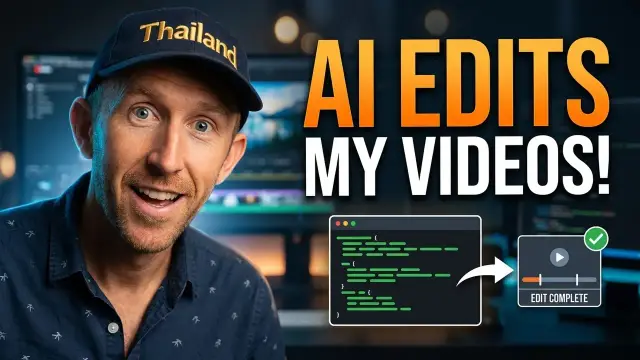
On 25 April 2026 I installed the open-source video-use skill from GitHub (about 3,000 stars) into Claude Code, invoked /video-use, and asked for a 9:16 1080p 30-second short with talking head on the bottom and screen share on top. The first export still showed picture-in-picture on the top half. A second prompt used Faster Whisper locally, skipped ElevenLabs, burned in subtitles, and output about a 17-second 2.1 MB file at 60 frames per second. Clone and Homebrew lines were copied from GitHub and not read aloud. This is not the custom long-form editor skill.
This Claude Code video editing test uses the open-source video-use skill from GitHub. The repo from the description is github.com/browser-use/video-use. I said it also runs from Codex or Gemini. The custom skill I built later is Claude Code Video Editor Skill. A follow-up clip app is ShortForge. Description-footer affiliate links are not pasted here.
1. Install the video-use skill in Claude Code
GitHub showed a git clone, Homebrew packages including FFmpeg, and an optional YouTube download package. I did not read those full commands aloud. I changed into the folder, put the skill in .claude/skills, and invoked it with /video-use plus a prompt. Working files sat in a videos/edited directory.
2. First 9:16 prompt
The first prompt, which I called not the best, was:
create a YouTube video in 9 by 16 format. 1080p should be 30 seconds long-form. The talking head should be in the lower bottom half and the screen share video should be in the upper half. Output the finished video to this directory.The agent probed the file, grabbed a frame, and used FFmpeg to stack full-frame screen over a webcam crop. Output was named PyCode Tutorial Short and ran 30 seconds. I did not want PIP also on the top half, and it was still there.
3. Tighter prompt, Whisper, skip ElevenLabs
I asked Claude chat for a better prompt. It started writing a skill. I wanted a prompt only. Pieces I read back were: edit the provided long-form video into a YouTube short using exact specifications, 15 to 30 seconds, identify and extract the most engaging high-value clip. I pasted that into video-use. The agent installed Faster Whisper locally for audio. It offered ElevenLabs. I skipped it because I was already speaking on camera. A cron idea for every new upload was named and not built.
4. Review the second short
FFmpeg ran about a minute and a half. Subtitles were burned in even though I had not asked. Output was about 2.1 megabytes, 60 frames per second, about 17 seconds, named PyCode Tutorial Short version two. The agent said all three frames passed self-evaluation and that the ElevenLabs API key was not set, which was fine. I played it muted and said it could be better and was a work in progress. I compared that with OpusClip free-plan shorts, where screen share plus a face in the bottom right did not look good to me.
Done when
- Installed video-use into the coding agent skills folder
- Ran /video-use with a 9:16 layout prompt
- Reviewed PIP, subtitles, and length on the export
What I didn't cover
- The exact git clone and brew install lines. I copied them from GitHub and did not read them aloud.
- A polished editor. The second short still needed work.
- The custom long-form skill. That is a later guide.
Watch the walkthrough

- 0:00 Automating video editing with a custom Claude skill.
- 0:44 Converting long-form content into a 9x16 YouTube Short.
- 1:38 Processing with FFmpeg: How the AI identifies talking head vs. screen share.
- 2:16 Integrating the skill into the Claude Code terminal.
- 3:06 Refining the Edit: Prompting Claude to remove overlapping PIP elements.
- 4:31 Faster Whisper Integration: Extracting audio for engagement analysis.
- 4:58 Using 11 Labs API for custom AI voiceovers.
- 6:50 Burned-in Subtitles: Automatically rendering captions for shorts.
- 8:38 Final Result: Reviewing the AI-edited short-form clip.
From the video
Lines from the video's transcript that this guide does not cover, lightly trimmed. Each time opens the video at that point. Read the full transcript.
FAQ
Is this your custom Claude video editor skill?
No. This page is the third-party video-use GitHub skill. The custom skill is a separate guide.
Did the first short match the layout?
Not fully. I asked for screen on top and talking head on the bottom, and PIP was still on the top half.
Did you use ElevenLabs?
No. The agent offered it. I skipped it. The second run said the API key was not set.
How long was the second export?
About 17 seconds, 2.1 MB, 60 fps, on 25 April 2026.
Can Claude Code edit videos?
With the video-use skill it cut two 9:16 shorts in this test. It used FFmpeg to stack screen and webcam. I said the result could be better.
Sources
- Video: I Built an AI Video Editor with Claude Code (25 April 2026)
- video-use from the description: github.com/browser-use/video-use
You may also like
Build the next one with AI Income Lab
Step-by-step courses, reusable templates, and a community that answers when you get stuck.
Members get the Claude Code & Skills and Codex Tutorials & Courses lessons.
- Courses for builds like this one
- Copy-ready templates
- Ask questions while you build
- Weekly coaching on VIP


