ShortForge demo: an Opus Clip alternative built with Codex
Watch on YouTube ↗ Subscribe on YouTube ↗
Written guide: Opus Clip Alternative: Detect, Score and Export Clips
A live demo of ShortForge, Mike's own Opus Clip alternative, built in about four hours with Codex and OpenCode. It imports a YouTube link or a file, transcribes with Whisper, finds about nine clips in a ten-minute video, renders them with FFmpeg and scores each for virality. Exports work, but subtitles are not burned in, the webcam-over-screen layout from Mike's skill is not integrated and the app is not live.
Video summary
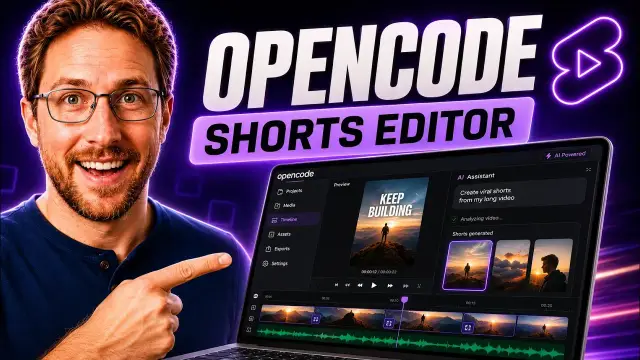
AI video editor that creates viral Shorts from long-form — custom OpusClip alternative walkthrough.
The video covers 10 parts: -- OpusClip vs. Custom AI Tool, -- Features: Clip Detection & Reframing, -- YouTube URL Import & Whisper Transcription, -- Automated Clip Rendering (FFmpeg), -- Virality Score & Editor Interface, -- Exporting Shorts & Local Storage Logic, -- Integrating Custom PIP/Subtitles Skills, -- Managing AI Models & Provider Connections, -- Debugging File Uploads & Console Errors, and -- Future Roadmap: Auto-Publishing & Batch Exports.
What this video covers
What you build
A local web app with video import, Whisper transcripts, AI clip detection, FFmpeg rendering, a virality score per clip, a simple editor, local export and batch export.
Tools used
Key steps
- 0:45 - Compare the clips from Opus Clip, which hide the screen share, with the goal of a custom layout.
- 1:45 - Import a YouTube URL, download the video, extract audio and transcribe with Whisper.
- 2:20 - Render about nine clips from a ten-minute video with FFmpeg.
- 2:38 - Open the editor and read a virality score broken into hook, emotion, shareability, clarity and trend.
- 3:21 - Export a Short, which is stored on the local machine.
- 4:15 - Start integrating Mike's own webcam and subtitle skill so clips match the target layout.
- 6:30 - Fix a failing file upload with Codex and import a file from the computer.
- 8:02 - Outline plans for auto-publishing, batch exports and tiered pricing.
Not covered
- Burned-in animated subtitles and the webcam and screen layout, which are still unfinished.
- How the virality score is calculated. Mike says it is probably ChatGPT.
- A public release. The app runs locally and would need cloud storage such as S3.
- Pricing in practice. The plan is free up to $49 a month, and the YouTube publishing feature is not built.
In this video
- 0:00 -- OpusClip vs. Custom AI Tool
- 0:45 -- Features: Clip Detection & Reframing
- 1:45 -- YouTube URL Import & Whisper Transcription
- 2:20 -- Automated Clip Rendering (FFmpeg)
- 2:38 -- Virality Score & Editor Interface
- 3:21 -- Exporting Shorts & Local Storage Logic
- 4:15 -- Integrating Custom PIP/Subtitles Skills
- 5:20 -- Managing AI Models & Provider Connections
- 6:30 -- Debugging File Uploads & Console Errors
- 8:02 -- Future Roadmap: Auto-Publishing & Batch Exports
Questions and answers
Is ShortForge available?
Not yet. It runs on Mike's computer, and he asks viewers to comment if they would use it.
How long did ShortForge take to build?
About four hours so far with Codex and OpenCode, according to Mike.
Why not use Opus Clip?
Mike found its clips show only the webcam and hide the screen share.
Keep learning
Transcript
Hey there, welcome to the channel. In this video, we're going to be continuing to build out our own version of Opus Clip, which allows you to take long- form videos either from YouTube or from your computer and turn them into a series of viral clips. I've personally been using this platform for a couple years now, and it is pretty good, but it does leave a little bit to be desired.
So, if I come into my dashboard here, I can go ahead and click on one of my clips here, and you can see what it looks like. It's honestly not that great because it just has my talking head in the bottom right, and you can't actually even see the screen share portion. So, what I've decided to do is just create my own version of this using both codecs, as you can see, running in the terminal over here, and also OpenCode.
Read the rest of the transcript
I've got access to lots of different free AI models over here. So, I'm building it out and it's coming together quite nicely. It allows you to turn long videos into viral shorts with AI powered clip detection, animated captions, and smart reframing. And you can get started completely for free. And you can also view the pricing over here as well. It's not currently live online.
This is just running on my local server, but eventually once I get it up on its own Vercel account, you will be able to use it and it's free to start and then it goes up to $49 per month. It's only taken me about 4 hours so far to build this with Codex and OpenCode and I just wanted to do a quick live demo showing how it works in this video. So, let me know if you'd be interested in using this once it's live.
And with that being said, please go ahead subscribe to the channel and let's get into the tutorial. So, first of all, I'm just going to click on new project up here. And I'm just going to import a YouTube URL. So, we can click on import video here. And as you can see, it's now processing the video. It's going to download the video using one of the packages that we've installed. And now, it's going to extract the audio and transcribe with another package called Whisper.
And what that's going to allow us to do is to automatically add subtitles burned into the video, which you can get access to after you export the video. So once it's finished, it will look something like this. So it's basically just pulled in still frames from each of the video clips. And we've got how many? We've got about nine clips here from a 10-minute video. So is able to go through and render the video clips using FFmpeg in this case.
And if we want to edit any of these, we can just click on edit. And as you can see, it's got its own video editor interface over here. So we could just scrub through and take a look at what the video clip looks like. And then we can also play the video over here as well. And it's also got a virality score up here as well. So I'm not exactly sure how it's calculating these scores.
I think it's just using open AI chat GBT and it's broken it down by the hook strength, the emotional impact, sharability, clarity as well as trend relevance and it gives us an analysis here as well as the things that we may want to improve. So ultimately I want the users to be able to edit the videos directly from over here as well. And then if we want to export the short we can just click on export up here.
And as you can see the export is now ready. I think this is just a bug right here. It's it's actually already exported the video which we're just storing locally in this case. I'm not using AWS or anything like that. I'm just storing it locally on my computer for now until I actually put it up on its own website and then I would have to use like AWS S3 in order to store the videos. But for now, we're just storing them locally.
And as you can see here, the export is now complete and then I can just go ahead and download that short. So, this feature is now working correctly, which is awesome. And now we can go ahead and preview it. This is what it looks like. It doesn't actually have the subtitles burned in yet. So, that's definitely something that I want to add to the app. But, you can see it has exported the short.
And ultimately, what I want to do now is use one of my custom skills that I've created in a previous tutorial, which is able to uh create shorts very, very similar to this. So, it just has my talking pip, the talking head in the bottom half and then the screen share which is nicely framed in the upper half here. And it's also got the subtitles encoded here as well.
And it's using an animation which is just going through and you know highlighting each word of the subtitle as I'm talking. So, I want this short over here on the left to look much more similar to this one on the right. And in order to do that, I've basically just taken one of my custom skills that I've already built inside OpenCode, and I've told it to implement that skill into the app over here.
And it's still a work in progress, but it should be able to detect the pip, which is the talking head in the bottom right of all of my videos. And then it should be able to crop it and create a thumb and create a YouTube short that looks very, very similar to this. So, that's definitely something that I need to work on, but we're in the process of building it out over here inside OpenCode, which is completely free to use.
You've got access to literally hundreds and hundreds of different AI models, many of them free, and you just need to connect up your different providers over here, which you can do with back slashconnect, and then you can just choose your different providers. There's a bunch of different options to choose from over here, as you can see. So, I've gone ahead and connected like five or six of them. We're just going through and fixing some bugs both in codecs over here.
I think I've still got a decent amount of usage left. So, I've got 90% usage left for the day and then my weekly limit is at 98% and that just resets every week. So, Codex honestly is one of my favorite coding platforms. It's only $20 per month to get access to the Codex plan and then you can also upgrade the business as well. So I'm pretty much just using Codex and OpenCode and then also Hermes agent to do a lot of the coding.
Many of those are completely free and Codex can fix a lot of stuff really really quickly as well. So, if I come back over to my YouTube import again, I can try to upload a file from my computer, but it's still giving me the failed to upload file error. Looks like it has some sort of issue with the body of the video or the size of the video or something.
If I want to just go ahead and fix that, I can come over here and say fix this console error. and we're just going to paste it in over here into Codex and it should be able to fix it within, you know, 30 45 seconds roughly. So, while this is fixing the error, I can also show you a few other things that the app can do over here.
I'm in the process of building out an automated YouTube upload feature, which will allow you to connect your YouTube channel and automatically publish the shorts. Very, very similar to what you can do over here inside Opus Clip. I think they have some sort of automated publishing features. So, you can just connect your different social media accounts. So, if I wanted to connect YouTube, that's obviously a pro feature that I would need to upgrade in order to get access to starting at, I think, $12 per month.
You can connect your YouTube, Tik Tok, Instagram, and that's only one connection for each platform. And that also includes a upgraded number of credits as well as the AI clipping with the virality score which I already have built in over here uh to my platform as well and AI animated captions which again I'm also building into my platform as well as the auto post to YouTube shorts a powerful editor silence removal which I'm also going to have built into my platform and then also removing the
watermark. So you can see over here, those are a lot of the features that I'm going to be building into Short Forge as it's called. And yep, still a work in progress, but it's coming together nicely. And then you should also be able to do batch exports as well. So if you just want to select one of these, you can export all of the clips from each of the projects. And so far I've got 167 total clips.
And we do have the virality scores built in over here as well. So, as you can see, it's just producing the virality scores for each of the clips. And if we want to take a look at those, we can click in here and we can take a look at the virality score and then again also export the short just by clicking up here. Yeah. So, a lot of the pieces are already in place.
And I think it's ultimately going to be even more powerful than Opus Clip once it's finished. Obviously, I need to work on the interface a bit more. For that, I could just use something like Claw Design. And let's just go come over here. And you can see it is fixing that error that we're getting with the file upload feature. Finally fixed the upload file feature which has been giving me a lot of headaches. And now it works.
So if I just go ahead and upload this file from my computer, it has gone ahead and pulled it in and says upload complete. The file is being uploaded. AI processing is running in the background. So it's going to do the exact same thing as it would for a YouTube URL import. It's just going to extract audio and transcribe with Whisper. And then this is what it looks like when it's finished. So, this is a this is a video that came from my computer.
It was able to slice and dice it up into nice uh YouTube shorts, which I can then go ahead and edit. No different than the YouTube import. So, it's really nice to have that feature working. And yeah, let me know in the comments below if you would want access to this finished app once it is available on my Vercel account. I'm currently still getting some errors over here which I need to fix.
And then once these are fixed, we should be able to put it up on its own domain. And then you will be able to use it. So the price is going to start at free and then it'll go up to $49 per month. Let me know if you're interested in the comments below in getting access to this once it's live. And with that being said, thank you so much for watching this video. Please go ahead and subscribe to the channel if you haven't already.
And also go ahead go ahead and check out my Skool community. We've currently got 2,700 members in here. It's growing fast, completely free to join. And you can take a look around the classroom where we've got all sorts of courses, tutorials, and resources and also introduce yourself inside the community tab over here. We're getting new new people joining every single day. Would love to see you inside the Skool community. With that being said, thank you so much for watching this video.
Please subscribe to the channel if you haven't already. Take care. Stay safe. Peace from Thailand. Signing off.