Bluehost AI Assistant: Models, Agents and Plan Costs
Quick answer
The Bluehost AI Assistant puts ChatGPT, Gemini, Claude and Grok models in one dashboard. In my May 2026 test the AI All Access Pack was $20 a month, with a $25 Privacy Plus tier above it. I used Auto model routing, web search, image generation and editing, then three built-in agents: a research assistant, an SEO article writer and a presentation builder. Bluehost sponsored the video, so treat the pricing and the praise as a sponsored test, not an independent review.
This guide follows a sponsored walkthrough of the Bluehost AI Assistant. Bluehost paid for the video, and the sign-up link below is an affiliate link, so I may earn a commission. I tried every feature on camera, but I only used it for one session, so I have no long-term view of limits, quality over weeks or what the plan costs after the first term. If you are deciding between a single chatbot and a bundle, choosing a model using your own task is a better way to judge the models themselves.
Prices and plan names change. Confirm them on the vendor page before you buy. Checked November 15, 2026 against the Sources links below where listed.
1. What the plans include
The Bluehost page offered two plans. The AI All Access Pack was $20 a month in my walkthrough and covers the paid models from ChatGPT, Claude, Gemini and Grok in one dashboard, a way to compare answers, an account dashboard for teams and clients, and free pre-built agents. The Privacy Plus tier was $25 a month and adds end-to-end encrypted searches, PIN protection and an incognito mode for sensitive chats.
I compared that with buying each service on its own: ChatGPT Plus at $20, Claude Pro at $20, Grok at $30 and Google AI Pro at $20. That is where the “about $70 a month saved” figure came from. Those prices are the ones I quoted in May 2026, so check each provider’s page before you rely on the comparison. The Bluehost price is listed on the Bluehost card on the tools page, along with the date I last checked it.
To start, pick a plan, check out, and open the Bluehost dashboard. It lists AI agents next to email, domains, hosting, security, billing and the marketplace. Only the AI agents section was used here. Press sign in and you land in the assistant.
2. Pick a model or let Auto choose
The model picker listed the newest options at the time: GPT 5.5, Gemini 3.1 Pro, Claude Opus 4.7 and 4.6, Claude Sonnet and Grok 4.3. A group of faster, cheaper models sat below them: GPT 5.4 Mini, GPT 4.1, Gemini 3 Flash, Claude Haiku and Grok 4.1. Bluehost’s own descriptions suggested using ChatGPT for organization and clear answers, Gemini for distilling complex topics, Claude for coding and accuracy, and Grok for creative writing with access to X.
I left the picker on Auto. A one-word “hello” was answered by Claude Sonnet 4.6, and the assistant showed which model it had used. Auto saves you the choice, but it also means you may not know which model wrote an answer unless you look. When a task matters, pick the model yourself and compare two answers.
3. Web search and images in chat
Web search is a button under the prompt box. I asked for the latest tech news, misspelling the request, and it still searched and returned linked articles. Switching the model to Opus 4.7 and searching again produced a result with a visible source list I could open one by one.
For images, the Auto route used ChatGPT Images 2.0 for “a robot riding a dinosaur”. The result opened at high resolution, and downloading it removed the watermark. A follow-up, “edit this image to include a waterfall”, switched the chat to a Bluehost GPT with a message about attachments and safer processing, then added a waterfall behind the robot in about 20 seconds without changing the robot or dinosaur. If your prompt has an attachment, expect that switch.
4. Run the three built-in agents
AI research assistant. I asked it to research ChatGPT Images 2.0. It planned subtasks, searched the web and returned a report in about two to three minutes, with a reference list I could open. A research agent can still get things wrong, so open the references before you use a number from the report.
AI article writer. I asked for a 1,500-word article about AI agents. It generated search queries, pulled sources, extracted keywords and an outline, and wrote the article in roughly 30 seconds. When I asked whether it was optimized for SEO, the assistant said yes and listed good headings and coverage, then recommended more external links, internal links, image optimization, a meta description and schema markup. That answer came from the same assistant that wrote the piece, so it is not an independent audit.
AI presentation builder. I set five slides on the topic of AI agents. It took about a minute and a half and produced a downloadable PowerPoint file. I opened it in PowerPoint: simple but usable slides that would need editing before a real talk.
Done when
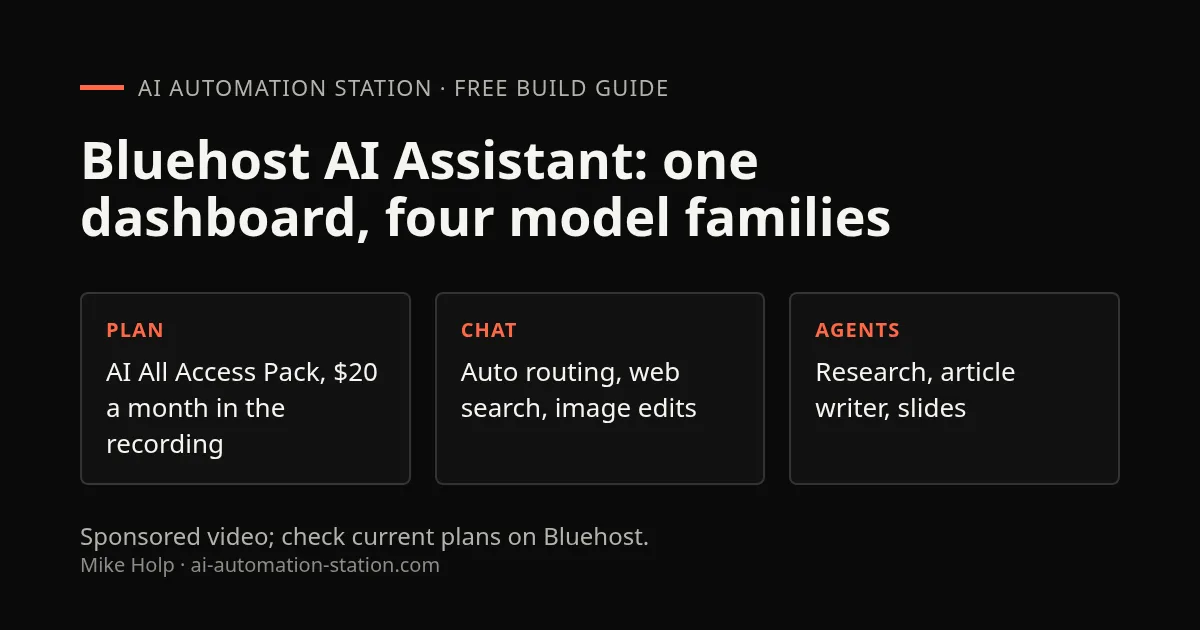
- AI All Access Pack, $20 a month in my walkthrough
- Auto routing, web search, image edits
- Research, article writer, slides
What I didn't cover
- How many messages, images or agent runs the $20 plan allows before a limit applies.
- Whether the assistant’s answers match the same model on the provider’s own site. I did not run a side-by-side test.
- The renewal price after the first term, or how to cancel.
- A fact-check of the research report, the article or the slide content.
Watch the walkthrough

- 0:00 Intro & Pricing Comparison
- 1:23 All-Access Pack Features & Privacy
- 2:43 Switching Between Frontier Models (GPT, Claude, Gemini, Grok)
- 4:07 Dashboard Overview & "Auto" Model Routing
- 5:41 Web Search & Latest Tech News Demo
- 6:55 Image Generation with GPT Images 2.0
- 9:05 AI Research Assistant & Deep Reports
- 10:27 SEO Article Writer: 1,500 Words in Seconds
- 12:58 AI Presentation Builder (PowerPoint Export)
- 14:28 Final Verdict & Subscription Guide
FAQ
Is the Bluehost AI Assistant free?
No. I used the AI All Access Pack at $20 a month, with a $25 Privacy Plus tier. Check Bluehost’s current plan page before you buy.
Which models can I use?
The picker showed GPT 5.5, Gemini 3.1 Pro, Claude Opus 4.7 and 4.6, Claude Sonnet and Grok 4.3, plus smaller models such as GPT 5.4 Mini, Gemini 3 Flash and Claude Haiku. The list changes as providers release models.
Does it replace ChatGPT, Claude and Grok subscriptions?
It can for chat, search, images and writing, based on one session. I did not test usage limits or provider-only features, so check those if you rely on them.
Was this video sponsored?
Yes. Bluehost sponsored it, and the sign-up link on this page is an affiliate link.
Sources
- Video: I Tested the Bluehost AI Assistant: Here’s My Verdict (recorded May 2026, sponsored by Bluehost)
- Sign up through my affiliate link: Bluehost AI Assistant
- Bluehost: bluehost.com (Checked November 15, 2026; confirm current AI plan prices)
Build the next one with AI Income Lab
Step-by-step courses, reusable templates, and a community that answers when you get stuck.
Members get the Claude Code & Skills and Codex Tutorials & Courses lessons.
- Courses for builds like this one
- Copy-ready templates
- Ask questions while you build
- Weekly coaching on VIP


