Hermes Agent and Electron: stock tracker web app to desktop
Watch on YouTube ↗ Subscribe on YouTube ↗
Turn a stock tracker web app into an Electron desktop app for Linux using Hermes Agent with a free MiniMax 2.5 model through OpenCode. The wrapper takes about ten minutes and runs. A chart scroll-to-load bug resists Hermes and OpenCode, and Codex fixes it. A modify-order bug is noted but not fixed. Trades use Alpaca's sandbox data, not real money.
Video summary
The video covers 10 parts: Introduction to Hermes Agent, Stock Tracker Overview (Alpaca API), Hermes Agent: Terminal vs. Desktop App Setup, Switching to Free Models (Miniax 2.5 via OpenCode), Implementing Electron for Desktop Wrapping, Live Demo: Running the Native Linux App, Debugging: Identifying Graph Scrolling Issues, Advanced: Setting up AI Cron Jobs for Automation, Switching to Codex for Complex Bug Fixing, and Final Results & Persistence Verification.
What this video covers
What you build
An Electron wrapper around an existing stock tracking web app, run with npm run electron, plus a short tour of three Hermes cron jobs.
Tools used
Key steps
- 0:24 - Tour the stock tracker, which uses the Alpaca API for sandbox orders.
- 1:00 - Run the same prompt in the Hermes terminal and the Hermes desktop app.
- 2:15 - Switch to the free MiniMax 2.5 model in OpenCode after the desktop app hits a 404 on its default model.
- 3:22 - Watch the agent add Electron, a main.js entry point and scripts to the project.
- 5:58 - Run the native Linux app and place a sandbox order.
- 6:40 - Find that scrolling the chart does not load newer data.
- 8:45 - See three Hermes cron jobs for email list syncing, channel reports and topic research.
- 10:13 - Switch to Codex, which fixes the chart history loading, then commit and push.
Not covered
- An installer or packaged build. The app runs from npm run electron.
- Fixing the modify-order bug Mike spots.
- How the cron jobs are created, which Mike saves for another video.
- Real trading, security of the API keys, or a speed test. The desktop Hermes app feeling slower is an impression.
In this video
- 0:00 Introduction to Hermes Agent
- 0:24 Stock Tracker Overview (Alpaca API)
- 1:00 Hermes Agent: Terminal vs. Desktop App Setup
- 2:15 Switching to Free Models (Miniax 2.5 via OpenCode)
- 3:22 Implementing Electron for Desktop Wrapping
- 5:58 Live Demo: Running the Native Linux App
- 6:40 Debugging: Identifying Graph Scrolling Issues
- 8:45 Advanced: Setting up AI Cron Jobs for Automation
- 10:13 Switching to Codex for Complex Bug Fixing
- 11:41 Final Results & Persistence Verification
Questions and answers
Is the trading real?
No. Mike says the orders use sandboxed test data and are not real money.
Which tool fixed the chart bug?
Codex on GPT 5.4 Mini. Hermes and OpenCode could not get the scroll loading to work.
How long did the desktop app take?
About ten minutes for the wrapper. Mike says the original web app took roughly three hours.
Keep learning
Transcript
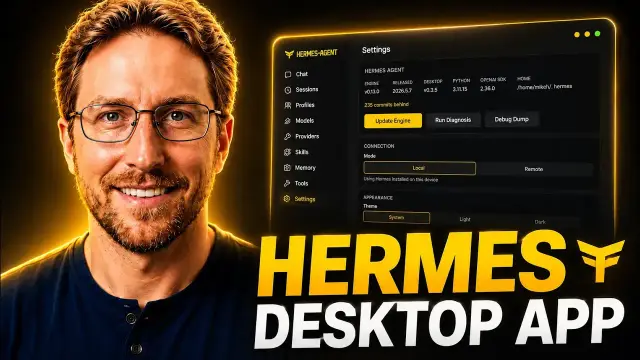
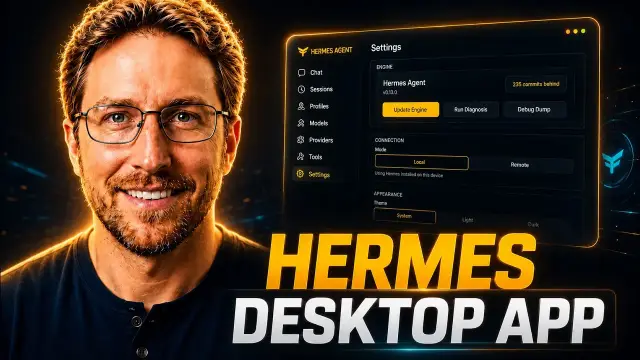
Hey there, welcome to the channel. In this video, I'm going to be taking you through how to build a complete desktop app from an existing web app using both Hermes and also OpenCode. We're going to be using the terminal, as you can see, I have got it running here, and then also the desktop app for Hermes agent over here.
And in this case, we're going to be taking this stock tracking app that I've built using Hermes and I want to turn it into a complete desktop app. I used Alpaca API to get all of the stock options and crypto trading and more. And I was able to build this in about 3 hours roughly. If I wanted to, you know, let's say buy some shares of AMD over here, I can come over here and I can enter in the quantity and you can see the price
Read the rest of the transcript
here. And then I could just go ahead and submit that order and you can see it was just fulfilled right here. And I can also, you know, zoom in, zoom out on the data. I can change the graph type as well. And again, I just want to turn this into a desktop app. So, in order to get started, I'm just going to fire up my Hermes agent.
If you want to learn how to install the Hermes agent, I've also got tutorials showing how to do that, both for the terminal and the desktop app, which I've got running simultaneously here. And I'm going to say, uh, create a desktop app version of the web app I can run on my computer. I don't know if you can see that text very well. Unfortunately, I can't zoom in with the desktop app.
But yeah, I've just given it the prompt create a desktop app version of the web app that I can run on my computer. And while this is running over here, I can also do the same thing in the terminal. And in this case, we're using the Miniax model. This one shouldn't have any issues whatsoever. But as you can see over here in the desktop app, unfortunately this model is having a 404 error because I think I've reached my limit and I'm currently on the free tier.
So if I wanted to upgrade, I could just click here and then I can upgrade my model through noose research. We can also top this up. If we want to add some credits over here, we can easily add like 10, 20, 50 credits. But in this case, I don't really need this because I've got access to a lot of free models. just going to use one of the existing free models. In this case, Miniax 2.5.
So, if I wanted to switch the model in the desktop app, I could just come over here and we could do Miniax 2.5 on OpenCode and then I could just run that same command again. I'll just copy and paste this and then we can get to running that. But, as you can see, the terminal is already cranking away over here and it's just going to start working for me to build the web app that I can run on my Linux computer.
So essentially what I want to do is just take this and separate it from the web. Right now this is just running on my local dev server. So let's go ahead. It looks like the dev server actually stopped running for the moment. So if I want to restart up the dev server, I could just do npn run start and that's just going to spool it up on my port 3000 localhost and we take a look at the different stock tickers.
This is essentially just my watch list over here. I should also be able to expand and contract these as well. So that's a feature that I've built in. So it's really perfect for a desktop app. And that's exactly what we're building right now. So I'll come back over to the terminal here and we can see it is now getting to work building out the desktop app.
So essentially what it's doing is it's just importing in Electron which is a JavaScript package that is responsible for desktop apps. So I'm going to come to home projects trading app and then electron right here. So this is where it's building the electron files. And if I want to open up this main.js file, this is essentially the wrapper for the desktop app built in Electron. So as you can see, it's building out all this code over here. And it's costing me 0 to do this.
I'm not spending any money on credits because I'm using OpenCode in this particular case. If you want to get started with OpenCode, you could just come to opencode.ai and you can install the open- source AI coding agent. This is completely free. They have lots of different models built directly into this. So, I would highly recommend getting started with OpenCode if you're on a budget and you don't want to spend, you know, 20 bucks to 100 bucks a month for ChatGpt, Codex, or Claude.
So you can see here it's now creating the files that it needs to build out the desktop app. And it's also doing the same thing over here in the Hermes agent app as well. This is the plan that it came up with. It says add the Electron Builder to package.json, which it's already doing over here in the terminal quickly and easily. Create the Electron.js entry point, which it's already created over here, I believe. Add the start Electron script.
And then you add the disc command to generate the .exe. In this case, I don't want an executable. I want something that I can run on my Linux machine. So, we'll see if it's smart enough to figure out that I'm on Linux and not Windows. And then it just says, let me check the current setup. So, it's going ahead and reading some files and checking the setup. The terminal is already a lot faster over here. We're using the exact same free model, Miniax 2.5.
And it looks like the desktop app is running quite a bit slower for some reason. I'm not exactly sure why because it's these are both a Hermes agent, but this one is already pretty much finished. So if I go ahead and refresh that, it basically is just checking the dev server to figure out how the project is laid out. And now, as you can see, it's creating all of the code over here to build the desktop app.
And then this is essentially going to be pretty much the same thing as the Hermes agent right here, but it's going to be running my stock tracking app. And boom, there we go. So, here we are. We've built the complete desktop app, and it's now running locally on my Linux machine. How long did that take? It took about 10 minutes to build this. And now I have a fully functional desktop app.
So, I don't have to use this dev server anymore and start this up every single time. I just have a desktop app that is running on my computer. So from here, I can easily click and drag any of these. The one thing that I would like to fix is this feature right here. So you can see if I scroll to the left and right, it doesn't actually pull in the latest data. So in that case, I would want to fix that.
And that should be relatively simple. I would just come over here and say, you know, fix the issue with loading new data as the user scrolls on the graph. Something along those lines. And then it will just get to cracking on that. So if I want to make another trade over here, I can type in Apple. And we're just going to enter the type. So that could be that it be limit, stop, market, stop limit, whatever. I'm just going to use market.
And we can enter in the number of shares. So, if I put in five, that's going to be $1,400 worth of sandboxed test data. So, this isn't real money that I'm trading. And I can just submit the order. You can see the order was placed successfully. And we can also see it over here as well. If I want to modify that, I can also change the number of shares. And then I can just click on modify order. Looks like there is a bug there.
So, I would need to fix that. But overall, it's working great. And you can see this is live real time stock data. I can also choose the theme as well. So if I want to switch over to light theme, I have the option to do that. But personally, I just really like the dark theme for this one. This is eventually going to be an app that you can download and you can actually trade stocks. I haven't gotten that far yet.
This is just a very early test example, but yeah, as you can see, it is now running. And if I want to run this from the terminal over here, I also have the option to do that. So I'm just going to come over to the trading app. Then we can do npm run electron. And as you can see, I've now got two versions running. But I may need to do that one more time because I don't know if it can run two at the same time.
So I'm just going to relaunch that. And yep, as you can see, we can now run this in its own desktop app over here. And again, I would like to fix the scrolling feature so that it loads in new data as the user scrolls from right to left or left to right. So, I'm doing that over here in the desktop app. But again, this one is a little bit slow. So, I think I'm just going to switch back over to the terminal here.
Another thing that I want to show you that you can do with Hermes agent is that you can set up cron jobs to perform different actions on your behalf. And as you can see, I've already got three different cron jobs set up here. I'll make a full video showing how to create these cron jobs relatively soon as well. Essentially, what this does is this is for my email subscription database on Skool. So, it's automatically adding people from Airtable into my email marketing platform.
I've also got another one to check YouTube channel performance and give me a report for my channel. and yet another one for finding trending topics in the AI space. This saves me quite a bit of time and it just runs every single day. So stay tuned for videos showing how to set up these cron jobs and Hermes agent. And with that being said, let's come back over to the terminal here. You can see it is now building the scroll to load more.
It says it's already implemented. So it's going to check if there are any issues preventing it from working. and it's identified that it's missing a load latest guard. So, it needs to reset that. And then we should be able to get an update so that I can scroll and load in new data. I'll just basically have to restart the server and it should be able to fix that relatively easily.
But it looks like it's now sort of working, but it's not actually pulling in the latest data. So, this is something that I'm having some trouble with. And in this case, I'm going to be switching over to Codex in order to fix this feature that I want to build into the app because I'm having some issues with Hermes agent. So, what I'm going to do is I'm just going to copy and paste this prompt from Hermes agent.
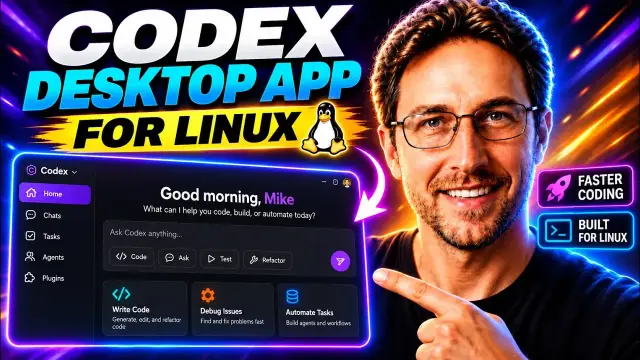
We're going to come over here to Codex, which is ChatGPT's coding agent. And right away, Codex is getting to work over here. It's currently set to medium mode on GPT 5.4 Mini. And this is really fast. I really highly recommend Codex. Just come on over to OpenAI and you can read more about Codex. This one is free, but then it starts at around $20 per month for the paid plan, which is totally worth it. I actually prefer Codex over uh Claude Code.
And it says it's got a concrete fix to remove the broken time frame call, yada yada yada. So, it's just going to go ahead and write all that code. says it fixed the chart history loading path in this file. So now the scroll to load handler now ddupes and merges historical bars before reapplying them. That sounds great. It's asking if I want to commit the changes. I'm going to say get commit and push.
And what that's going to do is it's just going to push this up to my GitHub repository, which is private on GitHub, which is exactly what it's doing now. And then we can also just come over here and say restart the desktop app. We'll close this one out and see if Codex was able to fix the issue. Now, if I click and drag, boom, you can see it's finally working.
So, I was having a lot of issues getting this to work using the Hermes agent and OpenCode, but Codex was able to come through right away and get this working no problem whatsoever. I can also scroll and drag to display new data over here as well. And that is working seamlessly now, which is absolutely amazing. I can display the historical data. Obviously, if I scroll to the right, it doesn't have new data over here, so it's not going to display any data.
But yeah, there it is. So, with that being said, thank you so much for watching this tutorial. Please go ahead subscribe to the channel for upcoming videos. And also go ahead and check out my Skool community over here. Currently has 2700 members. It's growing fast, completely free to join. You can also take a look around the classroom for lots of helpful courses and tutorials and ask your questions inside the community tab over here. We'd love to see you inside the Skool community.
Thank you so much for watching. Take care. Stay safe. Peace from Thailand. Signing off.