Make.com YouTube Description Updater
Quick answer
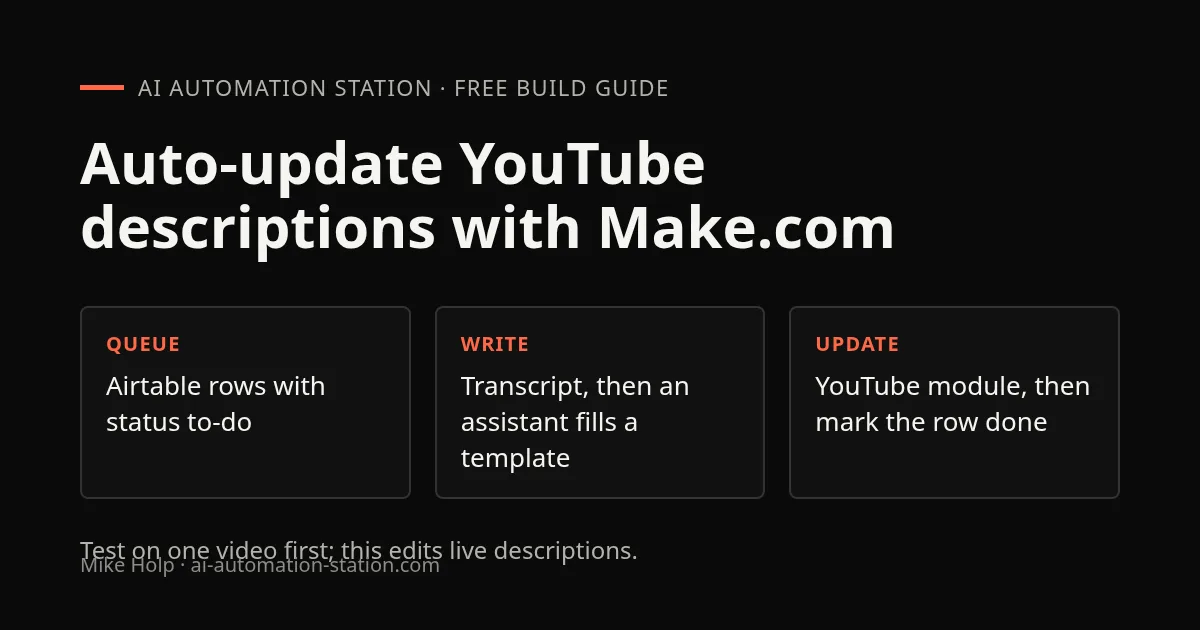
Make an Airtable table of video titles, URLs, video IDs, a description template, a description field and a status. A Make.com scenario takes one to-do row, fetches the transcript with Dumpling AI, asks an OpenAI assistant to write a description from the transcript and your template, updates the video through the YouTube module and marks the row done. Schedule it every five minutes. Titles stay unchanged, and an OpenAI credit error needed a $6 top-up to fix.
This is the August 2025 version of a scenario I used to refresh older video descriptions. I promoted a paid done-for-you template, which you do not need: the steps below are enough to build it. It edits live videos, so the safest way to start is on one unimportant video. The Make.com link here is an affiliate link. If you want the same idea with a coding script instead, my later work on the YouTube channel growth workflow covers checks before you publish.
Prices and plan names change. Confirm them on the vendor page before you buy. Checked November 15, 2026 against the Sources links below where listed.
1. Set up the Airtable table
Create a table with these fields: title, YouTube URL, video ID, template, YouTube description and status (to-do or done). The video ID is the part of the video URL after v=, and the YouTube module needs it. The template field holds a description I know works as a frame, with the structure and timestamp format I want reused.
2. Take one video at a time
In Make.com add an Airtable search records module, choose the base and table and filter with status equals to-do. Set the limit to one so each run handles a single video.
3. Fetch the transcript and write the description
Add the Dumpling AI module to get the video’s transcript. Next an OpenAI module messages a custom assistant. Its instructions say to create an SEO-optimized YouTube description from the transcript, following the template. The result included chapter timestamps. I checked a finished description on YouTube and it matched the template’s layout.
If the OpenAI step errors with “exceeded your current quota”, your API balance is empty. I fixed mine by adding $6 of credit at platform.openai.com, and the balance showed $5.99 afterward.
4. Update YouTube and close the loop
The YouTube update video module takes the video ID from Airtable and the new description from the assistant. The scenario does not change the title. A final Airtable update stores the description and sets status to done so the row is not processed twice. To run automatically, switch the scenario on with a five-minute schedule. If you want to run it by hand, turn the schedule off first.
A note from this site: YouTube caps descriptions at 5,000 characters, and a bad template changes every video it touches. Keep a copy of each old description in Airtable before you overwrite it.
Done when
- Airtable rows with status to-do
- Transcript, then an assistant fills a template
- YouTube module, then mark the row done
What I didn't cover
- Whether the generated descriptions improved views or subscribers. I claimed the template was working, but showed no data.
- Dumpling AI and OpenAI cost per video beyond the $6 top-up.
- A rollback of an old description. Save the previous one yourself first.
Watch the walkthrough

- 0:00 Introduction To Make.com
- 0:35 How AirTable & Make.com Work Together
- 1:41 Building the Automation Process
- 2:51 Utilizing Dumpling AI for Transcript Retrieval
- 3:04 Creating a Custom AI Assistant with ChatGPT
- 4:34 Updating Descriptions with the YouTube Module
- 6:03 Troubleshooting Credit Errors with ChatGPT
- 7:34 Finalizing & Running the Automation
- 8:49 Real-Time Description Update on YouTube
- 9:37 Activating Automatic Runs Every 5 Minutes
- 10:36 Conclusion
From the video
Lines from the video's transcript that this guide does not cover, lightly trimmed. Each time opens the video at that point. Read the full transcript.
- 2:19
For the limit, I'm just setting it to one because I only want to get one YouTube video at a time. Makes sense, right?
- 5:58
That's pretty much all all there is to it. Now, if I actually run this automation, you'll see that it's going to error out on the ChatGPT module run itself because I need more credits.
- 9:27
You need to make sure to add the timestamps and use a format that actually works, right?
FAQ
Does it change video titles?
No. I only updated the description. Titles stayed as they were.
Why did the OpenAI step fail?
I hit a quota error because the OpenAI balance was empty. Adding $6 of credit fixed it.
How often does it run?
Every five minutes once the scenario is switched on, taking one to-do video per run.
Sources
- Video: This Make.com Hack Saved Me Hours on YouTube Descriptions (recorded August 2025)
- Sign up through my affiliate link: Make.com
- Make.com: make.com (Checked November 15, 2026)
Build the next one with AI Income Lab
Step-by-step courses, reusable templates, and a community that answers when you get stuck.
Members get the Claude Code & Skills and Codex Tutorials & Courses lessons.
- Courses for builds like this one
- Copy-ready templates
- Ask questions while you build
- Weekly coaching on VIP


