How to install OpenClaw safely: on your computer, a VPS or a hosted service
Quick answer: Install OpenClaw with its official installer: curl -fsSL https://openclaw.ai/install.sh | bash on macOS, Linux or WSL2, or iwr -useb https://openclaw.ai/install.ps1 | iex in Windows PowerShell. The installer sets up Node.js if needed and starts onboarding, where you connect a model and, optionally, a chat app such as Telegram. Run it on a VPS or a spare machine rather than your main computer, keep the gateway on localhost, and run openclaw security audit before you connect any accounts.
OpenClaw is an open-source personal AI agent that runs on a machine you control and takes instructions from chat apps like Telegram, WhatsApp, Discord and Slack. It started as Clawdbot, was renamed Moltbot in late January 2026, and is now OpenClaw. Older tutorials, including some of mine, use the earlier names.
This guide covers where to run it, the official install and first-run steps, connecting a chat app, the security settings to check, and the hosted alternatives I have tried. Commands and requirements come from the OpenClaw documentation, checked November 3, 2026. The hands-on notes come from my installs on a VPS, on Emergent and on KiloClaw between January and March 2026.
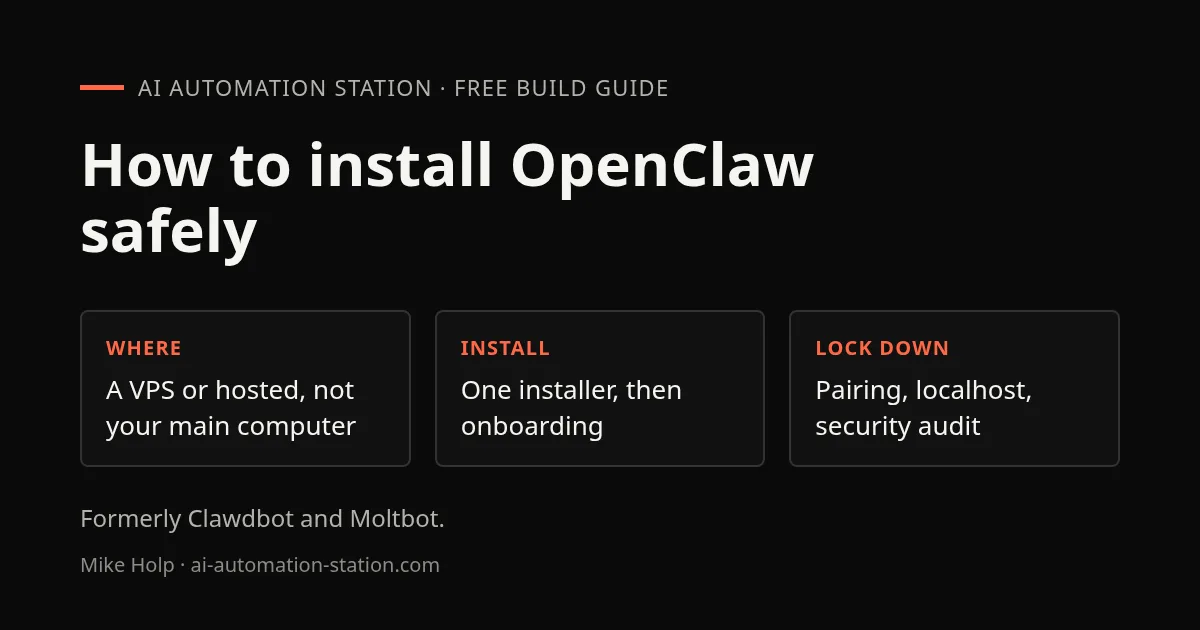
Decide where OpenClaw runs before you install it
OpenClaw can read files, run commands and send messages on the machine it runs on. That is the point of it, and it is also the risk. When I first installed it, as Clawdbot, I chose not to put it on my own computer for that reason and used a VPS instead.
| Where | Cost | Good for | Watch out for |
|---|---|---|---|
| Your own computer | Free, plus model usage | Trying it for an hour | The agent can reach your personal files and logged-in sessions |
| A VPS or spare machine | A small monthly server bill | Running it 24/7, kept away from your own files | You maintain the server, updates and firewall |
| A hosted service | A monthly fee or credits | No server to manage | You trust the host with your agent and its keys; features can be limited |
Whichever you pick, start with a separate email or test accounts, not your main ones. You can connect more once you know how it behaves.
Install OpenClaw with the official installer
OpenClaw needs Node.js 24.16.0 or later on the 24 line, or 26.1.0 or later. The docs recommend Node 26, and 24.22.1+ or 26.12.1+ for security fixes. The installer script installs Node for you if it is missing.
macOS, Linux or WSL2
curl -fsSL https://openclaw.ai/install.sh | bashWindows
iwr -useb https://openclaw.ai/install.ps1 | iexWith npm instead
npm install -g openclaw@latest --allow-scripts=openclaw
openclaw onboard --install-daemon
On npm 11.15 or earlier, leave out --allow-scripts=openclaw. pnpm and bun installs are also documented. As with any curl | bash command, you can download the script first and read it before running it.
Check the install worked:
openclaw --version
openclaw doctor
openclaw gateway status
On my Ubuntu VPS in January, the installer set up Node.js and the agent in just over a minute.
First run and onboarding
- The installer starts onboarding. To run it later, use
openclaw onboard. - Choose Quick start. It looks for a model you can already use, such as an existing Claude Code or Codex CLI login, checks it with a real request, and saves the settings. If nothing is found, it asks for a provider and an API key.
- Read the security notice it shows and accept only if you understand it. The agent will act with the permissions of the account it runs under.
- Let it install the gateway as a background service, or run
openclaw gateway installlater. That creates a systemd user service on Linux and WSL2, a LaunchAgent on macOS, or a scheduled task on Windows. - Run
openclaw gateway status. It should show the gateway listening on port 18789. - Run
openclaw dashboardto open the Control UI, type a message, and check you get a reply.
Model costs are separate from OpenClaw itself, which is free and open source. In my first install I used a Gemini API key from Google AI Studio. If you want one key for many models with spending limits, the OpenRouter setup guide covers that, and the Claude model comparison helps you pick a model that is not more expensive than the job needs.
Connect Telegram or WhatsApp
A chat app is how you talk to OpenClaw from your phone. The docs call Telegram the quickest to set up, because it only needs a bot token from Telegram’s BotFather. WhatsApp links your account with a QR code, the same way WhatsApp Web does. On my VPS install I used WhatsApp; on KiloClaw I could not get the QR code to show and Telegram returned an error, so test the channel before you rely on it.
Once connected, OpenClaw sends anyone it does not know a pairing code instead of answering them, and group chats need to be allowlisted. Leave that on. Only approve your own accounts.
Security settings to check first
- Keep the gateway on localhost. On a normal install the gateway binds to loopback, so only the same machine can reach it. Do not open port 18789 to the internet. Container images default to an exposed bind, so set up authentication if you use one.
- Run the audit.
openclaw security auditchecks your settings against the safe defaults, andopenclaw securitycan apply the supported fixes. - Limit tools. Use the tool permissions settings to sandbox the agent, make it read-only where you can, and restrict which conversations it can message.
- Be careful with skills. Skills from ClawHub and other sources are code written by other people. Install the few you need and read what they do first.
- Assume messages can be hostile. Emails, web pages and chat messages the agent reads can contain instructions aimed at it. Do not give it accounts or keys you cannot afford to lose, and use keys you can revoke.
- One owner per gateway. OpenClaw is not built for several people who do not trust each other to share one gateway.
This is not hypothetical. Days after Moltbot went viral, a security researcher showed thousands of exposed API keys and email addresses from Moltbook, a social network for these agents; I covered it in Why Moltbook is a security nightmare. The same habits that protect any coding agent apply here: separate accounts, revocable keys, and reviewing what it did. The Claude Code beginner guide covers those habits for a coding agent.
Hosted options if you do not want a server
- Emergent: in my February test, Emergent installed OpenClaw on its own servers from a chat prompt, with no API key needed, and charged 50 credits a month to keep it published and running. I connected WhatsApp from there.
- KiloClaw: Kilo’s hosted OpenClaw, which I tried in March. It had a 30-day free trial, then about $8 a month, and my instance stayed up for over a week. Connecting WhatsApp and Telegram failed for me, and approving the gateway client returned an error. Kilo’s coding tools are covered in the Kilo Code tutorial.
Prices and features of hosted services change often; check them on the day you sign up.
OpenClaw vs Hermes Agent vs GrokBot
Since those tests I have moved most of my personal-agent work to two other tools:
- Hermes Agent is open source, installs with one command, and connects to the same chat apps. I like it a lot better than OpenClaw; the Hermes Desktop guide walks through installing it with a desktop app.
- GrokBot is a hosted agent with a virtual computer, so there is nothing to install. In my October videos it had a free trial, then plans at $20, $60 and $200 a month; I use the $60 plan. It is my day-to-day assistant now, though you pay for the convenience.
If you are still deciding whether you need an autonomous agent at all, the agentic AI vs traditional automation guide helps. Many “assistant” jobs are better as a fixed workflow in self-hosted n8n, which is easier to check and cheaper to run.
When it fails
- The gateway is not running: run
openclaw gateway status, thenopenclaw doctor. If you started it in a terminal, it stops when you close that terminal; install it as a service withopenclaw gateway install. - npm refuses to run install scripts: npm 12 blocks them by default; add
--allow-scripts=openclaw. - Node is too old: check
node --versionagainst the versions above, or let the installer script handle Node. - The agent does not answer in chat: check the channel connected in the dashboard, and that your account was paired. A message from an unpaired account gets a pairing code, not a reply.
- Model errors or no reply: check the API key and that the account has credit. Free model tiers often have daily caps.
FAQ
How do I install OpenClaw?
Run the official installer: curl -fsSL https://openclaw.ai/install.sh | bash on macOS, Linux or WSL2, or iwr -useb https://openclaw.ai/install.ps1 | iex in Windows PowerShell. It installs Node.js if needed and starts onboarding.
Is OpenClaw free?
OpenClaw itself is free and open source. You pay for the AI model it uses, through an API key or an existing subscription, and for a server or hosted service if you do not run it on your own machine.
Is OpenClaw safe to run on my computer?
It can read files and run commands with your account’s permissions, so it is safer on a VPS, a spare machine or a hosted service. Keep the gateway on localhost, use pairing for chat apps, and run openclaw security audit.
What happened to Clawdbot and Moltbot?
They are the same project. Clawdbot was renamed Moltbot in late January 2026 and is now called OpenClaw. Older tutorials use the earlier names.
What port does OpenClaw use?
The gateway listens on port 18789. On a normal install it binds to localhost only, so do not open that port to the internet.
Which chat app is easiest to connect to OpenClaw?
Telegram, according to the OpenClaw docs, because it only needs a bot token. WhatsApp links with a QR code, like WhatsApp Web.
Sources
Build the next one with AI Income Lab
Step-by-step courses, reusable templates, and a community that answers when you get stuck.
- Courses for builds like this one
- Copy-ready templates
- Ask questions while you build
- Weekly coaching on VIP


