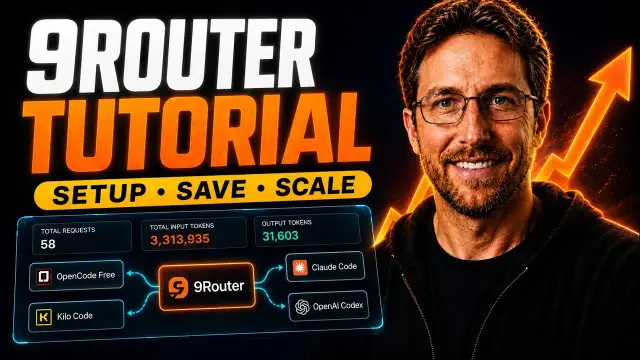
Video: 9Router cost tracking, combos and fallback
Watch on YouTube ↗ Subscribe on YouTube ↗
Written guide: 9Router Cost Tracking: Combos and Fallbacks
Cost tracking, combos and fallback steps are in the 9Router cost tracking guide. This page is the recorded walkthrough.
Explore 9Router token-cost tracking, provider warnings, model combinations and automatic fallback configuration.
Video summary
9Router cost tracking tutorial: local proxy, OpenCode connection, token-saver skills, auto-fallback across subscription/cheap/free models, custom model combos, and weekly quota monitoring. How to use 9Router to stretch Claude Code credits without manual switching.
9Router setup for AI gateway cost control — model combos + auto-fallback in one place.
The video covers 10 parts: Introduction to 9Router and tracking token costs, Running 9Router as a local computer proxy, Provider risk notices and CLI app connection warnings, Attempting to configure KiloCode in the CLI tools, Why I use OpenCode for cost-effective tracking, Exploring Headroom, Caveman, and Ponytail token savers, Utilizing proxy pools and built-in AI tool skills, Setting up Auto-Fallback across subscription, cheap, and free models, Configuring custom model combos and priority sequences, and Monitoring weekly quota usage and community wrap-up.
What this video covers
What you build
A 9Router setup that routes OpenCode through the proxy for usage tracking, with token savers turned on and example model combos.
Tools used
Key steps
- 0:52 - Run 9Router as a local proxy and send OpenCode requests through it.
- 1:47 - Read the risk notices on provider connections that use a subscription login.
- 2:29 - Try to configure Kilo Code and skip it for now.
- 3:06 - Explain why OpenCode is used here to keep costs low and visible.
- 4:24 - Turn on Headroom, Caveman and Ponytail token savers and pick a mode.
- 6:04 - Look at proxy pools and the built-in skills.
- 6:34 - See the subscription, cheap and free fallback tiers.
- 7:14 - Set model combos and reorder their priority.
- 8:45 - Check weekly quota use across Codex and Claude.
Not covered
- Measured savings from the token savers. The dashboard shows none yet because only OpenCode is routed.
- A working Kilo Code connection.
- A comparison of the dashboard estimate with actual provider bills, beyond Mike's remark that it is an estimate.
- Claude Code or Codex routed through the proxy, which Mike avoids.
In this video
- 0:00 Introduction to 9Router and tracking token costs
- 0:52 Running 9Router as a local computer proxy
- 1:47 Provider risk notices and CLI app connection warnings
- 2:29 Attempting to configure KiloCode in the CLI tools
- 3:06 Why I use OpenCode for cost-effective tracking
- 4:24 Exploring Headroom, Caveman, and Ponytail token savers
- 6:04 Utilizing proxy pools and built-in AI tool skills
- 6:34 Setting up Auto-Fallback across subscription, cheap, and free models
- 7:14 Configuring custom model combos and priority sequences
- 8:45 Monitoring weekly quota usage and community wrap-up
Questions and answers
Is the cost shown in 9Router what I will pay?
No. Mike says it is an estimate, and compares it with the actual spend shown in the OpenCode account.
Why not route Claude Code or Codex through 9Router?
9Router warns that these connections use a subscription login that is not officially licensed for proxy use and the account may be restricted or banned. Mike avoids it to protect the accounts.
What do the token savers claim?
The dashboard text quotes 60 to 95 percent fewer tokens for JSON data and 15 to 20 percent fewer for coding agents. The video does not measure this.
Keep learning
Transcript
In this video, I'm going to be taking you through once again 9Router, which is a proxy for your different AI coding tools. I've got my dashboard pulled up here, and you can see I've currently used 52 million input tokens running OpenCode models such as DeepS V4 Pro, and the total cost is ringing in at 142. Now, keep in mind this is estimated and not actually how much I've spent.
If I come over here to OpenCode, we can see how much I spent yesterday on DeepSeek V4 Pro. It's looking like $687, which is still a small fraction of how much you would be spending using something like Fable 5, which is $10 per million input tokens. So, if you put that into perspective, this is just a drop in the bucket. And we can see all of that directly from within over here inside the 9Router proxy. This is just an app that you run on your computer.
Read the rest of the transcript
It's down here in the taskbar. And then you can bring this up at any time. And essentially what this is doing is it's routing requests from OpenCode in this case through the 9Router proxy. So if I come over here and I just do like continue or something, we can see it is now connected to OpenCode go because I'm using the OpenCode go model over here.
Actually what I would want to do is switch models and goes use this one which is the 9Router model and you can see it's now connected to OpenCode go. So it's routing all the requests through this particular LLM or uh coding harness in this case. And then I can also connect up open AI Codex which is already connected Claude Code KiloCode OpenCode free. And then I've also got MIMO in here as well. And you can see here I've already got Claude Code connected.
But it does say that there's a risk notice right here. It says this provider uses a subscription ooth session. Not officially licensed for proxy router use and your account may be restricted or banned. So it's recommending to use at your own risk. But I've connected it anyway. And we can see it's currently getting an error because I haven't actually connected it up inside the command line interface tool over here.
So I am I'm avoiding using this one through 9Router because I don't want my account to get suspended obviously. And the same goes for the Codex app, but I'm mostly using it for the free ones like OpenCode go. And then also I want to try to connect up KiloCode. So I've got KiloCode running over here. And if we do back slashmodels, you can see this one also has like a lot of free models.
So in order to connect this one up, I would need to come on down to cle tools and then I would just select KiloCode. It's currently not configured. And then I need to input my model over here. And also need to make sure this is all set up properly as well. So I would basically just need to input that in over here inside the O file.
But for now, I'm just going to skip that and we're going to continue using OpenCode which is already configured inside the cle tools. In this case, I'm not really using 9Router to its maximum potential because ultimately what this does is it anytime you run out of credits on one coding harness, it'll fall back to the other one. But in this case, I'm simply using it for OpenCode.
And the main reason for that is because I'm enjoying tracking my usage over here and just seeing how much I can spend, how little I can spend. I should say for the number of tokens generated. So 52 million tokens. I can take a look at my usage in Codex lifetime. I've used 5.8 billion tokens and the peak was 326 million. Um but it doesn't actually show how much I've used today as far as I can tell.
But anyway, it's definitely more expensive than over here using OpenCode. And this is one of the main reasons why I like to use OpenCode is just because it's so cost-effective and I typically just use the terminal for a lot of this stuff because I'm on Linux and it's just makes it super super easy. So if I go ahead and refresh this, you can see it's currently not connected up to KiloCode over here because I haven't configured the command line.
But if I wanted to do it with a Codex, we can do a continue. And you can see it's now connected to OpenCode go. I could also do the same for the free models and then it would just use the free models but then I'd be spending absolutely nothing in credits. And we also have token savers over here as well. So this is another nice feature of using 9Router especially if it's connected up to something like claude code. Fable 5 is the most expensive model.
So it would be great to have a lot of these token savers built in like headroom. This is one that's built directly into 9Router. you just have to install it on your computer. 60 to 95% fewer tokens for JSON data. 15 to 20% fewer tokens for coding agents. So that's a pretty significant gain, especially if you're using something like Fable 5. And then they also have Caveman, which is a skill this saves on credits, as well as something called Ponytail. These are built directly into 9Router.
All you have to do is turn them on, and then you can choose what mode you want as well. So it could be ultra savings or full or light. In this case, I'm only using OpenCode, which really is very, very cost- effective. So, I've just set it to full. But if I did want to build in claude code over here, which I'm going to do eventually, um, this is going to save a lot on credits as well.
And you can see how much you can save on credits using caveman ponytail and some other ones down here. You can build all of these in directly just by turning them on over here. So, that way you're saving the most number of credits possible. I've also got headroom turned on over here as well. If I want to open up the dashboard before headroom, we can see we haven't actually really saved anything yet by using OpenCode, but I would imagine if I were to build this into
like Claude Code or Codex or something, we would see some pretty significant token saving gains over here. You've also got proxy pools. I haven't really played around with this all that much. Uh we've got skills built in over here as well. So things to do image generation, text to speech, speech to text, web search, web fetch, all of that is built directly in to 9 router. And basically you can save on subscription fees, rate limits, tool output, expensive API.
So it could be $20 to $200 a month if you're using something like, you know, Claude Code or Codex. You don't have to manually switch between providers. It's got the RTK's token savers built in like I just showed you earlier. You can maximize your subscriptions auto fallback built in. So it'll automatically switch between subscription cheap or free with zero downtime. So for subscription we've got claude Codex github copilot. Once that quot is exhausted basically run out of credits it will drop down to the cheap models.
Go 5.2 miniax m3. Once that budget is limited it will drop down to the free models like kro OpenCode free vertex. There's over 60 different AI coding models to choose from and all you have to do is run this npm install command and then run it. Yeah, just have fun playing around with 9Router. There's a lot of different things you can do over here, including combos.
So, you can basically just set different models that you want to use for each one and it will automatically cycle between those depending on which provider you're using. So, this one I'm just using Claude Opus 4.7, 4.8 and Sonnet 5. And then for codecs I've got 5.4 4 mini which is my main go-to for anything in codec and then also 5.4 5.3 Codex and for OpenCode I've just got these different models set as well and then we can rearrange these as well depending on which one
we want to use as the default and which ones are the fallback. So that's really nice to have. You can see all of the tokens that I'm using over here for each session as well. And over here, we're basically just continuing to build out my AI search visibility tool, which is coming together quite nicely. It's taking a bit longer than I expected to build with some of these tools like OpenCode.
So, when my credits reset for Fable 5, I think I'm just going to switch over to that and then we should be able to knock this one out of the park relatively quickly by using a more capable model. But for now, I'm just using OpenCode and we're spending almost nothing in credits as I've already demonstrated over here. Today, I've spent like 28 cents and we've used about 5 million tokens.
So, so far, I could also switch to an even cheaper model or even one of the free models and then I would be spending essentially 0 in tokens. So, I think this is going to be the path moving forward for, you know, if you're using a lot of different AI coding tools at the same time. You would just install something like 9Router or one of the many competitors. You can also build Hermes agent into this as well.
Uh, I don't really use Hermes agent all that often to be honest. So, I haven't actually integrated in over here. Another nice thing you can do is you can take a look at your quotas quota usage. So, for the week on Codex, I'm about 52% and I've got two resets this this month. So, I could just reset that anytime I want. Uh, but that's going to reset in 5 days. And then for the session, I'm pretty much maxed out.
And then you can see Claude over here. I'm currently maxed out for the week and that's going to reset on July 11th. And hopefully use Fable Fable 5. And then I may even connect it up over here as well. So stay tuned for those videos and go ahead and check out 9Router. It's completely free to get started. They don't charge any subscription fees, nothing like that. And all you have to do is run this npm install command and run it and you're off to the races.
They've got like 30,000 stars on GitHub. You can read through the website over here and just see how it works with all the different models to choose from. Have fun playing around with 9Router and also go ahead and check out my Skool community. We've currently got almost 3,000 members over here. It's now a free trial and then the paid plans start at $29 per month.
You can take a look around the classroom where I have all of the resources, tutorials, courses, including my coaching program, which is high ticket for 6 weeks. This one is $2,000. Would love to see you inside the coaching program. And then also check out the community. Feel free to introduce yourself over here. We're getting new people joining every single day. And with that being said, thank you so much for watching this video. Please go ahead, subscribe to the channel. Take care. Stay safe. Peace from Thailand.
Signing off.