AI operating system dashboard with Hermes Agent and OpenCode
Watch on YouTube ↗ Subscribe on YouTube ↗
Written guide: Hermes Agent Dashboard: Local AI Operating System
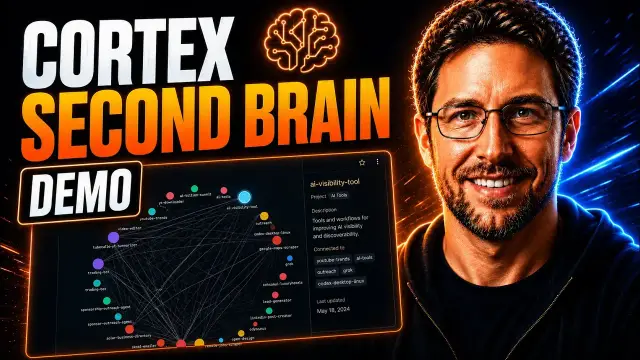
An experiment in building a personal AI operating system dashboard with Hermes Agent, ChatGPT and OpenCode. A generated prompt creates a React dashboard with pages for content, analytics, revenue and operations, then a 13-page extension plan runs on OpenCode with DeepSeek V4 Flash. It runs locally on mock data, and live YouTube data was not working by the end. Mike says he is not sure yet why he needs it, and mentions his own analytics product and an OpenCode sign-up link along the way.
Video summary
Hermes Agent + OpenCode tutorial for a multi-page AI operating system you can run locally.
The video covers 10 parts: Introduction and overview of AI operating system, Running the detailed system build prompt using Minimax 2.7 in OpenCode Go, Prompting the agent to build out the full dashboard interface, Switching to ChatGPT after hitting a usage limit on the Claude Desktop, Navigating folders in the terminal and resolving the local development server errors, Launching and reviewing the initial version of the AIOS dashboard in the browser, Extending the dashboard functionality with a 13-page plan inside OpenCode, Setting up the Google Cloud Console project to integrate the YouTube Data and Analytics APIs, Rebranding and integrating a dedicated link for the AI Income Lab community, and Debugging API credentials, applying front-end design enhancements, and concluding.
What this video covers
What you build
A local React dashboard served with npm run dev, with mock data for two YouTube channels, an analytics product and a Skool community, plus a Google Cloud project with the YouTube Data and Analytics APIs enabled.
Tools used
Key steps
- 1:07 - Run the generated system prompt in Hermes Agent with MiniMax 2.7 through OpenCode Go.
- 2:00 - Switch to ChatGPT for the dashboard prompt after hitting a Claude Desktop usage limit.
- 4:09 - Fix a build error and a blank page by running npm run dev from the dashboard folder and having OpenCode fix a line in App.tsx.
- 5:08 - Open the first version of the dashboard in the browser.
- 6:53 - Run a 13-page extension plan in OpenCode with sub-agents on DeepSeek V4 Flash.
- 9:30 - Create a Google Cloud project and enable the YouTube Data API for live analytics.
- 14:12 - Add the community as a sidebar link and command center card, since Skool has no API.
- 15:54 - Debug the credentials in Codex and run a front-end design skill on the color scheme.
Not covered
- Live YouTube data. The connection was still failing at the end and all numbers shown are mock data.
- A clear use for the dashboard. Mike says he does not yet understand why he needs it.
- OAuth consent setup and key handling for the Google project.
- Costs beyond the quoted $10 a month OpenCode Go plan and about $1.26 of MiniMax usage.
In this video
- 0:00 Introduction and overview of AI operating system
- 1:07 Running the detailed system build prompt using Minimax 2.7 in OpenCode Go
- 1:44 Prompting the agent to build out the full dashboard interface
- 2:00 Switching to ChatGPT after hitting a usage limit on the Claude Desktop
- 4:09 Navigating folders in the terminal and resolving the local development server errors
- 5:08 Launching and reviewing the initial version of the AIOS dashboard in the browser
- 6:53 Extending the dashboard functionality with a 13-page plan inside OpenCode
- 9:30 Setting up the Google Cloud Console project to integrate the YouTube Data and Analytics APIs
- 14:12 Rebranding and integrating a dedicated link for the AI Income Lab community
- 15:54 Debugging API credentials, applying front-end design enhancements, and concluding
Questions and answers
Why switch from Hermes Agent to OpenCode?
Hermes was slow and struggled with a rendering error, while OpenCode fixed it quickly, Mike says.
Is the data real?
No. It is mock data, and the live YouTube integration was unfinished.
Can it pull Skool data?
No, Skool has no API, so it only links to the community.
Keep learning
Transcript
Hey there, welcome to the channel. In this video, I'm going to be showing you how to build a complete AI operating system using Hermes Agent. In this case, we're going to be using the latest desktop app, which I've already made a tutorial about showing how to set this up. So, I've just gone ahead and told it to create a detailed prompt to build an AI operating system for my business in Hermes Agent.
And this is what it was able to come up with in a couple seconds. We're using Sonnet 4.6, which isn't even the latest model. And this is what it created. Content engine, the analytics core for tube analytics, which is my software as a service, as well as my two different YouTube channels and the revenue hub operations and also audience growth. And it's all connected to the Hermes agent brain.
Read the rest of the transcript
And then it also created a complete detailed prompt which I can simply copy and paste into Hermes agent and it will build out the complete AI operating system. To be perfectly honest, I haven't really understood why I need this yet, but I know a lot of other content creators are creating these AI operating systems. So, I've just decided why not go ahead and build one out myself. I'm going to select Miniax 2.7 through OpenCode Go. And we're going to set it on the higheffort mode.
And I'm just going to go ahead and start running this detailed prompt. And now it's just going to go ahead and start creating my AI operating system. If we want to click to preview any of these files, I can simply just click right here and that will open up the file within the desktop app. So, it's really really nice. You can easily preview exactly what it's doing over here. It's just writing all of this code.
And so, now it's just going ahead and building out all the files. It's just created the prompts, the templates, and some scripts as well. But it looks like it hasn't actually gone ahead and created the complete dashboard, which is what I really want. So I'm just going to go ahead and tell it to build the full dashboard. Now it's creating the complete prompt to build the dashboard over here. So once this is done, I'm just going to put it over into Hermes agent.
And it looks like unfortunately I have hit a usage limit over here inside Claude Desktop. And it's asking me to upgrade. I'm just going to switch over to ChatGPT. In this case, we can open up a new chat in ChatGPT. And I'm just going to paste in that prompt. and we can create the complete detail prompt over here inside ChatGPT instead. And now I'm just going to hit run and it should start executing this complete prompt.
It's going to create all the files for the dashboard which I can run inside the browser over here. So we'll see what it looks like when it's done. And if I want to zoom in a little bit, I can go ahead and zoom in to make it bigger. You can see over here it's creating all of the source files. So if we click here, we can go ahead and open that up.
So we've got the app shell, we've got the data files, uh it's creating the pages. So we got the page for analytics, audience, business unit, the content engine, memory, operations, revenue hub, settings. So it's going ahead and creating the dashboard just as I asked it to do. And again, we can come back over to OpenCode and refresh this. And I've still used a very, very small percentage of credits.
If we come on down to usage here, we should see Miniax currently use about $1.26 for Miniax, which is considerably more than I normally spend, but this is all built directly into OpenCode Go for 10 bucks a month. So, it's not really costing that many credits to build this. And now it's saying that the finished part of the project is done. And it says the dashboard build is currently blocked by duplicate symbol issues.
So, if I want to fix this, I'm just going to say go ahead and fix this. I should be able to fix whatever the issue is. And then we can get this running. It's just going through and fixing up whatever the issue is that's preventing it from running. And then once that's done, I should be able to do like an MPM install over here and install all the packages that it needs. And then we can run the app in the browser.
But it's still failing for some reason. So, it says failed to load post CSS config. Not exactly sure what that means, but I should be able to sort this out relatively quickly. So, it looks like I need to go into dashboard and then I can run npm rundev. And boom, there we go. So, I was in the wrong folder. And now, if we go ahead and open this up, currently not getting anything displayed in the browser.
Just tell Hermes I'm not seeing any display in the browser. Fix this. And it should just go ahead and fix whatever the issue is over here because I'm not getting any sort of display in the browser. I could probably get this done a lot faster inside OpenCode. So I'm just going to go ahead and uh open up OpenCode inside the terminal and we can figure out what the issue is over here quicker than inside Hermes agent.
There seems to be some sort of issue with the line in the app.tsx file. So it's just going through and fixing everything up inside OpenCode quickly and easily. And again I can come back over here. We can refresh this. And I've still spent virtually nothing on credits inside OpenCode. By the way, check the link in the description below. We can sign up for OpenCode. If we come over here and refresh this, boom, there we go. So, how long did that take?
Didn't take very long at all inside OpenCode, whereas Hermes Agent was struggling with this for quite a while. And here we go. So, now we have our AIOS operating system running inside the browser over here. And I would say right off the bat, it already looks really, really good. Not exactly sure what I can do with this, but it has built out all the different sections. I've got a content calendar. I've got a video idea bank.
So, I can open up a workspace, which currently isn't working. But overall, I would say this looks pretty good. And I can also change what I want to use over here. So, I've got my AI Automation Station channel, which is where you're watching this now. I've also got my main YouTube channel, which is called Mike Abroad. That one's in there, as well as Tube Analytics.
One of the downsides currently is like, you know, revenue hub for example, it should show how much I'm making from the YouTube channel uh for both of my YouTube channels as well as provide me actionable insights for tube analytics as well. It's getting the number of subscribers, which is definitely good. It's got the total number of videos that I have on both channels.
So if I wanted to improve on this, I can basically just tell chatbt going to say create a prompt for Hermes agent to extend on the functionality of the dashboard so it's more useful. Looks like it is coming up with a more detailed prompt to extend the AIOS dashboard into a full data analytics operating system. That sounds more like my style. Looks like it may have even pulled in some stuff about school here as well.
So, it's pulling in some stuff about my Skool community, which I would also like to build into the AIOS system. But unfortunately, school doesn't have an API. So, it's going to be a little bit tricky. I can just copy this entire prompt over here inside ChatGPT. And in this case, I'm just going to use OpenCode because the Hermes desktop app is a little bit slow with copying and pasting these prompts. So, we're just going to do this inside OpenCode over here.
So now over here inside OpenCode it has just gone ahead and written a super power plan. So this is essentially the extended implementation plan for the AIOS dashboard and this is just going to extend the functionality of my AIOS dashboard. All I have to say is to implement the plan and OpenCode will get to work. Recommending sub aentdriven execution. I'm just going to go ahead and do number one and that should spawn a bunch of sub aents.
In this case, I'm going to switch to a lighter weight model, which is DeepSeek V4 Flash right here. And then we can just go ahead and continue on DeepSeek. And it's going to build all the files and extend the functionality of this already powerful dashboard over here, which I can run in the browser. Just going to work on phase 1, phase 2, phase three. It's going to go through and build everything out.
And we can refresh the dashboard and see what it looks like when it's done. It's creating the mock data. That's creating the components, integration, placeholders, new pages, all 13 pages. Now, it's updating with new navigation and routes. So, you can see all of the files that OpenCode is generating over here. And this has only taken about, you know, 10 minutes or so. And we can also check our credit usage again. So, if I refresh this, it's gone from 2% up to 4%.
So, again, we've used very, very little credits. And this is going to reset in 6 minutes. So, I'm going to do an npm run build in the terminal. And then we can restart the dev server. And there we go. So, now we can do npm rundev. So, now we have another dashboard. It looks very, very similar to the other one, but you can see it's got a lot more details in here. So, of course, this is all just mock data.
So, we need to connect it up with API and pull in real data. But overall, this is looking really, really good. This is becoming a very powerful AIOS dashboard and now we basically just need to populate it with real data so that we're getting real revenue, real analytics, all of that sort of stuff. But yeah, this is definitely looking good. I've just gone ahead and added two more pages here with the prompts and templates so we can start, you know, filling these out.
This is for the YouTube script. And then we've also got the department prompts for the AIOS core operating prompt, the analytics core, audience growth, content engine, operations, and revenue hub. I also want to go ahead and get real time access to my data using the YouTube data API. So I've just come over here to OpenCode and I told it to integrate the API for YouTube into the dashboard to get real analytics and revenue data. And it's going to start building this out.
So, it's going to explore the project project context for YouTube API integration. Ask some clarifying questions as it's doing right now. So, she's asking me for the YouTube data API version 3 plus analytics API. It would need access to my keys which I can easily get through the Google cloud console. And then we can actually get real revenue data for my YouTube channels over here, which I already have built into Tube Analytics.
So, I don't actually need this in this particular case, but I do want to actually see real data over here instead of this mock data that's being presented right now. I wish I was making that much per month on my YouTube channel, but it's currently much less than that. So, I want to be able to get access to all of that data over here.
And also the YouTube intelligence where we can track number of subscribers, views, watch time, clickthrough rate, all that stuff over here as well, which again is already built into Tube Analytics. my software as a service. This is the most powerful YouTube analytics platform available that I found so far and I've been building this out over the past three four months. So, if you guys want to check out Tube Analytics, go ahead and check the link in the description.
I offer a free trial and then it starts at $19 per month. So, you can see all the pricing over here. But for now, I just want to continue building out this AIOS. So, it's asking a few more qualifying questions over here. just saying how is the dashboard deployed and who uses it. So in this case it's just a localhost tool running on my dev server on my computer. So we're going to go ahead and answer that.
And now it should ask for my do my it should ask for my API key for the YouTube data API pretty soon. So I'm just going to need to create the env file inside this directory which I can go ahead and do right away or OpenCode can just go ahead and do this for me. And then it's just going to ask for my YouTube API key relatively soon here. It's asking which channels should the integration target and what should happen when the API is unavailable.
So in this case I want to target the two channels that I have and we can use mock data as the fallback or we can just do all two channels and no fallback. I'm just going to use two channels and no fall back because I don't want to show mock data like it's doing right now. I want actual real time live data from YouTube. And in order to get that, we're going to come over to Google Cloud Console.
So in this case, I'm just going to create a new project in Google Cloud Console. And I'm just going to call it the AI operating system. There we go. No organization. We can leave that blank. And from here, we would need to add the API. So I'm just going to search for YouTube data API. We can go ahead and pull that up.
And from here, I'm just going to go ahead and enable that for the AI operating system project while it's still working over here inside OpenCode. And we're going to copy this, paste it in over here, and we're going to enter in our client ID. And then we can connect it up. It looks like it's already getting to work over here building out all the API client and data mapping files that it needs. Uh, that looks good. We're going to go ahead and approve that.
So, now it's created this superpower spec file. It's called the YouTube API integration for the AIOS dashboard and it's approved and ready to go. It's just going to replace the mock YouTube analytics data in the dashboard with live data from the YouTube data API. And now it's saying the spec is written. Uh please review it and let me know if you want to make any changes. I'm just going to say implement it.
So now inside Google Cloud Console, we have access to the YouTube data API as well as the YouTube analytics API and we've also got our credentials over here which are already in the EMV file. And now it's just going to go ahead and write the implementation plan. It's going to self-review and it's going to execute the plan. And after that, we should have access to the real- time data over here. There's another thing that I would also like to do.
I would like to add my Skool community into the list over here as well. So, I want Tube Analytics, both my YouTube channels, as well as the Skool community. If you haven't joined the Skool community already, we've got 2,900 members in here at the time of recording. It's growing fast and it's completely free to join. I also offer paid plans. You can go ahead and introduce yourself inside the community tab over here. Would love to see you inside Skool.
And with that being said, I also want to go ahead and add the Skool community. So, I'm going to say add the Skool community into my dashboard. And I'm even going to paste in the link over here. So it has access to some of the data AI automation station, but you call it AI income lab because I recently rebranded it. Are these the same communities? And I'm just going to say yeah, display as AI income lab.
And it's also asking where should the Skool community appear in the dashboard? I want it in the sidebar quick link and also the command center card. And sure enough, it was able to add the Skool community into the dashboard over here. So now we've got all my YouTube channels, YouTube analytics, as well as the Skool community. So if I just come over here and refresh the dashboard, looks like it may have shut down the dev server. I'm just going to start that up again.
Go ahead and refresh that. So it just put it in a separate tab, which isn't exactly what I wanted. We've got a tab down here that says AI income lab. I'm not actually going to be able to get access to a lot of this data easily. So we'll just keep it like that. And then we also have a little link over here where we can open up the Skool community quickly and easily from the dashboard.
And if school did have an API, I could also start pulling data from school as well. But in this case doesn't have one. So we'll just leave it like that for now. So I'm just going to go ahead and click on connect YouTube. And then in this case I want to connect my AI automation station channel which is where you're watching this now. The YouTube channel should be connected. It doesn't actually show the connection over here under settings, but it should be connected.
If we come down to a automation station, it's still not pulling in the right data. So, we need to make sure to fix that. So, in this case, I actually have some more credits on Codex now. And I'm just going to run this in Codex and see if it's able to uh fix whatever the issue is. Now, Codex is doing some more debugging. I'm just making sure that it's pulling in the right values from thev file.
So that that's what it's doing here and making sure it has all the right permissions and everything and hopefully this time we'll be able to connect the channel and it will pull in the live data. And then from there I would also like to redesign the interface a little bit. I'm not in love with the overall color scheme and I'd like to run my front-end design skill to just fix up the color scheme a little bit. So I could do that also over here inside Codex.
I could just say front-end design and we're going to run that scale. I'm going do run a full site audit right there and we should be able to fix up the design and so that it looks a little bit better. So, it's just making all the changes using the front-end design skill and we should be able to make this look even better here. And then eventually I want to make sure that the YouTube live data is coming in which I haven't been able to fix yet.
Definitely still a work in progress. Thank you so much for watching this video. Hopefully you found it useful and interesting. And again, please go ahead check out my Skool community. It's completely free to join. We've currently got 2900 members in here. I offer both free and paid plans starting at $9 per month. You can take a look around the classroom for all the courses, tutorials, and resources, many of them also free, and introduce yourself inside the community tab over here.
We'd love to see you inside the Skool community. With that being said, thank you so much for watching this video. Please go ahead, subscribe to the channel if you haven't already. Take care. Stay safe. Peace from Thailand. We'll see you in the next one. Signing off.