n8n WhatsApp AI Agent: Trigger, OpenRouter, Meta
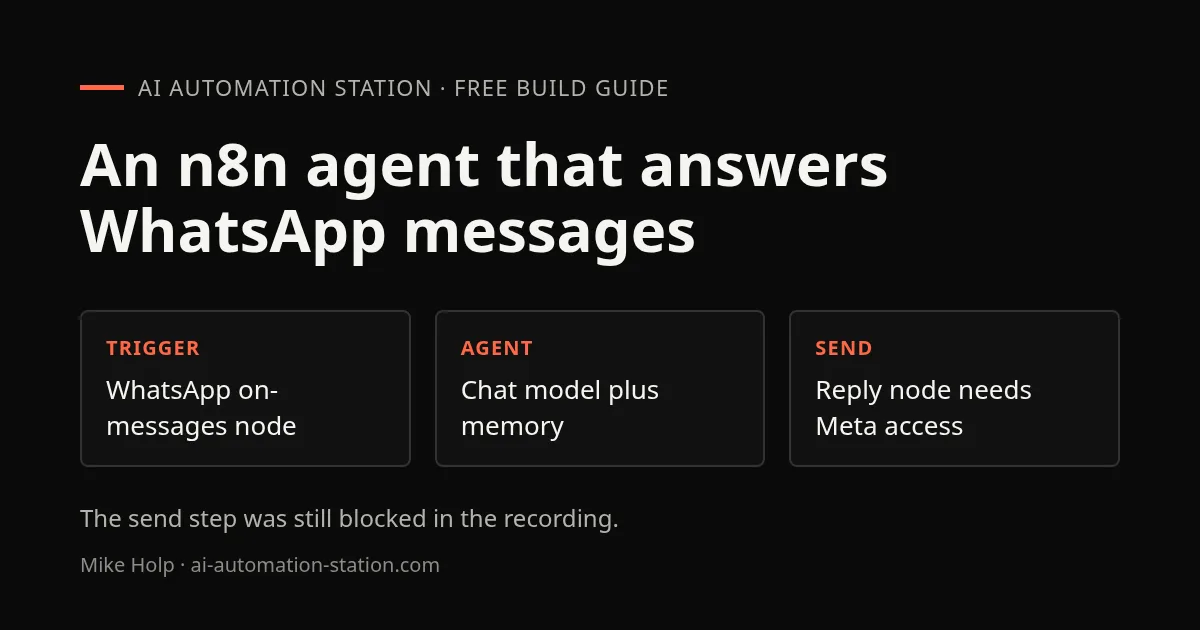
Quick answer: The workflow is two parts: a WhatsApp Business Cloud trigger that receives messages through a Meta webhook, and an AI agent with a chat model and memory that drafts the reply, then a WhatsApp node to send it. In the recording the Meta webhook test passed, but the send step still errored because the business number was awaiting verification.
This is a November 2025 build for a Facebook page with 176,000 followers, shown with its problems left in. It is a good outline of what the Meta side requires, but it is not a working reply bot yet. If you want a chat agent you can finish in one sitting, try the fictional-order exercise in the no-code agent builder guide first. New to agents in general? Read what is an AI agent.
1. The WhatsApp trigger
In n8n, search for WhatsApp, choose WhatsApp Business Cloud, and under triggers add the On messages node. It is a webhook, and it shows a test URL and a production URL. You need the test URL later in the Meta app.
The credentials need a client ID and client secret. Both come from a Meta for Developers app. The recording created an app with a messaging name and without a use case, then connected its Facebook page. The app ID is under app settings, Basic, and the client secret appears after you enter your password.
2. The AI agent, model and memory
Drop in an AI agent node and connect a chat model. The recording chose OpenRouter because the speaker expected to send a lot of WhatsApp messages and did not want to burn through ChatGPT or Claude credits; one OpenRouter key reaches many models. The key is created under your OpenRouter profile in the keys section and pasted into n8n. OpenRouter lists models from OpenAI, Mistral, Meta Llama and Google. The recording picked GPT-4 and noted that GPT-5 had since appeared. The costs were not covered, so check the OpenRouter setup guide and the model’s price before you let it answer a busy inbox.
A memory node was added so the agent can refer to earlier messages in the same conversation.
3. The send-message node
A second WhatsApp node sends the reply. It needs an access token, generated in the Meta app by reconnecting your Facebook account, and the WhatsApp business account ID. Saving the credentials showed the connection tested successfully.
Running the node still failed with the message problem running workflow, please resolve outstanding issues before you activate it. The API setup page showed a problem registering the test number and said the number was unregistered. Meta was still reviewing the business information, which the recording expected to take two to three days. The speaker’s best guess was that the unverified number caused the error. That was never confirmed.
4. Test the webhook in Meta
In the Meta app’s configuration, open the webhook fields and turn on messages. Paste the callback URL from the n8n trigger (the test URL) and the verify token, and leave the client certificate off. Pressing Test sent a test message and Meta reported that the message webhook field was tested successfully. So the receive side worked in Meta, while the send side did not in n8n.
A test send to a Google Voice number then asked for a new access token and failed again with a registration error.
What this recording did not cover
- A working reply, because sending failed while Meta verification was pending.
- The real cause of the n8n error. The recording asked viewers to help.
- Message and model costs, and WhatsApp business messaging policies.
- How private customer messages are handled by a third-party model.
A note from this site, not the recording: customer messages are personal data. Tell people when a bot is replying, and keep a person in charge of anything about money, health or complaints.
Watch the walkthrough

- 0:00 WhatsApp Automation
- 0:40 WhatsApp Trigger Setup
- 1:20 Meta App Creation
- 2:10 API Keys Configuration
- 3:00 AI Agent Setup
- 3:50 OpenRouter Model Selection
- 4:40 WhatsApp Send Message
- 5:40 Webhook Testing
- 7:00 Final Automation Summary
FAQ
Does the automation work?
Not yet in the recording. The Meta webhook test passed, but the send step errored and the number was awaiting verification.
Why OpenRouter?
The speaker expected many messages and did not want to burn through ChatGPT or Claude credits. One OpenRouter key reaches many models. The recording picked GPT-4.
What does the memory node do?
It lets the agent refer to earlier messages in the same conversation.
What do I need from Meta?
A Meta for Developers app, the app ID and client secret, an access token, the WhatsApp business account ID, a registered number and a verified business.
Sources
- Video: This WhatsApp Workflow In N8N Saves Hours Every Week! (November 2025)
- Meta for Developers: developers.facebook.com
- OpenRouter: openrouter.ai
Build the next one with AI Income Lab
Step-by-step courses, reusable templates, and a community that answers when you get stuck.
Members get the Claude Code & Skills and Codex Tutorials & Courses lessons.
- Courses for builds like this one
- Copy-ready templates
- Ask questions while you build
- Weekly coaching on VIP


