Self-Host n8n on Hostinger: KVM and First Import
Quick answer
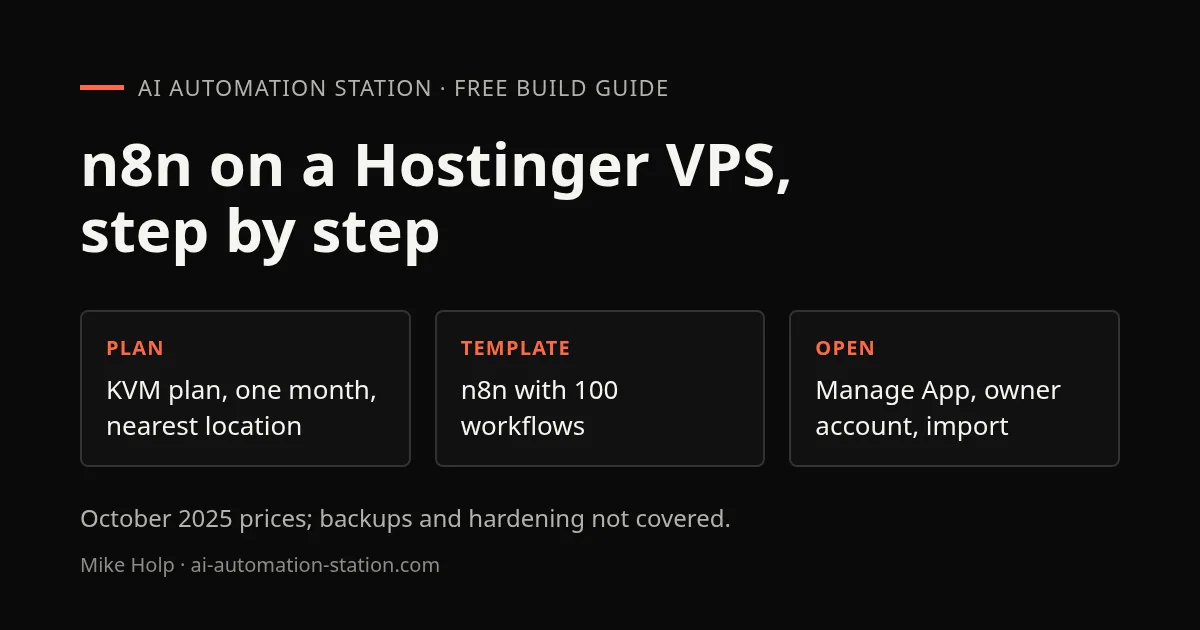
On Hostinger choose a KVM plan (KVM 1 was $5 a month with one vCPU, 4 GB of RAM and 50 GB of NVMe disk; the popular plan was $6.50), pick a one-month term and the nearest server location, and select the n8n operating system template. With the 100 bundled workflows my first month cost $10.69. Set a root password, keep the free malware scanner on, open n8n with Manage App, create the owner account, claim the free license key and import a template.
This is an October 2025 walkthrough. Prices change and shown deals expire, so check Hostinger’s page. The Hostinger link on this site may pay me a commission. The video covers the setup, not backups, updates, HTTPS or hardening, so read the self-host n8n guide before you put real data on the server.
1. Choose the plan and term
KVM 1 gave one vCPU core, 4 GB of RAM, 50 GB of NVMe disk and 4 TB of bandwidth. The popular plan was $6.50 a month. I compared that with n8n’s own cloud at about $24 a month, and noted n8n has a free trial of about two weeks. I chose the popular plan and a one-month term to test it. Daily auto backup was optional and I did not add it.
2. Location and template
I picked Malaysia for lower latency from Thailand, about 49 milliseconds. For the operating system, choose n8n. There is also an n8n queue mode, Docker and other options such as Ollama and MCP servers. I took the n8n option with 100 done-for-you workflows. Payment was $10.69 for the first month through PayPal.
3. Finish the VPS setup
Click Get started to open the hPanel dashboard, set a root password and choose whether to switch on the free malware scanner. I kept it on. The VPS ran Ubuntu 24.04. Use Manage App to open n8n.
4. First steps in n8n
Create the owner account and claim the free license key. The bundled workflows appear as templates you can preview. n8n’s site also lists thousands of templates; choose Import template to drop one into your own server. Most need credentials, such as WhatsApp API access, before they run. I imported one, saved it and left the credentials for later.
Done when
- KVM plan, one month, nearest location
- n8n with 100 workflows
- Manage App, owner account, import
What I didn't cover
- Backups, updates, HTTPS and hardening of the server.
- Renewal pricing after the first month.
- Whether the 100 bundled workflows run without changes.
Watch the walkthrough
- 0:00 → Hostinger Intro
- 0:32 → Pricing Plans
- 3:00 → Getting Started
- 4:12 → Setting Up N8N
- 5:49 → N8N Workflows
FAQ
How much did the first month cost?
$10.69 with the n8n template and 100 workflows, in my test. Prices change.
Where did I host it?
A Malaysia data center, for about 49 ms latency from Thailand.
Is it secure?
I did not cover hardening or backups. I only turned on the free malware scanner.
Sources
- Video: Self Host N8N On Hostinger In 2026 - Here’s Why (recorded October 2025)
- Hostinger: hostinger.com
- Hostinger VPS: hostinger.com/vps-hosting (Checked November 15, 2026)
- n8n hosting docs: docs.n8n.io/deploy/host-n8n
Build the next one with AI Income Lab
Step-by-step courses, reusable templates, and a community that answers when you get stuck.
Members get the Claude Code & Skills and Codex Tutorials & Courses lessons.
- Courses for builds like this one
- Copy-ready templates
- Ask questions while you build
- Weekly coaching on VIP


