ccusage token dashboard: usage, cost and savings by tool
Watch on YouTube ↗ Subscribe on YouTube ↗
Written guide: Token Usage Dashboard: ccusage, RTK and Costs
Build a local dashboard that shows token usage, estimated cost and token savings across coding tools, using the free ccusage command line tool and a Python server written with Codex and Hermes Agent. It reads daily usage by model and tool, shows RTK, Ponytail and Caveman savings and refreshes every 60 seconds. The cost figures are estimates at API rates, not what a subscription plan actually charges.
Video summary
AI token usage dashboard with Hermes Agent + CCUsage: CLI + server dashboard, model switching, daily costs, RTK savings, Caveman compression, Supermemory/Graphify. Track Claude/Codex/OpenCode spend.
The only AI dashboard you need to track token usage — daily, weekly, monthly costs and savings.
The video covers 10 parts: Token Usage Dashboard intro, ccusage CLI overview, Server Dashboard setup, Switching AI models in Hermes Agent, ccusage installation & quickstart, Daily usage & token cost analysis, Measuring savings with RTK CLI, Compressing tokens with Caveman, Dashboard update with ccusage, and Supermemory & Graphify integration.
What this video covers
What you build
A Python server on localhost that wraps ccusage output and RTK stats in a dashboard with daily, weekly and monthly breakdowns by model and tool.
Tools used
Key steps
- 1:14 - Meet ccusage, a free tool that reads usage from Claude Code, Codex, OpenCode, Hermes and Copilot.
- 1:43 - Look at the local Python server that serves the dashboard.
- 2:23 - Ask Hermes Agent, on DeepSeek V4 Pro, to read the ccusage docs and improve the script.
- 2:46 - Run npx ccusage latest and its per-tool commands.
- 3:18 - Read daily usage and cost by model.
- 4:26 - Compare rtk gain with the dashboard's savings numbers.
- 5:09 - See savings from Caveman and Ponytail alongside RTK.
- 6:05 - Restart the server after a failed to fetch error so the updated dashboard loads.
Not covered
- How ccusage prices subscription usage. The roughly $1,600 and $1,000 monthly figures for Claude Code and Codex are estimates at API prices, not real charges.
- Independent measurement of the token savings, which come from the tools' own reports.
- Securing the local server or exposing it beyond one machine.
- The Supermemory and Graphify tools mentioned at the end, which are not shown working.
In this video
- 0:00 Token Usage Dashboard intro
- 1:14 ccusage CLI overview
- 1:43 Server Dashboard setup
- 2:23 Switching AI models in Hermes Agent
- 2:46 ccusage installation & quickstart
- 3:18 Daily usage & token cost analysis
- 4:26 Measuring savings with RTK CLI
- 5:09 Compressing tokens with Caveman
- 6:05 Dashboard update with ccusage
- 6:54 Supermemory & Graphify integration
Questions and answers
Is ccusage free?
Yes. It is a free command line tool, run with npx.
Did Mike really spend $4,000 on tokens?
No. Mike says it is not the real cost, because he uses subscription plans and no API credits.
How much have the savings tools saved?
The dashboard shows about 35 million tokens from RTK, 8 million from Ponytail and 2.4 million from Caveman.
Keep learning
Transcript
Hey there, welcome to the channel. In this video, I'm going to show you step by step how to build a relatively simple analytics dashboard like this one, which will track your token usage as well as token savings and cost across all of your different coding harnesses. And it just gives you a really nice overview basically of how many tokens you're using by the model. So in this case, GPT 5.6 Luna, I've used about 19.8 8 million tokens for the week, I believe this is.
And then next up is Deepseek V4 Pro, Deepseek V4 Flash Free, as well as GPT 5.6 Soul. And it also gives you the cost breakdown over here as well. I can also scroll down here. You can see for the month on Claude Code, I've effectively spent $1,600 roughly on a $20 per month plan. And for Codex, I've spent almost $1,000 again on a $20 per month plan. And you can see I've effectively saved $35 million tokens just by using RTK.
Read the rest of the transcript
And I'm also using a few other ones, including Caveman. But you may be wondering, how do we actually go ahead and build this dashboard that we have over here? So in order to do that, we're going to be using CC usage, which is a completely free command line tool that you can install and it works across all of the different coding harnesses. So that could be Claude Code, Codex, OpenCode, uh Hermes Agent, GitHub Copilot.
So you can see here it's tracking across all the coding harnesses by the day. For example, this case, Opus 4.7, they spent $3.61 and it shows the total number of tokens outputed as well. Now, in order to build something like this, you could use something like Hermes agent. And then once you start building it, it's basically just a Python script which runs as a server. So this is what the script actually looks like. And I built this completely 100% inside Codex and Hermes agent.
And you can see it's running on my local host machine. This is only running locally because I only want to track the usage on my own coding harnesses on a daily, weekly, and monthly basis. And that's exactly what we're doing. Now, if I wanted to improve on this, I could tell it to read the docs for CC usage with the full breakdown over here inside Hermes agent. We're going to come down to OpenCode Go.
Going to switch over to DeepSeek V4 Pro, which is kind of my go-to model. So effectively what this is doing is saving me a lot of time going through and reading all of the documentation over here. It'll just go ahead and do all of that for me just as it's doing right now. And while this is running, I also want to go ahead and install CC usage on my computer because I don't think it's actually installed yet.
So all you need to do is follow the quick start. You'll just run npx CC usage late latest. And what that's going to do is just install it on my computer. So we're just going to do that. And then from there, we can pretty much run each one of these on the different coding harnesses. So if I wanted to check my daily usage on Codex, for example, I could run this command. If I wanted to check OpenCode, I could run this command.
And the list goes on. But we can see over here that we've already got an output on a daily basis and it's tracking all of my coding harnesses. So this looks like it was over the past month or so. And we can scroll down to the bottom. You can see the total spend effectively is about $4,000. That's over the past 3 months I've spent about $4,000. That's actually not the real cost because I'm just using my subscription plans. No API credits, nothing like that.
But you can see the cost by the different models over here as well. So, for example, yesterday inside Hermes agent, I spent about $3.38, which, you know, that's just the cheap Chinese models that we're using. Uh, total $94 across all the different coding harnesses. And I actually want to add this to my dashboard over here as well. So that I can see the cost breakdown on a daily basis, which is hopefully what this is going to do over here inside Hermes agent.
Should just be able to go ahead and read all of the documentation. So we should be able to improve this even further. This just provides a much nicer interface than using the command line. You know, I could do like an RTK gain over here. And I could see how many tokens I've saved, which is currently 35 million over all time.
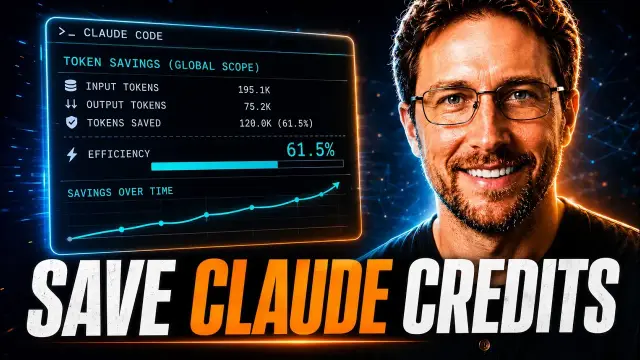
And we can also see that exact same number reflected over here inside the dashboard, as well as the full breakdown, which is very, very similar to what we get over here inside the terminal. And the savings rate, same as over here, 81% token efficiency. So, this is exactly what we're seeing inside the terminal. And then for the savings tools breakdown, we can see that over here as well. So 35 million tokens saved with RTK, 8 million saved with Ponytail, and 2.4 million saved with caveman.
And we can take a look through the website. You can see basically it just compresses the amount of tokens that you're using when you're issuing commands in your coding harnesses. And that's effectively all it does. But just by using these tools, you're able to save a lot of tokens, which means you're going to be getting able to get a lot more productive work done.
And effectively, what that's going to allow you to do is to increase your spend on each of the coding harnesses, just like I'm doing over here. So, we'll see how it's coming along over here and seeing if it's actually updating the dashboard. It has a full picture, so it's going to update the script with a CC usage. And right now, it's just writing all the code for me. So, it's just updating some things inside the dashboard.
and it's updating based on the CC uses best practices that it got from the documentation over here on the official website. So, I just told it to read all the documentation and go ahead and make those changes. So, if I go ahead and refresh this, it's currently saying failed to fetch. So, it looks like I will probably need to restart the server. So, we're just going to do that. And this refreshes every 60 seconds.
So if you're doing coding work over here, it will just automatically update in the background. We can see the full breakdown how much we're saving on each one. And we've got the full breakdown here as well. And it removed the usage window, did some other stuff. And this is all just coming from within Hermes Agent. So that's pretty much all there is to it. And it just gives you a really nice breakdown of how much you're spending on a daily, weekly, and monthly basis.
And again, if you do want to save even more tokens, I would highly recommend installing Ponytail, Caveman, as well as RTK. And I'm also using another one called Super Memory, which is built into all of my coding harnesses now as well. And I just made a tutorial about how to set this one up the other day. So, feel free to check that out. This will save even more on tokens, and it will also give it your coding harnesses a better brain and memory system as well.
And then if you want to check your memories at any time, you can just come over to supermemory.ai and you'll get access to everything that is going on per second. It will show you everything that you're doing over here. And then you can also ask it questions as well. So ultimately, this is going to save you even more tokens because it's going to make everything a lot more efficient. And I'm also using another one called Graphify.
And this is ultimately saving me even more credits uh more tokens as well because it has a much better understanding of the project. Stay tuned for a tutorial on Graphy coming up soon as well. I hope you enjoyed this video. Please go ahead subscribe to the channel if you haven't already and also go ahead and schedule a call on my website and you can also join my Skool community. We've got almost 3,000 members over here. It's completely free to join. It's called AI Income Lab.
You can introduce yourself inside the community. Take a look around the classroom. With that being said, thank you so much for watching. Please subscribe to the channel if you haven't already. Take care. Stay safe. Peace from Thailand. I will see you in the next one. Signing off.