Skool community setup: plans, Discovery and paid classroom
Watch on YouTube ↗ Subscribe on YouTube ↗
Written guide: Skool Community Setup: Pricing, About Page and Classroom
A September 2025 tour of starting and running a Skool community, shown through Mike's own free community of about 870 members. It covers the $9 Hobby and $99 Pro plans, the Discovery ranking, switching to a paid price, membership questions, settings, posts and polls, member management, the About page and a classroom that upsells courses and coaching. Mike reports about $700 in one-time sales in three months, and the Skool sign-up link is an affiliate link. Income examples at the start are quoted from Skool pages and not verified.
Video summary
The video covers 14 parts: Welcome and Introduction, Launching Your Community on Skool, Exploring Payment Plans and Free Trials, Utilizing Skool’s Discovery Page, Setting Up a Monthly Paid Community, Engaging Your Members, Customizing Your Community Settings, Using Skool’s Built-in Features, Enhancing Community Engagement, Posting and Polls, Member Management Strategies, Optimizing About Page, Monetizing with Courses, and Final Thoughts.
What this video covers
What you build
A Skool community with an About page, membership questions, categories, pinned posts, a classroom with free and paid modules, and a Discovery listing.
Tools used
Key steps
- 1:05 - Launch a community and choose between the $9 Hobby plan and the $99 Pro plan, with a 14-day free trial.
- 3:02 - Use the Discovery page as a marketplace and get the first three members to be listed.
- 4:31 - Set monthly or monthly and annual pricing, with an optional free trial.
- 9:12 - Go through settings: cover image, privacy, payouts, membership questions, plugins and categories.
- 20:08 - Write posts, polls and pinned introductions, and send an email to all members at most every 72 hours.
- 23:44 - Manage members, levels, the leaderboard and the map.
- 27:34 - Build the About page with video, copy and testimonial.
- 31:22 - Set up a classroom with free tutorials, templates on Gumroad, a $19 course and coaching sold by call.
Not covered
- Independent checks of the income examples shown at the start, such as monthly figures for other communities.
- Current Skool pricing and features. The video is from September 2025 and details may have changed.
- Consent for the 13,000 pending invites Mike says he imported from CSV files.
- How well the coaching program sells. It is described as $2,000 for six weeks with a $150 consultation, without results.
In this video
- 0:00 Welcome and Introduction
- 1:05 Launching Your Community on Skool
- 2:12 Exploring Payment Plans and Free Trials
- 3:02 Utilizing Skool’s Discovery Page
- 4:31 Setting Up a Monthly Paid Community
- 6:27 Engaging Your Members
- 9:12 Customizing Your Community Settings
- 13:57 Using Skool’s Built-in Features
- 16:28 Enhancing Community Engagement
- 20:08 Posting and Polls
- 23:44 Member Management Strategies
- 27:34 Optimizing About Page
- 31:22 Monetizing with Courses
- 38:52 Final Thoughts
Questions and answers
Which Skool plan should I start on?
Mike uses Hobby at $9 a month with a 10 percent transaction fee, and says Pro at $99 with 2.9 percent suits communities that earn more.
How does Mike earn from a free Skool community?
Through paid classroom items, about $700 of one-time sales in three months, plus coaching sold by call.
Keep learning
Transcript
Hey there, welcome to the channel. In this video, I'm going to be showing you how to launch and scale a Skool community in order to generate an income online. I would say this is one of the best ways to go about it and lately school has been blowing up. There's now 172,000 communities on the platform and collectively they've generated over a billion dollars per year. Here's a few examples. calligraphy school. She's making $6,200 a month. She has a monthly paid community.
Pickle ball school, $32,000 per month, which is absolutely insane. And then we've got Dating with Gracie. She has a dating community making $9,200 a month. This guy, Zero to Founder. I'm sure you're all familiar with uh Tom here. He has a community. This lady is making 60 uh $49,000 a month. And we've got another one, 370. Here's an AI automation community making $85,000 a month. And the list goes on. So without further ado, let's get into it. We're going to create our community right here.
Read the rest of the transcript
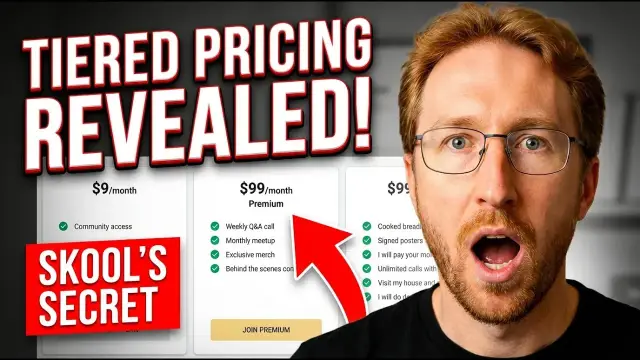
And right away, you can see you're able to choose from two different payment plans. Either $9 per month, which is the hobby plan. They rolled this out roughly three months ago which basically lowered the barrier to entry for people looking to get started on Skool and that also includes a free trial as well. So you can try it out for free and then if you want to you can upgrade to $9 a month or you can join the pro plan for $99 per month.
that includes all features, unlimited members, unlimited courses, unlimited men's, uh 2.9 transaction fee versus 10% transaction fee for the hobby plan. It also includes a custom URL, and you can hide suggested communities. For me personally, I don't need all of the features included in the pro plan, and it's, you know, 11 times more expensive. So, I'm just on the hobby plan, and I have both a free and a paid community, which I'll show you a little bit later in this video.
So, in order to get started, you can just try for free right here. And then, as you can see, you can create your community, start with a 14-day free trial, and then it's $9 per month for the hobby plan. Or you can switch over to the pro plan, whichever one you want. Pretty much all you have to do is give it a name. So, I'm just going to call this one Facebook income blueprint.
And then, all I have to do to get started is just click on start free trial. Make sure to enter in your card number here. And then it says right here, first charge will be on September 24th for $99. So if I want to do that, I could just create a free trial. But in this case, I already have a community which is growing fast. It's called AI Automation Station. So I'll show you what that looks like looks like.
But first, I want to show you the discovery page. This is essentially the marketplace on Skool. So, one of the really nice things about school is that it provides the marketplace where people can actually find your community. So, you don't have to spend a bunch of money on Facebook ads or Google ads driving traffic to your page. Obviously, you can do that if you want to grow it even faster.
But, I would recommend when you're first getting started is just get your community show that it's showing up and ranking on the discovery page. That way more people will be able to find it and millions and millions of people look at this page on a monthly basis. So you know for example we've got calligraphy school here which has 1,400 members. She's charging $9 per month and that is currently the number one community. It's even higher than the schoolers community itself which is pretty amazing.
This is the official community for anyone who has a community on Skool. And as you can see here, there's 172,000 members in here. So that means 172,000 people have Skool communities. And this was recently around 50,000 after the book launch by Alex Hermoszi. It absolutely exploded and bas basically tripled within a couple days, which is incredible. So I highly recommend uh you know getting started on Skool. It's one of the best ways to start generating an income online.
And I'll show you basically how to set up a monthly paid community. So, in order to do that, once you create your community, you can come over to the community here. In my case, I've got one with 870 members. You're more than welcome to join. It's all about AI automations to save time and money for your business, and it's completely free. But if I wanted to change this to a monthly paid subscription, all I have to do is go to settings and then pricing right here.
So I could add a price and then set either monthly only or monthly and annual. In most cases, I would recommend just doing monthly annual. So I could say, you know, charge $79 a month for this community, which is honestly what it's worth. I think it's worth probably even more than that. But in this case, it's still completely free because I just want more and more people joining. And for yearly, I could set, let's say, you know, $780 a month.
They recommend a 20% discount in order to get more people upgrading to yearly. So that would be $760 a year. And then if I want to add this, I just click on add. And then I can set that as the new price. But in this case, I just want to keep it as free. If I did want to change to paid, all I have to do is click here and then just select make current price and then I could turn on a free trial as well.
So, give them a 7-day free trial and then they will get charged the $10 per month or $95 a year, whichever one they choose uh to pay for. And as you can see, I actually do have one member paying $10 per month. But I decided to just switch back to the free free model because I want to lower the barrier to entry, right? So I want more and more people joining the community.
And then I can also upsell them inside the classroom for, you know, courses, coaching, that sort of thing, which I'll show you a little bit later how that works. But first, I just want to go through the settings here. So under dashboard you can see most importantly my conversion rate which is actually sign significantly above average. The average for a free community is like 20%. And the average for a paid community I think is around 3 to 4%.
So if you have a paid community you're going to be getting a much lower conversion rate but you're also going to be making money monthly. So you're just getting paid every single month from school. So that's always nice to have. And you can see down here, these are my one-time sales. So, I've made almost $700 in roughly three months in the community, which is honestly not so great, but you know, it's better than nothing, right?
At least I've actually made some money from the community in my one-time sales. And that's coming from the classroom. So, basically upselling people on the courses and coaching and that sort of stuff, which I'll show you a little bit later in this in this course. Next, I want to show you the invite tab. So, anytime you want to invite somebody to your community, you can use this link right here.
And this is the link that I have on my second YouTube channel or AI Automation Station if you're watching this on on this channel. This is the first link in the description below. So, if you want to join my community, you're welcome to do so. And basically, that's just my referral link. Um, so basically, you know, it says you've been invited by Mike at the top.
And if I want to invite other people, like let's say I have a CSV file with a bunch of emails in it, I can easily invite them to join the community, which I've done many times. Uh, so I think I've invited like 10,000 plus people to join the community just from CSV files. Actually, it's 13,000. So I've got all of my pending invites down here, 13,000 of them. And you can also integrate it with Zapier as well.
So, let's say anytime somebody joins, you want to automatically put them into a spreadsheet. You can use Zapier in order to do that. Uh, it's just an automation basically to add them into a spreadsheet. I have another way to do it, but I do have to do it manually because I'm on the hobby plan. So, rather than pro, I'm on hobby and that doesn't include the Zapier integration. In order to get that, I will need to upgrade to Pro.
But honestly, I don't really need it all that much because I'm just building a list over here in Airtable with everybody's email addresses. So, I'm just doing that manually. And then they automatically get added into an email marketing sequence. Basically, that's all there is to it for that. And then under general, this is where you're going to add your cover photo. So, make sure you have like a professionally designed cover photo, ideally with yourself on it, like a nice smiling photo like I have.
And then you're also going to want to update upload an icon for your community. And give it a name, whatever name you want. Mine's just called AI Automation Station Light. And then I have AI Automation Station Pro as well. That's the paid community, which is $49 per month, but I'm mostly focusing on the free community for now. And then you can give it a group description. So mine's just save time and money for your business using AI automation. No coding or hired hiring required.
And for for this, I would recommend making it private because you don't want everybody seeing all the content in your group before they join. If it's public, people are going to see everything automatically and they can choose to join or not. But I would highly recommend making it private because then they have to actually join to see all the content inside. And also it just helps with the overall security of the group as well. You don't want everybody's information public to the world.
But the nice thing about public is that it does index it on Google. So if you want your community showing up higher in Google search results for example or Bing or you know Yahoo whatever then you can make it public. But for most cases, I just recommend uh keeping it your content hidden from search engines. And that way they have to join to get access. And then under payouts, you can see uh all of your payouts.
So you can see here I'm just getting paid um pretty much every single month here uh starting in June. And then I just get paid directly to my bank account. And now I have to pay a 10 10% transaction fee every single month, which is really not that big of a deal, especially if you're not really making very much from your Skool community.
If you're making a lot, then I would recommend upgrading to Pro because it's $99 a month and you have a very low transaction fee. But if you have a free community and you're not really making much money from it yet, then just stay on the hobby plan. It's only $9 per month, so super affordable. It's basically free at that point. Um, and this is way better than starting a Facebook group.
I've had a Facebook group, which is called um, Escape the Rat Race and Move Abroad to Asia. It's got about 18,000 members in here, and I've been running this for like six or seven years now, and I've made basically nothing from it over all those years. No clients, no sales to speak of. But within a couple months on Skool, it's now profitable, right? So, just goes to show what you can do on Skool. Highly recommend getting started.
And by the way, there's also a link down below if you want to sign up. It's an affiliate link, so I will get a small commission on all of those. If you want to sign up with my affiliate link, you can go ahead and do so. And you can also provide affiliate links to others as well. But you will need the pro plan in order to do that. Uh, basically, you just set what percentage you want to pay out every month.
40% is the most effective one. And then you've also got your plugins over here as well. So these are basically you can ask questions when someone joins the community. For me, I'm basically just asking why do you want to join the community? How did you discover the community? And what's a good email to get in touch with you? And then you can set the options here as well. So how did they find the community?
This is I would say one of the most valuable questions to ask because it helps you learn which channels to focus on. And then also why do you want to join the community? In my case, save time, grow my business, get access to the templates or meet people in the AI space. And then obviously email address. The most important question to ask because you want to actually be building your email list from the community. So definitely make sure to ask for the email address.
And then you can choose to unlock chat at a certain level as your community continues to grow. I recommend setting this to either level two or level three. And then you can also unlock posting at a certain level as well. For me, I just allow everybody to post right away. And you have other options in here as well, but you will need the pro plan for all of these like autodming new members, uh, onboarding video, zap year, like I mentioned earlier, you need the prop pen
for that. If you want to start running Facebook ads, then in order to set up the pixel, you need pro for that. If you want to add links in the sidebar, you also need pro for that. Instant approval. And they even have Hyros built into it as well now, which I think is something relatively new. This is a advanced ad tracking tool. I've never used it before.
Don't really even know what it is, but that's now built into the you will need the pro community pro plan for that as well. You've also got your tabs. So, the classroom tab, which I highly recommend building into your community from the very start. I'll show you that a little bit later. And then you've also got the calendar.
So that's basically if you want to schedule live videos, which they just rolled out today, native live streaming built directly into school, so you don't have to use Zoom or Google Meet. It's just baked right into the uh into the platform, which is super useful. I just did a live a little bit earlier today. And then you've also got the map as well. So that just shows you where all of your communities are around the world. And then categories as well.
So, you can choose to add different categories here. Um, I I recommend doing this just to keep it better organized and that way people can post in the different categories. Really helps with organization. And then you've got your rules over here as well. I haven't changed these. They're just, you know, be positive, no self-promotion, and make an effort. And if anybody disobys disobys these rules, then you can delete their post.
And then you can also ban them from the community as well if they're if they break the rules multiple times. And then here's the discovery tab under settings. This is what you want to focus on when you first launch your community. You want to make sure that you get your first three members into the community and that way you're going to show up in the discovery tab.
And as you can see here, my current rank is number 166, and I'm currently on the sixth page in the tech category. Now, obviously, I would like to get that up to like page two or three, which I think is definitely achievable over the next few months. Um, I got this from like number 200 up to number 166 in a couple days.
So basically, it's just a matter of getting up your engagement inside the community, getting more people engaged, posting a lot, and you can see the different ways that you can boost your community as well. Uh, interesting niche. So, I'm already in a really profitable niche, which is AI automations. So, that one's good. Authentic human engagement, active owner, and then you want to make sure that your about page is really well optimized as well.
If you guys need help with any of this stuff, I also offer uh coaching, consulting for launching and scaling Skool communities. There's a link in the description below if you want to get started. And yeah, basically you just want to make sure that your community is actively engaged. And the more engaged it is, then it's just going to move up in the discovery page. And as you can see here, you can get discovered by millions of active users.
So just by using a school itself I get new members joining every single day and importantly over here in membership questions I'm asking them how do they discover the community and then I'm also putting that into the the Airtable over here so I can see exactly how people are discovering my community. Uh it's mostly through school and YouTube about 50/50. So that tells me that I need to focus on the Skool platform itself and then also growing my second YouTube channel which I'm already doing.
And then metrics over here you can see how actively people are engaged on a daily and monthly basis. So basically I can just take a look and weekly as well. So I can see how actively engaged people are. Uh I'm mostly concerned with the monthly. So overall it's it's pretty good. 54% obviously could be better. We want to make sure to get the daily activities up to a an even higher level, but you can see here like on September 6, I had 237 activities in a
single day, which is really really good. So that's basically just going to increase my overall ranking in the discovery page, the more activities I have every single day. And we want this to be going up, not down. Obviously, I think that goes without saying. And then billing is basically just like um if you want to update your payment method or manage your subscription, you can also change the plan. So, if I wanted to upgrade to the pro community, I could easily do so here.
In this case, I just want to keep it on the $9 per month hobby plan. You can also cancel your subscription if you want to do that. And you can take a look at your payment history over here as well. So, $9. I was on $99 per month, uh, but I switched that down to the I downgraded to the hobby plan. And I've only been active on Skool for about three months. This is my third time, uh, getting started, launching, and scaling the community.
I gave up the other times, and this time I'm I'm in it to win it. So, yeah, that's pretty much all there is to it for the settings tab. This is one of the most important uh things that you want to learn how to use. And then from there basically you can start posting in the community. All you have to do is click on write something and then you can choose from your categories. You can create polls within here. Same as in a Facebook group.
You can add emotion. You can add gifts as well. I almost always add a gift to my post. You can also add uh YouTube or Loom videos here so that if I were to add a YouTube link, it will just post it right here. And uh we can just add it directly into the post right here. So people can take a look here and then they can watch it directly from within the post. And then I can just write whatever I want here.
I can give it a title and then I can also choose to send an email to all members in the community which I do on like a every 3 days, right? Every 72 hours you can basically blast it out to everybody in the community. But you can't do that every single time. It has to be every every 72 hours. And then obviously you can also add uh URLs here as well. So, I'll show you an example of what a poll looks like.
Uh, I made this poll recently. It's just like, "What area of AI automation do you want to master first and then I can just, you know, they can answer the poll." I I add a GIF right here. So, you can add GIFs and then people just comment down below. And then you can obviously respond to all of the comments right here. You can like the posts. Um, so I will need to reply to these later. And then you can also pin posts as well.
So as you can see here, I've got three different pin posts. And the number one is to introduce themselves, right? So I've made a post here with a link to my classroom, which I'll show you after this what the classroom looks like. And then I also have a YouTube video so they can easily watch the YouTube video directly from this post. And I get a lot of people introducing themselves directly from within this pin post right here.
And also in my email sequence, I send people directly to to introduce themselves in this post. So yeah, got a lot of introductions and that just helps with overall engagement. And then it also helps me to learn what people want want to know about inside the community as well. And yeah, get people posting every day. And I also post a lot in here as well. Here's a post I made basically just asking people uh who wants to learn how to reach millions of people on Facebook.
And then I provide a free training right here, which is basically just one of my YouTube videos. And then I send them a DM to do that if they want access to it. And I can always upsell them into the the paid uh paid offer as well. And as you can see over here, we also have a list of suggested communities. And that's only going to be shown on the if you're on the $9 per month hobby plan.
If you have the pro plan of school, then you can provide your own links over here. But on the hobby plan, basically I just suggest different related uh groups that somebody might want to join right there. And you can also see the total number of members and then also the daily activives. So these are the people that are currently active in my community right now.
And if I want to chat with them, I can easily come over here and then just, you know, like send them a message directly within the DMs. Um, so that that's really useful. And then you can also take a look through all of your members in the community as well. So there's all my members. And if you want to like let's say ban somebody or remove them from the group, you can easily do so here.
So, I can remove this person or I could also ban them. And I have the option to delete all seven past seven days of their posts as well. You can also see which courses they've taken as well. So, and I can also give people access to courses. Uh, you can see their payment history. You can see the questions that they've answered here as well.
So, it's just a great way to grow a community and I, you know, just provide value and then eventually you can choose to like charge monthly, which I should probably be doing in this community. But for me, I just I don't want to raise the barrier to entry. I want to just make it free. That way, people join. And yeah, that's what I'm doing for now. So, that's pretty much all there is to it for, you know, the community itself.
And they just recently rolled out this go live feature right here which was announced yesterday. So as you can see here I can just go live inside the community natively within school. So I don't have to use uh Zoom or Google Meet. I can just do it directly from within school itself which is really really useful. And I can add backdrops. I can you know just do everything here. And I just did a live video in my Skool community um about 30 minutes ago.
One person joined. So hopefully if I do it more often, more people will start joining uh the live videos. And you can also take a look at your map as well. So we can see here that I've got people scattered across all parts of the world um inside my Skool community. And if I want to zoom in to like let's say Thailand here. Looks like I've got my friend Josh uh who's also in Kosamui. He's on the community in the community.
Got some people in Phuket over here as well. So if you want to do like uh like an IRL meetup in real life, then you can just figure out who's in your local area and then schedule the the meetup. In my case, I don't really have anybody close to me. They're mostly up here in Bangkok. So, I got like, you know, 13 people in the Bangkok area. Um, somebody over here as well, north of Bangkok. That's my friend Johnny.
He also has a Skool community of his own. And if I wanted to, let's say, take a look at his profile, I can open up Johnny's profile. And you can see over here, these are the different communities that he started. He's got one called YouTube Empire, another one called Ghost Brand Academy. This one's a onetime payment of $97. And you can also take a look at the number of followers, the number of contributions.
You can follow them, you can check out their social media profiles, you can look at what other communities they're members of as well. And this is also a great way to grow your own community. Like let's say somebody's looking for a profile looking at your profile then they can easily join your community directly from there. So that's one of the advantages of contributing on a daily basis on Skool is that that's a great way to grow your community just by providing value answering questions and helping
people onsite inside the platform. And you can also provide your headline over here as well so people can see exactly what you do. And they have a gamification system as well. So that's basically the leaderboard. If I want to take a look at, you know, where he's where I'm ranking on the leaderboard, I'm currently at level six. And we can take a look at uh other people on the leaderboard as well. So this is just kind of a fun way to get people engaged.
Uh we've got Rudolph. He's the 7day. He's on the all all across the board. He's the number one leader in my community and of all time. We've also got Jeff on here. Uh, it's just a great way to figure out who's most actively engaged in the community. And these are the people that I would most likely reach out to when I'm doing a live video, for example.
Um, I would just reach out to these people and and get them onto the live video because they're already actively engaged inside the community. So, that's a great way to do it. And we've also got the about page. So, this is the very first thing that people see when they come to my community page. It's the about page. So basically here I've just got a really nice image of myself that's actually AI generated picture of me and it just shows what the community is about.
AI automation station. I've also got a short demo video showing behind the scenes like what they get when they join the community. And that's just a Loom video that I put up there. I've got another video showing some examples of different automations that I've built out that are available inside the community. Uh I've got another one which basically just shows my classroom page uh inside the classroom module and then also a testimonial from one of my community members right here um just recommending the community.
And you only get uh five or sorry six different options here. And that's that's the maximum. And I've also got all the copy here as well, which I've just recently fixed up. I've added some uh some value posts right here as well. So, basically the the value of the different things that they're getting inside the community just to make it even more compelling. So, the total value is $5,200 and they get access to it for $0. So, who wouldn't want to sign up for that, right?
It's it's a ton of value inside the community for free basically. And then a lot of these classroom modules are basically paid. So they have to pay in order to get access to the courses and like the coaching and that sort of stuff. And with that being said, last but not least, I want to show you the classroom tab, which is over here. As you can see, it's very nicely designed. I've got professional cover photos for all of these which I used AI to generate.
A tool called pixels which I highly recommend. And we've got a bunch of different options inside here. I would say most importantly is the start here uh one which is basically just onboarding them. It's teaching them about the community. First of all, we've got the rules inside here and I've even got a pin post down here as well asking them to introduce themselves. And then from there, I've got all the different offers and including whether they're free or paid. So, these ones are all free.
They've got the how-to guides, the step-by-step tutorials, which are already available for free on my YouTube channel. So, they're also available for free inside my community. I've got the automation templates, which are also free. But basically, I've got the templates on another platform which is called Gumroad, which I'll show you what that looks like real quick. This is my Gumroad page, and I've got all of the products over here, and they're basically free or pay whatever you want.
So, if they want to download the module, uh, sorry, the templates for free, they can just click here and then they can choose to, uh, download this outside of school. It's either free or pay whatever you want. I've noticed that if I make this paid, then most people then my sales basically go to zero. But if I make it free or pay whatever you want, I start getting sales again. Even if it's free, it's better than nothing.
And then that also gets pe more people into my Skool community. So once they grab the template, they have the option to then join my Skool community, which is also free. And you can see over here the conversion rate is actually really good. So, that's like 69% conversion rate. And you can also take a look at the sales directly within uh Gum Road.
It looks like it's mostly the same guy basically just grabbing all of my templates for free, which is a little bit irritating if I'm being honest. Um, but you know, it's better than that they're getting the value. Um, and it's also increasing my conversion rate, which is basically showing my products to more people on Gum Road. So, it's all kind of connected. And uh this month I've looks like I've got about $40 in sales of those templates. Right. So, that's one way to do it.
Or you could just charge um basically charge to access the module, which I'll show you how to do in a few minutes here. Um and then all of these are paid, including my coaching program, which is high ticket. That's $2,000. And then basically they have to book a call with me first and I I sell them over the phone. That's how that works. I've also got another one here, AI Income Lab, build a reliable income stream with AI automations in 30 days.
And it just shows short and sweet what they get access to. And then they have the option to schedule a call with me, I believe, or they go to one of my posts, I think. So, this basically just that should actually take them to schedule a call, which is what I'm doing here. So, they have the option to schedule a free discovery call in order to get access to this, which um I think it's like $2,500 or something like that.
So, they can schedule a call with me over here. I use cal.com, which is one of the best tools for scheduling calls. So, they have that option. And here's everything that they get inside the uh the income blueprint. So there's that. And uh they can also have the they have the option to upgrade to the pro community as well. So that's if they want to do that then they can join my pro community which is over here. This one is $49 per month.
So you can see right here $49 per month. And then then they get access to everything in the classroom for $49 per month. So they don't they don't have to pay to upgrade to any of these modules. It's just a flat $49 per month to access everything inside the classroom. So in that example, I would actually include that over here in the value that they're getting in terms of like dollar amounts. So I should probably add that in which I can do later.
Very easy to set that up. And then Yep. So that's all there is to it for that. And then I also show some of the automation tools that they that I recommend using here as well. And that one is available for free obviously because that's the start here module. But if I wanted to charge for that then I could come over here and then I could just set the price. So let's say $9, right?
And if you have a pro community or a paid plan, then you can also choose to uh give them access when they upgrade to the annual plan. And you can turn on affiliate commissions, but you will need the pro plan in order to do that. And you can also choose to unlock this at a certain level. So once people were reach like a level two or three or four uh whatever, then it will actually automatically unlock once they reach that level.
or you can choose to unlock it after like let's say 30 days or make it private and only accessible for certain members. So that's all there is to it for that step. You obviously upload your cover photo. You give it a nice description. You give it a course name as well. And um so that's it. And then I've also got like different modules. So here's all my tutorials. And it's basically just segmented out into different folders.
And then they can easily watch the YouTube video directly from within school right here. And those are all available for free on my second YouTube channel, uh, AI Automation Station, most likely where you're watching this. Now, we've also got how-to guides showing how to build out very simple automations to save time and money for their business. And then templates. So, the templates are basically done for you automations that they can download and drop directly into make.com and it works right out of the box.
And again, this basically just sends them over to the Gumro Gumroad page where they can get this for free or pay whatever they want. This one I've got 88 downloads, so it's it's pretty popular. And uh yeah, if I if I do this, I can just say I want to pay five bucks for this. It will take them straight over to the checkout page where they can make the payment. Pretty straightforward. And so that's the templates. And then I also have courses in here as well.
Here's a beginner's automation course which I think is paid. This one's $19, right? So that's a way to upsell people inside the free community is basically you just charge for the courses and this just basically takes them step by step how to set up a simple automation within make.com. These are available. I think I can just build Yeah, I've just I've just upload them uploaded them directly onto school itself. So that's another thing that they're doing now. You don't even have to upload them to YouTube.
You just upload them directly onto school. So very very easy and you can even put the timestamps on here as well to show them like what they're going to be learning in each one of these course modules. Right. And I also have the crash course as well. So I've got a link to that here. And that's the complete course over here which I believe is that's $29. But it's also available on my YouTube channel as well.
So they could access it for free, but I'm just choosing to charge for it in this case. And they also have the option to book a call with me here as well. So all of these things are basically just building on top of each other. And over time, the more members I get joining the community, the higher it shows up in the search results, more people joining. Um, ultimately it's just going to start paying for itself. And I've also got the coaching program as well.
So that's the high ticket. That's $2,000 for six weeks. and they have the option to book a consultation call down here. This one's not free. This is because I want to show that they're actually willing to invest from the very start. So, that's $150 for the 1-hour consultation call where I'm basically selling them on the coaching program. That's pretty much all there is to it. Um, obviously, you can add as many of these courses, course modules as you want.
Um, I could add another one anytime I want to, but for now, I think this is pretty good. I've also got like a pack of 2,000 N automation templates over here as well. That's $49. I would actually just up up that to $99 because it's super valuable. Uh, I've got 2,000 templates in here. So, yeah, and you can also download the templates directly from here as well. So, you just click on download it and grab the templates. So, that's it.
And, um, I highly recommend getting started on Skool if you're not already. Like I mentioned earlier, there's like 172,000 Skool communities and it's only going to grow from here. It's just it's just blowing up. Especially the more basically the more people promoting school, the more it's going to grow. And the lower the price, now it's only $9 per month, which lowers the barrier to entry and basically allows anybody to join. You you don't need to be rich to start a Skool community.
Uh it's only $9 per month. So again, there's a link in the description below if you want to create your uh your free community. You can start get started for 14 days for free. And then I would recommend just choosing the hobby plan to start. It's only $9 a month. uh very very affordable and uh just start growing a community. The most important thing is to find your niche. Once you identify a niche then just go all in on that.
I would recommend starting an AI or you know you could start a community showing how to grow a YouTube channel, how to make money on Facebook. It could be how to move abroad to Asia like you know that's what I'm doing over here in my Facebook group. So, I could start a separate community for that as well. Uh, there's actually already one on Skool which is called Global Digital Nomads.
This one, they've got about 4,000 members and it's completely free to join and they post a lot of here. I just posted this one recently showing how to get millions of views on Facebook and it got a few comments. And yeah, I definitely recommend getting involved in other Skool communities and what as well making posts and that way more people will find out about you and more people will join your community and then you could also start a YouTube channel as well and promote school like
I'm doing right now and get more people into your Skool community that way. So hopefully this has been helpful for you. take a look around at the different communities and go ahead and start your own Skool community. Again, if you have any questions, you're welcome to schedule a consultation call with me. Um, this is one of the quickest, well, I would say one of the quickest and easiest way to start making money online and there's never been a better time to get started.
You know what they say, the best time to get started was, you know, in this case 3 years ago, the second best time is today. So, stop procrastinating, start your Skool community, and uh start teaching people skills. With that being said, I'm going to sign off. Thanks so much for watching. Peace from Thailand. I will see you in the next one. Take care. This