BrowserAct: Scrape Jobs and Build a Board
Quick answer
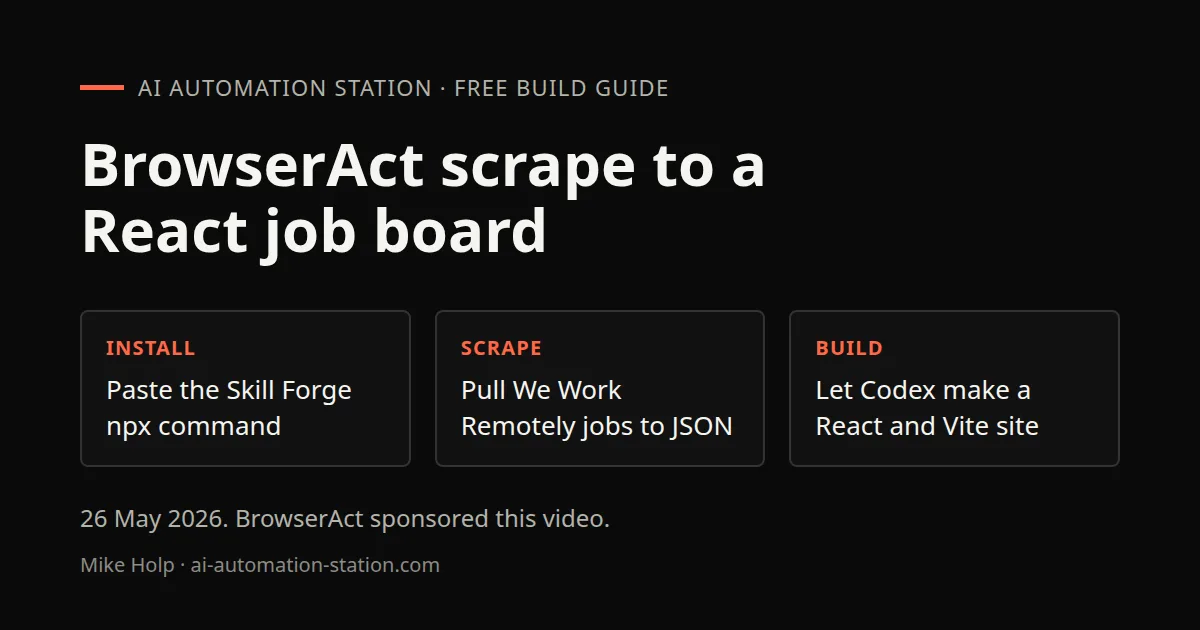
On 26 May 2026 I installed BrowserAct's Skill Forge scraper skill into Codex, scraped We Work Remotely jobs, and had Codex build a searchable React and Vite job board. BrowserAct sponsored this video. The salary field was wrong. Apply sent people back to the source site. I had not deployed to Vercel yet. Copying another job board's listings may conflict with its terms. Check those before you republish data.
BrowserAct sponsored this video. This guide uses a plain product link with no tracking parameters: https://www.browseract.com. I said the description had a discount link. Credits, timings and scrape sizes below are what this walkthrough showed on 26 May 2026, not a live quote. Brands considering a similar build can read the sponsorship packages and editorial approach.
Install the skill in Codex, Claude Code, OpenCode, VS Code or Cursor. I ran it in the Codex CLI. Description-footer affiliate links are not pasted here.
1. Install Skill Forge
On the BrowserAct site I opened Skill Forge and copied the one-line npx install command into the terminal. I did not read that full command aloud, so it is not reconstructed here. It fetched the skill from GitHub, installed dependencies, and I chose a local project install across the coding tools on the machine.
2. Scrape We Work Remotely
In Codex I told it to scrape the site and pasted the URL. It wrote a Python script and a skill.md aimed at public We Work Remotely listing pages. I said:
yeah, go aheadIt pulled headline results, then I asked for a batch scraper and filtered to frontend and sales categories, including each job's details. Output went to JSON and CSV. I mentioned a stealth mode meant to avoid bot detection. This page does not treat that as a how-to for bypassing blocks.
3. Build the React job board
Claude Desktop wrote a React and Vite prompt from the JSON. Codex executed an implementation plan and built a searchable site with categories and job detail pages. I said that took about 20 minutes, or about an hour including scraping. Those timings are from 26 May 2026. The salary field was wrong. The apply button sent users to the original We Work Remotely listing. I planned to deploy on Vercel and did not finish that in the video.
Done when
- Installed the Skill Forge skill from the BrowserAct site
- Scraped a job board you are allowed to use into JSON
- Reviewed the generated React board, including salary and apply links
What I didn't cover
- Whether republishing another job board's listings is allowed.
- Accurate salaries. The field was wrong in this scrape.
- A Vercel deploy. I only planned it.
Watch the walkthrough

- 0:00 BrowserAct AI Web Scraping Setup
- 1:15 Install BrowserAct Scraper CLI
- 2:11 Python Web Scraper Script Setup
- 3:33 Batch Scrape Remote Jobs Data
- 4:43 Scraping Web Data with Filters
- 5:50 Bypass Bot Detection Stealth Mode
- 6:43 Format Web Scrape Data to JSON
- 7:29 Build React App with Claude AI Prompt
- 8:40 Codex AI Automated Web Development
- 9:47 Building a Remote Job Board Website
From the video
Lines from the video's transcript that this guide does not cover, lightly trimmed. Each time opens the video at that point. Read the full transcript.
- 4:29
It got all 10 pages. Again, I just want to add a filter to only scrape categories matching certain keywords.
- 5:54
One of the really nice things about using the browser act skill forge skill is that uses a stealth mode in order to not be detected as a scraper.
- 11:54
If I search for, let's say, writer, for example, it pulls up only the writing jobs. So, freelance writer, data labeling specialist, I'm assuming this has writing somewhere in the keywords.
FAQ
Did BrowserAct sponsor this video?
Yes. BrowserAct sponsored it. This page uses the public product site with no tracking parameters.
Is this a BrowserAct web scraping tutorial?
Yes. I installed Skill Forge in Codex, scraped We Work Remotely jobs, and had Codex build a React job board.
How long did the job board take?
About 20 minutes with Codex, or about an hour including scraping, on 26 May 2026.
Where does the apply button go?
To the original We Work Remotely listing, where users create an account to apply.
Can I copy the npx install command from this page?
No. I copied it from Skill Forge and did not read the full command aloud.
Sources
- Video: BrowserAct Changed How I Build Websites! (26 May 2026)
- BrowserAct: https://www.browseract.com
You may also like

Build the next one with AI Income Lab
Step-by-step courses, reusable templates, and a community that answers when you get stuck.
Members get the Claude Code & Skills and Codex Tutorials & Courses lessons.
- Courses for builds like this one
- Copy-ready templates
- Ask questions while you build
- Weekly coaching on VIP


