Make.com and Claude Sonnet 4 ebook writer with Airtable
Watch on YouTube ↗ Subscribe on YouTube ↗
Written guide: Make.com Content Builds: Facebook Posts, Ebook and Forms
A Make.com scenario that writes an ebook with Claude: Airtable holds the title, description and outline, a Google Doc is created, and a loop writes one chapter at a time. A fresh Claude API key is needed after repeated credit balance errors, and a status field blocks one run. The first chapter is 12 pages and chapter headings repeat, and the video ends mid-run, so a finished ebook is not shown.
Video summary
Discover how to write entire ebooks using AI with this step-by-step Make.com tutorial! Perfect for authors, content creators, and entrepreneurs, this guide will show you how to leverage AI tools to streamline the ebook writing process and produce professional-quality content.
The video covers 9 parts: Introduction to Make.com, Setting Up Airtable for Ebook Details, Creating Google Docs for Chapters, Utilizing Claude AI for Content Writing, Automating Chapter Creation with Make.com, Troubleshooting API Credit Issues, Optimizing with Claude Sonnet 4 for Advanced Content, Completing and Editing the Ebook, and Streamlining the Entire Process.
What this video covers
What you build
A Make.com scenario using Airtable, Google Sheets and Docs and Claude Sonnet 4 to generate an outline and then chapters appended to a document.
Tools used
Key steps
- 0:16 - Set up an Airtable record with the ebook title, description, topic and status.
- 1:09 - Create the Google Doc and sheet that hold the chapters.
- 2:32 - Ask Claude for an outline and save it back to Airtable, then loop through chapters.
- 4:15 - Hit credit balance too low errors even after topping up, and fix it by creating a new API key.
- 6:24 - Switch the writing step to Claude Sonnet 4.
- 7:40 - Reset the Airtable status that blocked a run and start chapter writing.
Not covered
- A finished ebook. The run is still on chapter three when the video ends.
- Quality. Mike says the first chapter is long, headings repeat and formatting needs editing.
- The total API cost for a full book.
- Rights and quality issues in selling an AI-written ebook, which Mike plans to list in a shop.
In this video
- 0:00 Introduction to Make.com
- 0:16 Setting Up Airtable for Ebook Details
- 1:09 Creating Google Docs for Chapters
- 1:26 Utilizing Claude AI for Content Writing
- 2:32 Automating Chapter Creation with Make.com
- 4:15 Troubleshooting API Credit Issues
- 6:24 Optimizing with Claude Sonnet 4 for Advanced Content
- 7:40 Completing and Editing the Ebook
- 10:04 Streamlining the Entire Process
Questions and answers
Why did the Claude step keep failing?
It reported a credit balance too low even after adding funds. Creating a new API key fixed it.
Is the Make.com ebook template available?
Yes, on Mike's Gumroad page as pay what you want.
How long does the Make.com ebook automation take?
Mike claims 15 to 30 minutes for a full ebook, but the video does not run it to the end.
Keep learning
Transcript
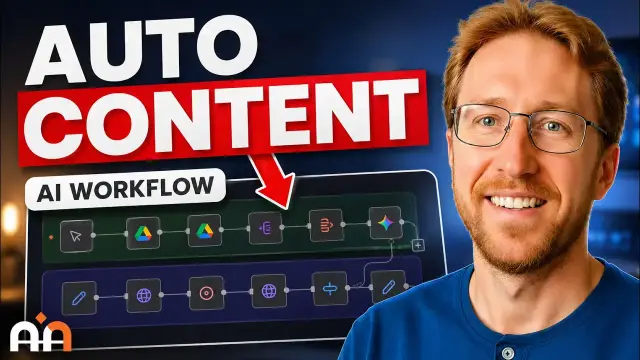
Hey there. In this video, I want to show you this automation that I've built out in make.com, which automatically writes entire ebooks from start to finish in anywhere from about 15 to 30 minutes, depending on the length of the ebook, obviously. So, I've got this built out. It uses a combination of Airtable for storing the records. So, I've got the Airtable over here that provides the title, description, the outline, which is generated, and then the topic and status right here.
So, it's pulling this information from Airtable. Right here, this is the first step. So, it's getting, in this case, I want to write an ebook as a comprehensive guide to AI for business. And I don't want to, obviously, write the entire thing myself. Uh why not use AI to do it for me, right? So, that's what I'm going to do here. And then I can put it up for sale on my website, which is shop.beremoteconsulting.
Read the rest of the transcript
This is my online store, where I have ebooks available for sale on different topics. So, I'm going to put it up there once it's finished. And then next step is going to be Google Spreadsheet, so just putting the title and description in there. And then it creates the Google document for the ebook, where it's going to be creating all of the chapters. Uh which I'll show you how that works in a minute here. I'm using Claude for writing because it's the best model.
And actually, they just came out with uh Claude Sonnet 4 and Opus 4. So, I actually want to use Sonnet 4 in this particular case for writing the ebook because it's going to be even better than 3.7, I would think. And I've already got the credits for the API, so I've got about $5. I I might have to add more to create this ebook, but for now, $5 in API credit should be fine to get started. So, that's all done.
And then here it's just going to it just says create an outline for an ebook with this title and this description, which is getting from Airtable. And then next it updates Airtable with the complete outline. So, that's what's that's doing here. It's just taking the response from uh from Claude the full the full outline and putting it into the Airtable field. And then it's just it's doing some parsing, adding arrays, and then it's just creating the entire ebook from scratch.
So, this step is basically just uh adding all of the chapters. So, chapter by chapter. And then so, this is basically like a loop. It does this first, and then it does this, and then it does this, and then it does this. So, it's just basically like a loop, and it creates a chapter using Claude on each of the topics. So, without more being said, I'm just going to uh show you how this works.
So, I'm just going to click on run, and hopefully, if everything is set up properly, it will start creating the ebook from start to finish. So, hopefully I have enough API credits for Claude, and looks like unfortunately, I am getting an error here. It says credit balance is too low to access. So, I was a little bit afraid of that. It does say that I have $5, but I may need to buy some more. So, I'm just going to add an extra extra 10 bucks here.
And this is basically the only thing that you're going to need to pay for when you create the ebooks is the API credits, and then also make.com. Uh I'm on the free plan of make.com as well. So, once this finishes topping up my API credits, I'm going to start creating the ebook. Just need to add the credits. And then that step should go through without a hitch. So, let's see. Okay, so that seems to have gone through.
I'm just going to refresh, And it should say $15 of credits here now. Yep, $15. So, those are the API credits that you're going to need to uh preload onto your account to use Claude. So, now when I run this, it should should get past that step, no problem. It's creating the document. And uh once again, it says, "Credit balance is too low." So, maybe it's because I'm Claude Sonnet 4, which uses more credits. So, I'm just going to switch back to 3.7.
And let's see if it works now. Going to try one more time. Hopefully, it goes through. It's creating the document. And again, it still says, "Credit balance is too low." So, maybe this is the wrong account, possibly. I need to log in with a different account. That's possible, I guess. Uh so, I'm going to create a new API key. So, I'll come over to API keys. I already have one here. I already have the account set up. So, that shouldn't be the issue.
Um just for the hell of it, let's create a new key. I'm just going to use make.com. Figure out why this isn't working. And we're going to copy that real fast. Hopefully, nobody saw it. And then I'm just going to put the API key in there. Let's see if this works. Okay, let's try running it again now. Not sure what the issue is here. Okay, now it's working. All right, so I just needed to create a fresh API key. And now, it's creating the outline.
And if I come back over to Airtable, we should see the outline up here right here in this field in a couple seconds, hopefully. Should put the entire outline in here for us for the book. And it's going to be using the outline to create the entire ebook from scratch. So, okay, it's done, and there's the outline, as you can see. So, that's what it's going to be writing the book on, chapter by chapter.
And it may have an issue with the next step, actually, because I didn't connect up the other Claude module. Uh yeah, unfortunately. So, I need to add the different the new one. And maybe I can use Claude 4.0. I think it's going to use a lot of probably going to use a lot of credits, but we'll give it a try. So, I'm just going to switch this over to Sonnet 4, which is the latest and greatest model of Claude. Just going to use Sonnet 4.
We can go ahead and save that, and then run it once again. Now, it's having an error with the spreadsheet. Oh, it's because Sorry, it's because uh this says done now. So, I need to change that back to to do. It just automatically updates. So, there we go. And now, if I run it again, it should go through no issue. There we go. So, this should basically just create the entire ebook for me.
And it looks like I already have a few here, but those are not finished. So, I'm just going to delete these ones real quick. It creates a new document every single time. And if you want this uh template, it's available for free, basically, or pay whatever you want on my Gumroad page. So, you're welcome to check it out. Let's see, it should update the the outline over here. Once this step is finished, there we go. And now, okay, so now it's writing the entire ebook.
It's working on chapter one right now. So, if we come over to the document, it should update automatically. And it's basically just going to append chapter by chapter to this document until the ebook is finished. So, it's very powerful and it saves a ton of time. Uh if you were to write this ebook yourself, it would take, I don't know, months, many months to write this. And with AI, you can do it basically for free and automatically using this template.
So, it's going to insert the first chapter into the Google Doc if everything goes according to plan. It's already got the title in there. And sometimes it takes a little while, especially I would think with Opus, sorry, uh Sonnet 4. It uses a bit more resources. So, we can come back over here and check the limits. Uh where is the billing? Usage down here. So, let's go to usage and we can see that it's it's starting to use a lot already.
Uh so, if we go to billing, still got $15 on the plan. See if it updated. There we go. So, this is the first chapter of the ebook. And it Wow, it's already 12 pages long, which is a bit much. I think this is kind of just like the outline of the book. Seems more technical than what I was looking for. Um but as you can see, it does work. So, this looks better. Building sustainable AI capabilities.
And obviously, it will need a bit of editing once it's finished because the formatting is not not great. But there it is, chapter one, why AI matters for every business today, right? And it's just creating this using Claude. So, this is pretty amazing. Um and it's just going to continue going like this until the ebook's finished. It's already 17 pages long. And this says chapter one again for some reason. It says who this guide is for. But yeah, it's just writing the entire ebook for me.
Completely automated using this make.com uh automation right here. So, yeah, it's just going to keep adding the chapters until it's finished. We'll see how long it takes. Shouldn't take longer than about, I don't know, 20 20 30 minutes, something like that. So, it's working on chapter three now, I believe. And as you can see, once this is finished, it just updates the Google Doc and then it goes back to um the step up here. Yeah, so now it found the next chapter from the Google Sheet.
It's creating the next chapter. And it says chapter one every single time. I'm not sure why. But yeah, this is uh it's pretty powerful what you can do with automation and AI. Looks like it does need a little bit of work. But yeah, let me know if you're interested in uh the automation template. I'll provide it on my Gumroad page as well. It's already up there, actually. So, if you want to check it out, you're more than welcome to do so.
Let me know if you want it in the comments. And uh with that being said, signing off. Thanks for watching. Peace. Till the next one.