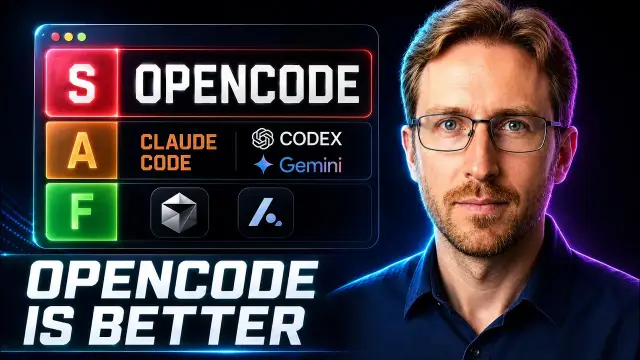
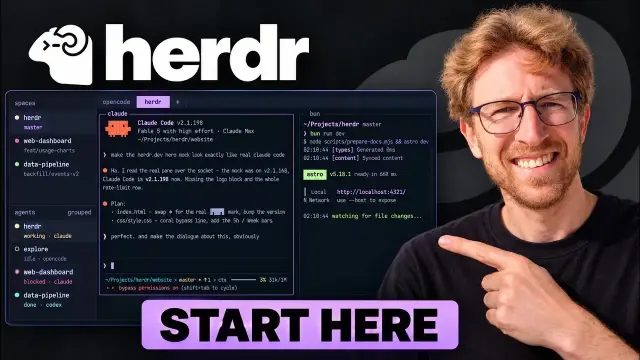
OpenCode setup: install, Go and Zen plans, and OpenRouter
Watch on YouTube ↗ Subscribe on YouTube ↗
Explore OpenCode as a Claude Code alternative: model selection, OpenRouter setup, skills, and the rate-limit failure shown in the walkthrough.
Video summary
OpenCode vs Claude Code: why this free open-source AI coding agent wins on rate limits, model choice, and cost. OpenCode tutorial — one-line install (curl/npm/brew), terminal + VS Code/Cursor setup, OpenCode Go vs Zen, 75+ LLMs via OpenRouter, and custom skills.
Looking for a Claude Code alternative with free AI models? Full how to use OpenCode walkthrough below.
The video covers 10 parts: Introduction to OpenCode: The Free Coding Agent, One-Line Installation (Curl, NPM, Brew), What is OpenCode? (Terminal vs. IDE), How to Download & Supported Platforms, OpenCode Go vs. Zen (Free) Plans, Comparing Rate Limits: Claude Code vs. OpenCode, Exploring the 75+ Integrated LLMs, Setting Up Open Router & API Keys, Running Custom Skills (SEO & GEO Automation), and Documentation & VS Code Extension Setup.
What this video covers
What you build
A working OpenCode install with model connections. The walkthrough covers the install options, the free and paid plans, adding OpenRouter and API keys, running custom SEO skills and adding the VS Code extension.
Tools used
Key steps
- 0:24 - Install with a one-line curl, npm or brew command.
- 2:04 - Compare the OpenCode Go and free Zen plans.
- 3:16 - Compare rate limits with Claude Code.
- 3:55 - Look at the 75 or more integrated models.
- 4:37 - Set up OpenRouter and API keys.
- 6:17 - Run custom SEO and GEO skills.
- 7:31 - Find the documentation and set up the VS Code extension.
Not covered
- A controlled test showing OpenCode beats Claude Code. The title is an opinion.
- Current plan prices and limits.
In this video
- 0:00 Introduction to OpenCode: The Free Coding Agent
- 0:24 One-Line Installation (Curl, NPM, Brew)
- 0:42 What is OpenCode? (Terminal vs. IDE)
- 1:23 How to Download & Supported Platforms
- 2:04 OpenCode Go vs. Zen (Free) Plans
- 3:16 Comparing Rate Limits: Claude Code vs. OpenCode
- 3:55 Exploring the 75+ Integrated LLMs
- 4:37 Setting Up Open Router & API Keys
- 6:17 Running Custom Skills (SEO & GEO Automation)
- 7:31 Documentation & VS Code Extension Setup
Questions and answers
Is OpenCode really free?
The tool is open source with free models built in. Paid options such as Go and connected provider plans are optional, and this walkthrough shows both.
Where can you run it?
In the terminal, in editors such as VS Code and Cursor, or as a desktop app.
How many models can it use?
About 75 providers through models.dev, Mike says, plus ChatGPT Plus or Pro and GitHub Copilot logins.
Keep learning
Build notes: choose a model that actually responds
Mike explores OpenCode after reaching his Claude usage limit. This is a setup walkthrough and a personal workflow comparison, not a controlled benchmark of coding accuracy or speed.
What the demonstration covers
- Open the installed terminal client and inspect the model picker. The walkthrough also tours installation choices for desktop and editor use.
- Select a provider and model. Mike shows his OpenCode usage dashboard, then adds an OpenRouter connection using an API key.
- Try a request with the selected model. The Gemma request through OpenRouter returns a rate-limit error, so Mike switches back to Kimi before continuing.
- Run an installed SEO skill on an existing website. The walkthrough shows the task starting; it does not establish a measured improvement in search traffic.
Separate the client from model access
An open-source coding client does not make every connected model free. Check the selected provider’s current access, billing, and rate limits before copying this setup. A model appearing in the picker is not proof that your account can successfully call it.
Keep API keys out of recordings and repositories. If a request fails, inspect the provider error before switching models; changing a model does not repair an invalid credential or an exhausted quota.
Read the OpenCode vs Claude Code guide for current sources on licensing, provider connections, installation, pricing and limits.
A useful next test
Give the client one small repository task with a reproducible check, then inspect the diff and run that check. The coding-assistant workflow guide uses this website’s public example and works as a practice brief for other coding clients too. For a complete recorded build with visible debugging, continue to the OpenCode habit-tracker walkthrough.
Transcript
Hey there, welcome to the channel. In this video, I'm excited to take you through how to get started using OpenCode, which is one of the only really truly free open-source AI coding agents. I've got the website pulled up for it here. It includes a lot of free models and then also Claude, GPT, Gemini, and others. And then in order to install it, all you have to do is run this one-line command right here.
So, if I just come over to my terminal, you can see I've already got OpenCode installed, and you can either use curl, npm, brew, or paru to install it. And this is just a simple example of how it looks running in the terminal. And what is OpenCode? So, OpenCode is an open-source agent that helps you write code in your terminal, IDE, or desktop.
Read the rest of the transcript
So, you can also install this in VS Code, Cursor, I think Google Antigravity, and a bunch of others as well, which I'll show you how to do a little bit later. But essentially, it automatically loads the right LSP for the LLM. You can start multiple agents in parallel on the same project. You can share links to any session for reference or to debug, and you can also log in with GitHub or use Copilot directly inside OpenCode.
You can also use ChatGPT Plus or Pro subscriptions, as well as 75 other LLM providers through models.dev. So, in order to get started, all you have to do is click on download up here, and then like I say, you can either use one of the one-line terminal commands to install it, or you can also just download it for Mac, Windows, or Linux. And also, you can install it in VS Code, Cursor, Zed, Winsurf, and a bunch of other ones as well.
So, in order to get started, you can just come on over to docs here, and you can read through more information here. So, this is what it looks like running in the terminal. Here's some of the prerequisites that you need in order to install it. And again, just use the one-line command, and you're good to go. So, now once you've got OpenCode running inside the terminal, you can choose, first of all, your model.
So, in this case, I'm on OpenCode OpenCode Go, which is their paid version. This is the low-cost coding model for everyone, and it starts at $5 per month for the first month, and then it goes up to $10 per month. So, I would recommend upgrading to this, especially if you're using OpenCode on a daily basis. Otherwise, they have the Zen plan, which is completely free, and it includes all of these different models that you can integrate in, including GPT, Claude, and Kimi 2.5 and Quinn 3.5
as well. So, those ones are only available, as far as I know, on the Go plan. So, you will have to upgrade. All you have to do is upgrade here, and then you just pay the five bucks, and you can also check your usage from over here as well. So, you can see right here the different models that I'm using, mostly Kimi 2.5, Mimo, and MiniMax Pro.
And I've just recently switched over to Kimi 2.5, and it's using a very, very small amount of credits, and that's included in my monthly billing on the Go plan. You can also see my usage over here as well. So, this is just going to reset every 5 hours. Then we've got the weekly usage and monthly usage right here. So, I have been using OpenCode a lot more recently because I'm constantly hitting rate limits on Claude.
So, if I go ahead and open up Claude over here inside the terminal, you'll see that I'm hitting rate limits. And this is happening more and more frequently, even though I actually have something called Caveman turned on, which should prevent the amount of credits being used. But now it looks like I have to wait another 4 days for my Claude Code credits to reset.
So, honestly, I really just prefer using OpenCode cuz it can do a lot of the same things completely for free, or you just upgrade to the Go model, and it's very affordable. So, if I go ahead and select models here, you can see that I can choose from a lot of different models. Many of these are free, and then I can also integrate over 75 other models into this as well. So, you know, Claude is in here, ChatGPT, um a bunch of them.
Gemini, I think, is in here as well. You can see the list goes on and on and on here. But in most cases, I'm really pretty happy with the the free open-source models. I've mostly been using Kimi 2.5 recently, and also MiniMax and something called Mimo. They also have Quinn 3.6 in here as well. And you can also install OpenRouter models in here as well.
So, if you want to use OpenRouter, you just come on over to openrouter.ai, and from here, you will just get your API key. So, in this case, I'm just going to uh create a new API key, which I'm going to delete later, so no one has access to it. And I'm just going to type in OpenCode right here.
And what that's going to do is just going to give me my API key, which you actually can't read the entire thing, so I'll just keep it like that. And we're going to paste it in over here. And then you just push enter, and now you have access to a whole bunch of other models. Many of these are also free or very cheap. You can see the ones that are free here. This one says free.
Um and if I just type in like Gemma, for example, I can use the Gemma 4 model, which is Google's latest and greatest uh essentially open-source model. So, if I just click on Gemma 4 here, I can go ahead and get started. So, I'm going to say uh continue or something like that. And now it's going to be using Gemma 4 using OpenRouter. But for some reason, I usually have errors on this one. It says it's rate-limited.
Um so, I'm not exactly sure what's going on there. But if I want to look at the documentation for Gemma 4, I can come over here. And you can see here's all of the documentation. And you can also see the pricing here as well. So, if we scroll down, we should see the pricing and how it compares to other models. Uh yeah, so all of the information over is over here on OpenRouter. And again, that integrates directly in to OpenCode.
Uh you can also access your skills from here as well. So, I've already got a whole bunch of skills installed, which are both available in Claude Code and also Gemini and over here in OpenCode as well. You can see I can just scroll through all these skills. I've got tons of them to choose from. One of my latest ones that I really like is called GEOSEO. Sorry, it's actually called SEO GEO.
So, if I just enter that in, I can run the skill quickly and easily, although I may need to change my model because Gemma doesn't seem to be working. Yep. So, once again, I'm just going to update my model, and we're going to switch back to Kimi 2.5, and then we can just go ahead and run that command once again. So, you can see here I've got access to all of my skills over here in OpenCode. You can also push to GitHub really easily.
You just do git commit and push since GitHub is already installed in here as well. And yeah, so it makes it really, really easy. And also, this integrates with something like VS Code or Cursor as well. As I mentioned earlier, you can install this uh in any of your IDEs. You just need to download it over here, and then you can install the extension.
So, if I want to read more about how to install this in VS Code, they've got an entire documentation over here as well. Basically, you just have to go to VS Code and install it in the extension section, and that's it. And everything you want to learn is over here inside the docs. You can also customize OpenCode to your heart's delight as well. And you can even develop different tools using their SDK as well. So, it's really powerful.
And yeah, I'm just going to let this skill run on my website. If you guys have any questions about OpenCode, let me know in the comments below. I'd be happy to answer them. And it also has a ton of stars on GitHub as well. So, they have about 146,000 stars over here. And you can also install it through GitHub as well. So, with that being said, thank you so much for watching this video. Please go ahead, check out OpenCode. I really like it.
I think you'll like it as well. And that's all for this video. I will see you in the next one. Take care, stay safe. Peace from Thailand. Sign it off.