Trakkr AI visibility test: crawler visits and prompt ranks
Watch on YouTube ↗ Subscribe on YouTube ↗
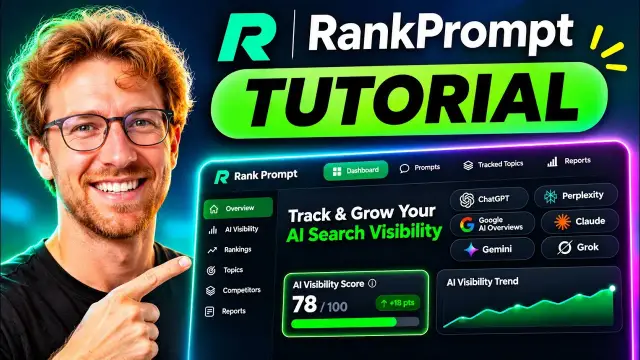
A tour of Trakkr, a tool for tracking AI crawler visits, citations and visibility, using Mike's own analytics site. It shows 1,700 AI crawler visits in seven days, prompt tests in ChatGPT and Perplexity where the site ranks third, and steps such as tracking code, llms.txt and ai.txt. Mike credits GEO-optimized blog articles and a move from Hostinger to Vercel. These results are self-reported and causes are not proven.
Video summary
The video covers 10 parts: Intro to Generative Engine Optimization (GEO) and the Tracker tool., Dashboard Overview: Tracking visibility scores, mentions, and rank against competitors., -AI Traffic Analysis: Monitoring daily AI crawler visits and high-performing pages., Content Optimization: Structuring blog articles with quick answers, takeaways, and expanded FAQ sections for crawlers., Installation Guide: Adding Tracker's custom code via direct injection or Google Tag Manager., Prompt Testing: Verifying brand rankings in ChatGPT for specific industry queries., Ranking in Perplexity: How follow-up questions about pricing and features appear in AI results., Optimization Features: Implementing structured data, fact injection, and AI summary blocks., Indexing Strategies: Using tools like Index Guru or custom scripts to submit URLs to Google and Bing., and AI-Specific Files: Configuring lms.txt and ai.txt to allow and guide AI crawlers..
What this video covers
What you build
A Trakkr setup with tracking code on a site, plus scripts to submit URLs to Bing and Google and a blog post workflow driven by tracked prompts.
Tools used
Key steps
- 1:03 - Read the dashboard for visibility score, mentions, rank and competitor comparison.
- 1:44 - Check AI crawler visits by day, top pages and sources, mostly from ChatGPT.
- 2:27 - See how blog articles use quick answers, key takeaways and expanded FAQ sections so crawlers can read them.
- 3:32 - Install the tracking snippet directly or through Google Tag Manager.
- 4:13 - Test prompts in ChatGPT about the best YouTube analytics tools and see where the site appears.
- 6:04 - Test follow-up questions in Perplexity about pricing and features.
- 10:15 - Submit URLs to Bing and Google with custom scripts, with Index Guru as a paid option at about $9 a month.
- 14:38 - Look at llms.txt and ai.txt files that list pages and allow AI crawling.
Not covered
- Proof that the blog changes or the host switch caused more citations and crawler visits.
- Statistics beyond a single site, a week of data and a handful of manual prompt tests.
- Whether crawler visit counts are all real AI crawlers, since they come from the tracker's own snippet.
- Trial terms for Trakkr, which differ between this video's 14-day mention and other videos.
In this video
- 0:00 Intro to Generative Engine Optimization (GEO) and the Tracker tool.
- 1:03 Dashboard Overview: Tracking visibility scores, mentions, and rank against competitors.
- 1:44 -AI Traffic Analysis: Monitoring daily AI crawler visits and high-performing pages.
- 2:27 Content Optimization: Structuring blog articles with quick answers, takeaways, and expanded FAQ sections for crawlers.
- 3:32 Installation Guide: Adding Tracker's custom code via direct injection or Google Tag Manager.
- 4:13 Prompt Testing: Verifying brand rankings in ChatGPT for specific industry queries.
- 6:04 Ranking in Perplexity: How follow-up questions about pricing and features appear in AI results.
- 8:18 Optimization Features: Implementing structured data, fact injection, and AI summary blocks.
- 10:15 Indexing Strategies: Using tools like Index Guru or custom scripts to submit URLs to Google and Bing.
- 14:38 AI-Specific Files: Configuring lms.txt and ai.txt to allow and guide AI crawlers.
Questions and answers
What does the tracker measure?
AI crawler visits, citations, mentions and visibility across several AI models, per the dashboard shown.
Why are FAQs expanded by default?
Crawlers cannot read collapsed content that needs JavaScript to open, Mike says.
Why move to Vercel?
Vercel's built-in CDN, analytics and speed insights, at about $20 a month on Pro, beat his Hostinger setup, Mike says.
Keep learning
Transcript
Hey there, welcome to the channel. In this video, I'm going to be taking you through step-by-step how to make sure that your website is showing up in AI search results. And in order to do this, we're going to be using a tool called Tracker. I'm going to leave a link in the description below. It's completely free to get started and they also offer a 14-day free trial.
So, this is one of the best platforms that I've found so far in order to not only track the number of AI crawlers that are visiting my site, but also show where I'm showing up in the results on different LLMs in addition to citations and my overall visibility. So, if you're excited to learn how to optimize your site for GEO, generative engine optimization, this is the tutorial you should be watching and go ahead, please subscribe to the channel if you haven't already, and let's get into
Read the rest of the transcript
it. So, first of all, I'm just going to enter my brand right here, which is tubebuddy.net, my software as a service web app, and I'm just going to click on go to dashboard. And now, right away, you can see my overall visibility score as well as the total number of mentions, my rank, and also citations and AI traffic, and it's also got all of my competitors over here as well. So, that's Social Blade, VidIQ, Sprout Social, uh TubeBuddy is in here as well.
They're actually quite a bit lower than I would expect, as well as ViewStats, which is Mr. Beast's uh YouTube analytics platform, and that's right currently ranking number 15, and I'm sitting at number five right now. So, my AI optimization is doing really well, and it's continuing to show up in more and more AI search results, which I'll show you a little bit later. But first, I want to go through the AI traffic. So, this is the traffic, the crawlers that are visiting my site.
You can see total number of AI visitors over the past uh 2 weeks is 55, number of conversions, and also the engagement rate. And then you can also get a full breakdown here and it shows how many crawlers are visiting my site on a daily basis as well as the top pages. So, this one right here, YouTube monetization requirements, is a popular page. More and more AI crawlers are discovering it.
So, this tells me that I should probably be doubling down and optimizing this even more for GEO as well as best YouTube analytics tools. So, if I come over to my blog here and I just paste in that particular URL, you can see here's the full blog article which was written using Claude code skills 100%. I didn't write this article, but it's fully optimized for AI with the quick answer at the top and also key takeaways.
And most importantly, or it's, you know, importantly down here, we've got a fact section. And these are automatically expanded, which is important because the AI crawlers actually can't read the content with JavaScript if they are collapsed. So, you need to make sure that they're open by default. And it's also got related articles, related guides, and it's just really, really well optimized for AI. I would say even better than a lot of my competitors.
So, yeah, you can just take a look at all that there as well as geographic distribution and the top sources. So, it's mostly ChatGPT that's crawling the site. And you can also take a look at the AI crawlers over here as well. So, just in the past 7 days, I've gotten 1,700 visits from AI crawlers. And this is basically a custom code that you need to install on your site.
So, you can see right here, you can either install it directly on your site or you can use Google Tag Manager. The choice is up to you. But for me, I just installed the code on the site and that way you can see exactly which crawlers are visiting your site and how often. And this is really important to determine um you know, where you're showing up in the AI search results. So, I can see here that it's mostly ChatGPT and Perplexity that is crawling the site.
And I've just decided to come over here and issue it a prompt. So, I said, you know, what are the best YouTube analytics platforms? And it starts off with YouTube Studio. Obviously, that's the go-to free solution that's built into YouTube. And then we've also got VidIQ, another really popular tool, which I'm using on my own channel and have been for years. And then second up is TubeBuddy. And then third is Tube Analytics, which is my software as a service platform.
And I can click here and it will open it up in the sources over here. You can see this is all of the information about my software as a service, and then we can also click on sources and then you'll see right here that I'm showing up at the very top for that specific uh prompt. And we've also got Social Blade and Thumbnail Test and a few other ones in here as well.
But most importantly, I am currently ranking number three, which is in my personal opinion right where it belongs. And if I look for View Stats here, which is Mr. Beast's YouTube analytics platform, I don't even see it in the list. So, that's definitely encouraging. And then I also searched for give me a list of YouTube analytics platforms, and once again Tube Analytics is in the list. Assuming I can find it, it's somewhere here. Um in the list right here, Tube Analytics structured analytics and performance insights.
So, so far this has taken me about a week, just over a week to start showing up in the AI search results, and that's mostly due to optimizing my blogs for GEO, generative engine optimization. And yeah, so that's a skill in and of itself. Um, but I've already made tutorials showing how to do that. And if we also come over to Perplexity here, because that's another AI crawler that's visiting my site often, I can search for TubeBuddy Pro versus VidIQ comparison.
And you can see where it's currently ranking. It's not ranking in this prompt, but if I search for compare the best YouTube analytics tools, it is right here, Tube analytics, alongside VidIQ, TubeBuddy, YouTube Studio, and Social Blade. And then I can also do a follow-up question with Tube analytics pricing plans and features. And then it will list off all the pricing plans right here, exactly as it is on my website, starter plan, professional, enterprise with all of the features over here as well.
And then we can also do another follow-up, Tube analytics versus YouTube Studio, which is better. And obviously, it's going to be Tube analytics in a lot of ways. It's just, you know, above and beyond what YouTube Studio can do. And there's the full answer. So, this is really good news. It's even more important than SEO nowadays, because more and more people are going to the major LLMs, like ChatGPT, Claude, Perplexity, Gemini, in order to get answers to their questions.
So, you're definitely going to want to make sure that you're showing up in the search results for these specific prompts. And that's another thing that you can do over here in tracker is that you can actually find the prompts and sort by the AI search volume, as well as the overall score. And then basically, you can take this prompt and you can create a full blog article using these specific prompts.
So, if I wanted to write an article on my blog for best YouTube analytics platforms for increasing views, I could just come over here to something like OpenCode and tell it to write a blog article on that specific topic, which I've already done. So, if I come back to blog here, I could just search for increase views. And I've actually paginated it now, so we might need to search for on a couple different pages. But anyway, I do have an article on that topic.
And if you want to see where that is ranking over here, we can also come down to AI pages. And this is going to show my overall AI visits. So, so far, just in the past 24 hours, I've gotten 1,000 video visits to the site, and you can see the optimization rate here as well as the usage. And it's showing which crawlers, once again, are visiting my site. So, the vast majority of them are coming from ChatGPT.
And you can also see your features down here as well, including structured data. So, that's the schema that you're going to want to make sure all of your content is optimized for as well as key facts, automated fact injection, and AI summary block, and a bunch of other things. If you want to edit any of those, you can come over here, and then you can just put in a blog article.
So, if I come to my page here, I'll just click on one of these blog articles. And we can come over here, and we're just going to paste in that URL, click continue. And then from here, you can drop in uh some custom code in order to track which crawlers are visiting your site, which I've already done. But you can see here, there's all of the different browsers, uh sorry, AI crawlers, and you can just select all of those, click continue, and then these are the
different optimization features that you want to track. So, that's key facts, structured data, fact injection, a bunch of other stuff. Click save and continue. And then from there, it's going to give you some custom code, which you can basically just inject into your website site. So, if I wanted to do that, I can just say add this custom code over here in OpenCode, and then you're just going to paste in that code, and it will add it in directly for you.
And once that's all set up, you're going to be able to see which crawlers are visiting your site, which is super helpful because if you don't know which crawlers are visiting your site, you don't know which you know, how to optimize your content. So, I highly recommend checking out tracker. And another really cool tool that you can use is called Index Guru, which is for submitting all of your URLs to both Google and Bing so that uh you know, these search engines can crawl your website.
And you can even create a custom script to do this using, you know, a custom skill um in order to add all of the links. So, if I want to do that, I can type NPX TSX, and then I'm just going to put scripts index now. And what that's going to do is just going to automatically upload all of my URLs so that Bing can index the sites. And I have another one for Google Search Console as well. So, I can just run that.
And that's just going to automatically upload all the URLs so that they can start indexing them. So, technically, I don't even need to use Index Guru, which is only $9 per month. It does make it easier to index the site um just with a nice interface here, and you can see how many URLs are being crawled on a daily basis. But, that's more for SEO, and uh tracker is more for GEO, generative engine optimization. Then, you can also export reports from here as well.
So, if I want to get a full report, then I can do that as well. And then I can just go ahead and save that PDF. So, I'm just going to name it tracker dashboard. And that way we can save the report. And one last thing I want to show you before we wrap up this video is citations. So, these are basically the prompts that you're showing up for in AI search.
So, if I come down to Tube Analytics here, I can see where I'm showing up and for which prompts. Right here. So, there's TubeBuddy. These are the the number of AI citations it's showing up in, total number of coverage, and then this is where I'm ranking in comparison to some of my competitors. And of course, over time this is just going to continue improving as more and more AI crawlers are visiting my site.
And you can also see the user queries that led AI models to site TubeBuddy. So, if I wanted to compete with them on this specific prompt right here, all I would have to do is copy and paste this, and then come over to something like OpenCode and just say, "Write a blog article on this topic." Or I could use one of my built-in skills, and I could just say, "Blog post." And then we're just going to paste in that prompt.
And what that's going to do is it's just going to use a custom skill, it's going to write the entire blog post, put it up on my blog, and then I can easily deploy it to Vercel. I've just recently switched over from Hostinger to Vercel, and I would say this is a much better platform if you are launching a software as a service.
And it's got all of the analytics built in here as well, so I can see total number of visitors going to my site as well as the speed insights, which is also really, really important for SEO. You need to make sure that your website is loading fast. So, it's got everything built in here, and then all I have to do is basically just deploy to GitHub, and it will automatically run and deploy my website. So, I highly recommend using Vercel.
I'm currently on the pro trial plan. And then it goes up to $20 per month, which I would say is totally worth it because Hostinger is also about 20 bucks per month, but this one has a lot of additional features built into it including all of the speed optimizations. It's got a CDN so you don't have to use something like Cloudflare. You can just use the um Vercel CDN.
And I will definitely make a video coming up soon uh showing how to use Vercel a little bit more. Uh another nice thing is you can just integrate your software apps like Prisma, Supabase directly into Vercel. So, it's a really powerful platform. I'm going to be switching from Hostinger to Vercel moving forward um for that reason alone and also just really helps overall speed of my site.
And I've noticed that ever since switching to Vercel more and more AI crawlers are visiting the site because you can basically just tell it to open it up to all the AI crawlers. And you can also do that in your llms.txt file as well. So, I can open that up real quick and show you what it looks like. It's just llms.txt. And this is also a really really important page which basically shows you uh all of the content on the site.
And there's another one called ai.text which uh basically just allows all of the AI crawlers to visit your site. So, you can see here AI crawling allow, AI training allow, and AI indexing allow. AI archiving allow. All of these are allowed to crawl the site. And it also gives the link to my sitemap with all of different pages as well as some metadata, product information. I think I've got my YouTube channel linked in here as well.
So, the site is already super super well optimized for AI crawlers. And that's another reason why I'm getting more and more AI crawlers visiting the site. They're indexing it. It's showing up in the AI search results. And yeah, so if you guys have any questions, drop a comment down below. I just wanted to make a video going over this topic because it's super important for you to be showing up in AI search.
Otherwise, your brand might as well not even exist be because people are not going to be able to find you using ChatGPT, Claude, Gemini, Bing, all of the major AI search engines. So, with that being said, thanks so much for watching this video. I'm going to go ahead and write this next blog post. If you have any other questions, uh go ahead, drop a comment down below. Please subscribe to the channel if you haven't already, and I will see you in the next one. Take care.
Stay safe. Peace from Thailand. Signing off.